
Overlays & feedback
Bottom sheet
A bottom sheet is a panel anchored to the bottom of a mobile screen that slides up over the page to show extra content, and can be dragged or swiped away.
- Also called
- Sheet, Bottom drawer, Slide-up panel
- Browse examples
- Mobile designs →
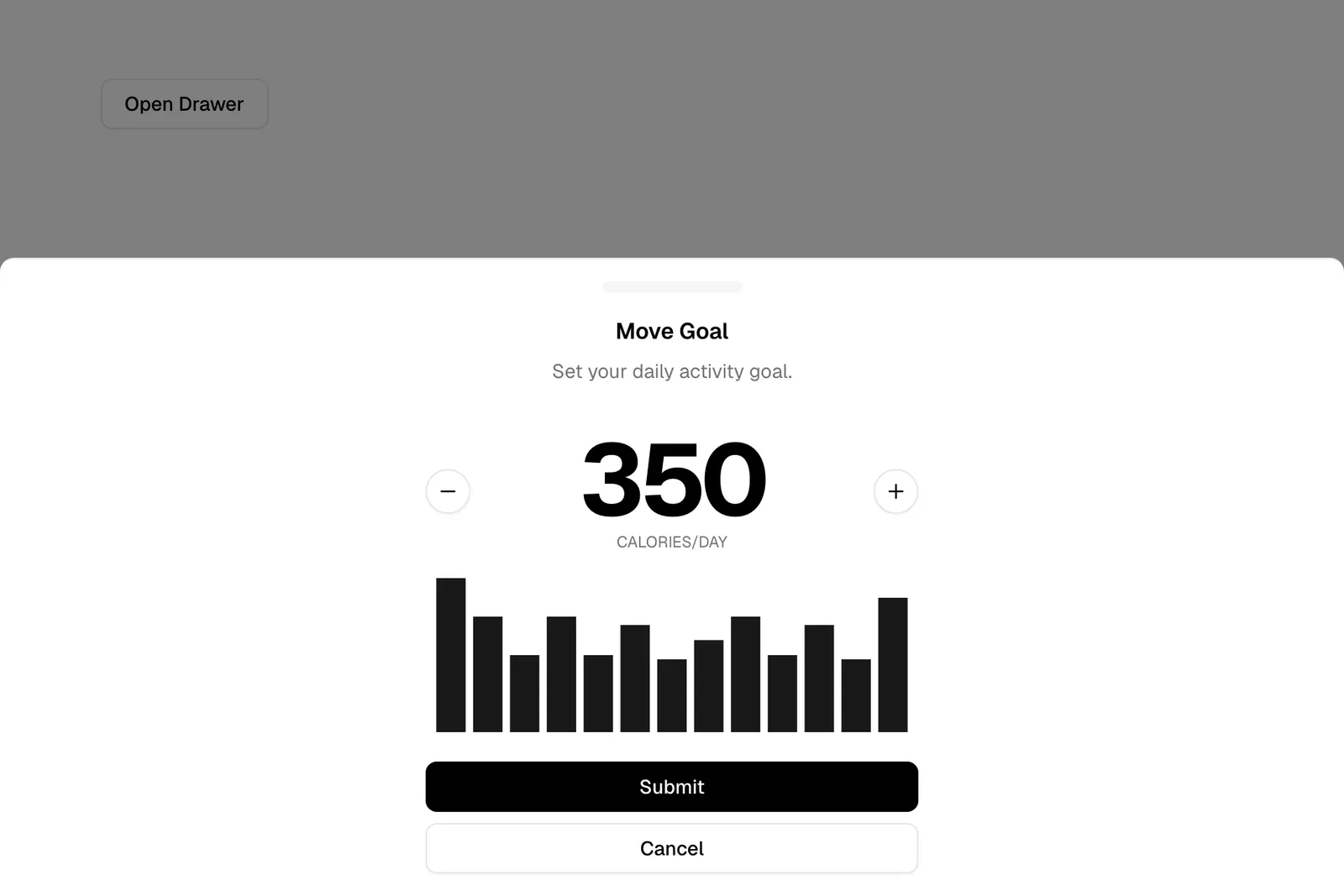
What is a bottom sheet?
Bottom sheets carry content that is related to the current page but too big for a tooltip and too small for a new page: filters, details about a selected item, a short form. They slide up from the bottom edge, usually with a small grab handle at the top, and can often rest at more than one height, half-open or nearly full screen.
On SaaS marketing sites the bottom sheet mostly lives in mobile layouts. A pricing page can move its plan comparison or add-on picker into a sheet, a blog can put its table of contents there, and a few sites open the mobile navigation as a sheet instead of a full-screen menu so the logo and page stay visible behind it. It also appears often in phone mockups of map, booking and fintech products.
The details make it feel native or broken. The sheet should follow the finger when dragged, settle with a short ease, dim the page behind it, lock the page scroll while open and close on a downward swipe, a tap outside or the Escape key. A sheet that scrolls the page underneath it feels like a bug.
When to use a bottom sheet, and when not to
Use it for
- Supplementary contentDetails or options that help with the current page without leaving it.
- Thumb reachControls that are used often on phones and belong within easy reach of the thumb.
- Keeping contextWhen visitors should still see the page behind, such as a map or list they are filtering.
Avoid it for
- Long, complex flowsMulti-step signup or checkout deserves its own page, not a sheet stacked over another page.
- Wide screensOn desktop the same content usually works better as a side drawer, popover or inline panel.
- Critical confirmationsA decision the visitor must make before continuing belongs in a dialog.
Anatomy of a bottom sheet
- 1ScrimThe dimmed page behind a modal sheet; tapping it closes the sheet.
- 2Grab handleA short rounded bar at the top edge that signals the sheet can be dragged.
- 3HeaderAn optional title and close button so the sheet can be dismissed without gestures.
- 4Content areaThe sheet's own scrollable content: options, details or a form.
- 5Sticky footerAn optional primary button, such as "Apply filters", pinned to the bottom.
Common bottom sheet variants
1. Modal sheet
Dims and blocks the page until closed; the most common type on websites.
2. Persistent sheet
Stays partly visible at all times, as in map apps, and expands when pulled up.
3. Expanding sheet
Opens at half height and can be dragged to full screen when the content is long.
Often confused with
Bottom sheet vs. drawer
A drawer slides in from the side and usually holds navigation or a panel on desktop. A bottom sheet rises from the bottom edge and is built around touch.
Bottom sheet vs. action sheet
An action sheet is a specific bottom sheet that only lists actions and closes once one is chosen. A general bottom sheet can contain anything.
Bottom sheet vs. dialog
A dialog is centered and asks for a decision. A bottom sheet is anchored to the edge and usually offers supplementary content.
Frequently asked
Should the mobile menu open as a bottom sheet?
It can, and it puts the links where the thumb is. The trade-off is space: with many links and dropdown groups, a full-screen menu is easier to scan than a sheet that has to scroll.
How should a bottom sheet close?
Offer several ways: a downward swipe, a tap on the dimmed page, a visible close button and the Escape key for keyboard users. Return focus to whatever opened it.