
Promptwatch
promptwatch.com/
Promptwatch tracks how often a brand appears in responses from AI search tools like ChatGPT, Gemini, Claude, and Perplexity, then helps marketers adjust content to increase those citations. Its homepage headline, "Make AI Search your next revenue channel," is backed by a claim of 26.5 billion+ tracked citations, clicks, and prompts across 1,840+ brands, and a stated 4.7/5 G2 rating. A notable methodological detail buried in the copy: the platform says it collects data through direct UI scraping of AI chat interfaces rather than relying on official APIs, a specific technical claim not typically volunteered by analytics competitors.
- Category
- Data & Analytics
- Style
- LightColorful
- Stack
- Next.jsTailwind CSS
- Fonts
- aeonikProGeist
- Palette
- Meta title
- Promptwatch | #1 AI Search Visibility & GEO Platform
- Sections
- 10
- Updated
Promptwatch's landing page, section by section
Each section below is cropped straight from Promptwatch's live page — useful references for data & analytics landing page design.
Heroes
More heroesFeatures
More featuresFAQs
More faqsLogo clouds
More logo cloudsAbout Us
More about usContact Us
More contact usPricing & Plans
More pricing & plansCareers pages
More careers pagesBlog pages
More blog pagesPromptwatch design review: how the homepage is built
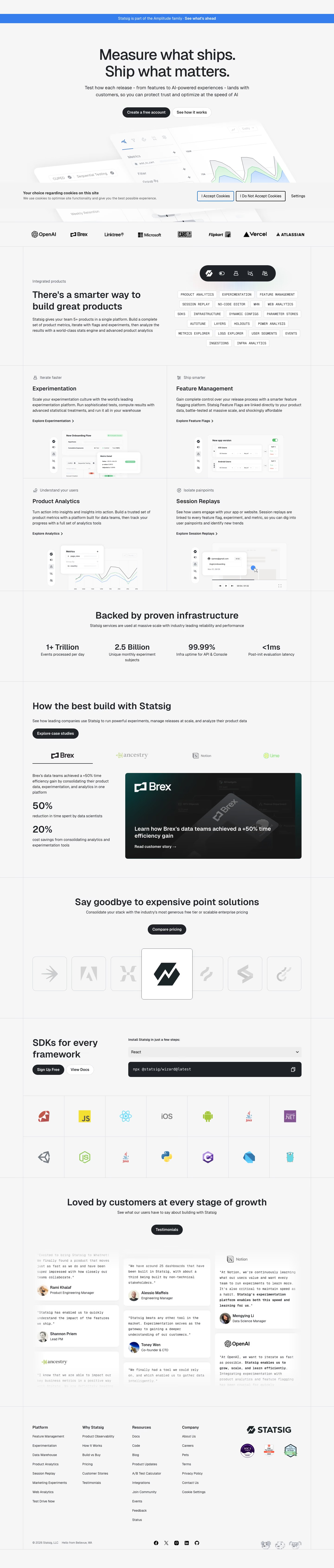
The Promptwatch homepage runs 13,411 pixels tall on desktop and is light throughout, with the saturated blue #2669ec used for primary buttons and accent words in headlines. Thin grid rules divide most sections. Headlines are set in aeonikPro and body copy in Geist, as detected. The page runs top to bottom: a blue announcement bar, a centered hero, a row of feature pills, a dashboard screenshot, a logo wall, a three-card platform grid, testimonials, content and data sections, a FAQ, a blue closing banner and a footer. The brand on the page is Promptwatch, matching the listing name.
Above the fold
Above the fold, a centered headline reads "Make AI Search your next revenue channel", with a Google logo tile inside it and the word channel underlined in dashed blue. The subhead offers to track and optimize visibility in ChatGPT, Gemini and other AI Search engines to drive traffic that converts Two buttons follow, "Book a Demo" and "Start Free Trial", then a G2 rating of 4.7/5 stars.
Logo wall, platform grid and testimonials
Below the screenshot, a bordered logo row sits under "Join 1,840+ brands and agencies using Promptwatch", with five logos per row. The platform section, headed "Everything you need to win in AI search", arranges three cards per row: "Prompt Tracking", "Citations Analysis" and "Agent Analytics". A second row holds "Content Agent", "AI Visibility" and "Real-time Tracking". Two testimonials sit beneath, from Bambuu and Schoonenberg.
Content agents, stats, shopping example and analytics
The content agents section, headed "Create content that gets cited by AI", shows a week-view calendar from MON to FRI above four feature tiles. The stat band reads "Our data tells the story with 26,520,900,000 citations, clicks, and prompts." "Get real insights from real prompts" sets a ChatGPT running-shoe answer beside four feature rows, including "Visibility Score". The agent analytics block closes with a crawler bar chart.
Real data, offsite citations, FAQ and footer
The close opens with "Real prompt data from real user interfaces" above ten model logos, then "See exactly what offsite citations drive visibility" over a citation table. A map headed "Every location in any language" sits beside "Track any AI search engine". A "Frequently Asked Questions" list and a blue banner, "Be the brand AI recommends", close the page above the footer.
On mobile
At mobile width the hero stacks into one column, the headline breaks onto four lines, and the two buttons stack below the copy. The logo wall becomes a two-column grid, and the platform cards form one vertical list. The content agents calendar shrinks to a small preview with its feature rows stacked beneath. The footer collapses into one column of link groups.
Worth borrowing
- Place a solid and an outline button side by side under the headline, with a G2 rating beneath.
- Set a customer count in plain text directly above the logo grid.
- Show a real sample answer beside the feature list it demonstrates.