
Overlays & feedback
Error message
An error message is text that tells people something went wrong, such as an invalid field or a failed action, and explains plainly how to fix it.
- Also called
- Error state, Validation message, Inline error, Form error
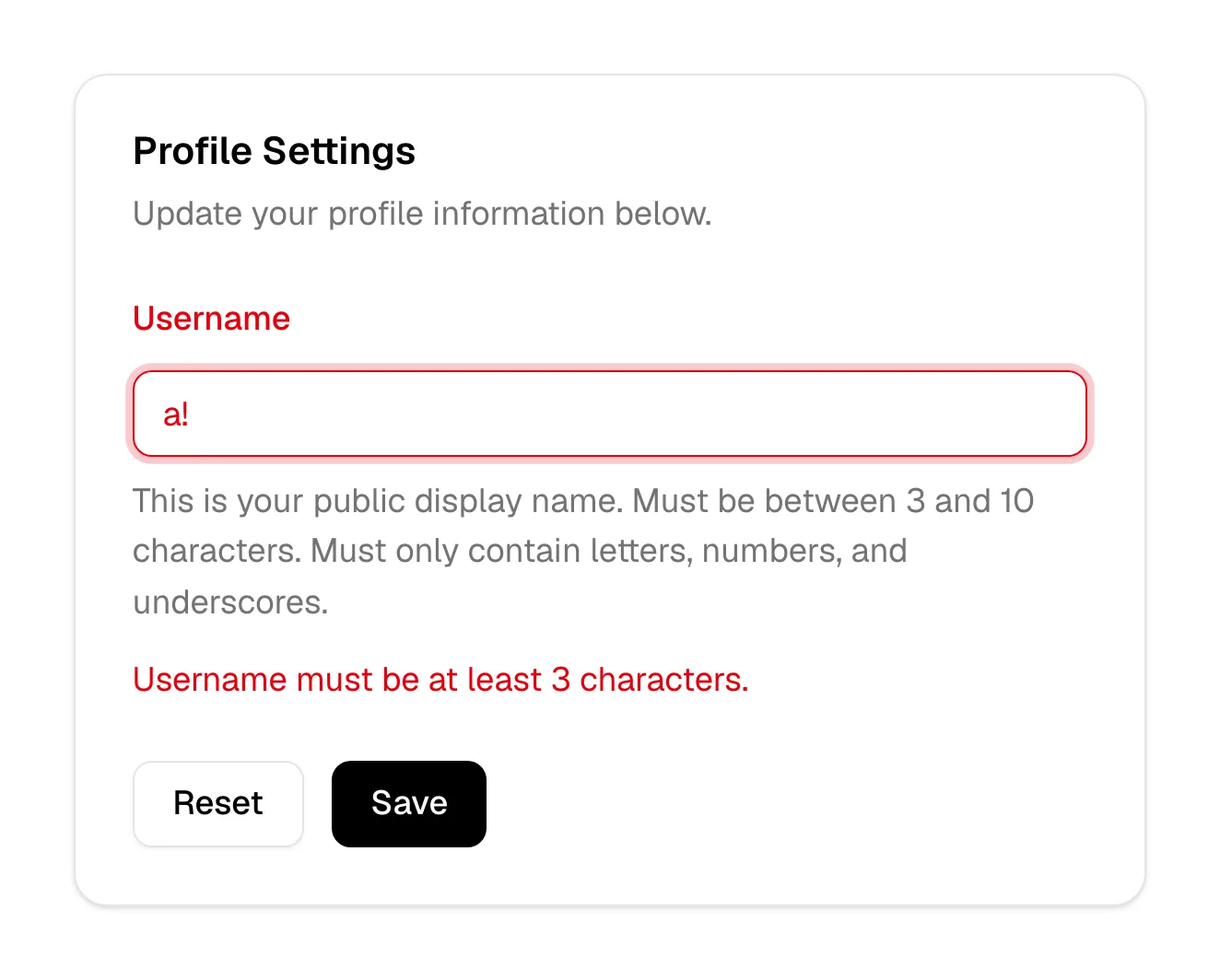
What is an error message?
On a SaaS marketing site most error messages live in forms: the signup form, the demo request, the newsletter box, the contact page. An email typed without an @, a required field left empty, a work-email rule that rejects a Gmail address. These moments sit right at the point of conversion, so a vague or hostile error costs signups directly.
Good form errors appear next to the field they're about, in plain words, and say what to do ("Enter a work email, like name@company.com") rather than what went wrong in system terms ("Invalid input"). They use color plus an icon or text, so the error is visible without relying on red alone, and they keep what the visitor already typed instead of clearing the form.
Beyond forms, the 404 and 500 pages are the site-wide error messages. They deserve the same care: say what happened in a sentence, keep the header and footer, and offer a way back.
When to use an error message, and when not to
Use it for
- Invalid inputA field that can't be accepted as entered, shown as soon as the visitor leaves it or submits.
- Failed actionsA submission, payment or upload that didn't go through and needs the visitor to act.
- Missing pagesA broken or mistyped URL, answered with a clear 404 instead of a blank page.
Avoid it for
- While typingFlagging an email as invalid after two characters scolds people before they've finished.
- For empty resultsA search with no matches isn't an error; design it as an empty state.
- Generic catch-alls"Something went wrong" without a next step leaves the visitor stuck.
Anatomy of an error message
- 1Field highlightA red or warning-colored border on the field in question.
- 2IconAn alert icon that signals the error without relying on color alone.
- 3Message textA short sentence below the field saying what to change.
- 4SummaryOn long forms, an optional list at the top linking to each field with a problem.
Common error message variants
1. Inline field error
Text directly beneath a single field, the standard for form validation.
2. Form-level alert
A banner above or below the form for errors that aren't tied to one field, such as a failed submission.
3. Error toast
A brief notification for background failures, such as a save that didn't go through.
4. Error page
A full 404 or 500 page for URLs that don't resolve.
Often confused with
Error message vs. empty state
An empty state means there's nothing to show; an error message means something failed and the visitor may need to act.
Error message vs. toast
A toast is a temporary notification that disappears on its own. A form error stays visible until it's fixed.
Frequently asked
When should a form show validation errors?
When the visitor leaves a field or submits the form, not on every keystroke. Then clear the error as soon as the input becomes valid.
Should a signup form reject personal email addresses?
Only if sales really needs work emails, and then say so up front in the field's hint, not after submission. A rejection that arrives as a surprise feels like a trap.