
Overlays & feedback
Empty state
An empty state is what a screen shows when there is nothing to display yet, such as no results or no data, usually with a short note and a next step.
- Also called
- Zero state, Blank slate, No results state, First-run state
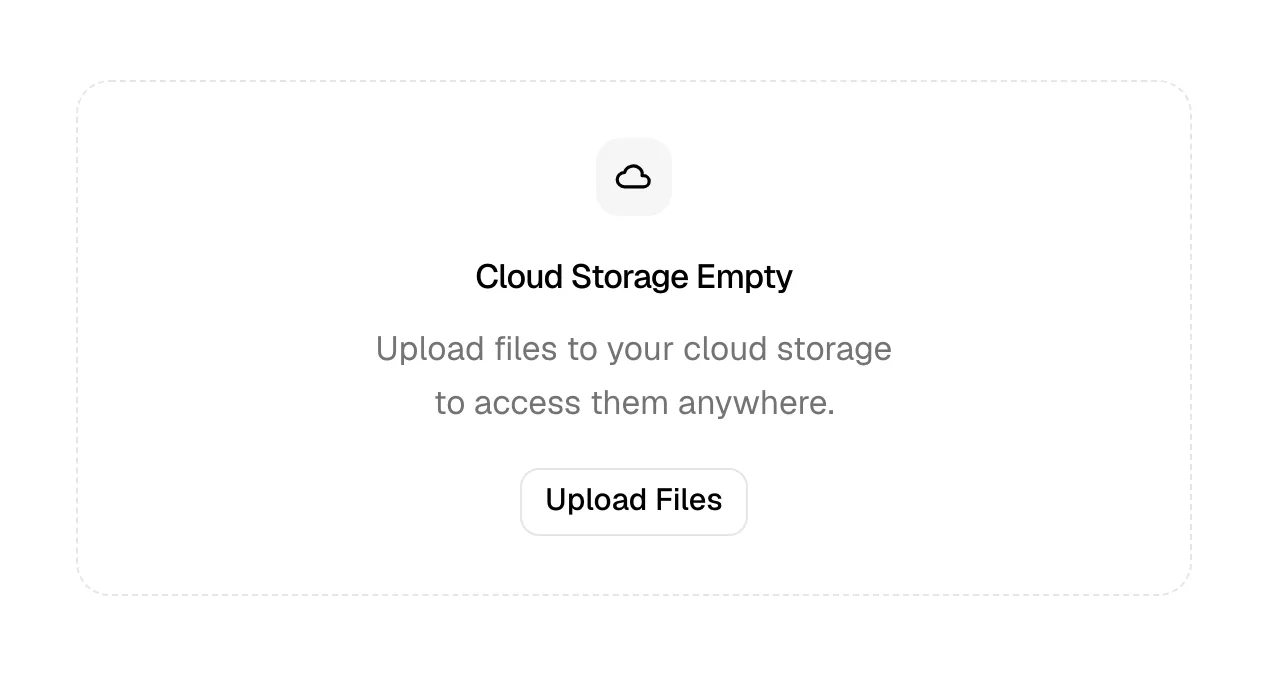
What is an empty state?
Empty states happen whenever a list has nothing in it: a search with no results, a filter that matches nothing, a dashboard before any data arrives, an inbox at zero. On a SaaS marketing site the common ones are the blog or docs search that finds nothing, a filtered template or integrations gallery with no matches, and the 404 page, which is the empty state for a URL.
A blank area with "No results" is the weak version; it reads as broken. A good empty state explains why it's empty in one line, then offers a way forward: clear the filters, try a different word, browse popular posts, go to the homepage. Inside products, the first-run empty state is a small onboarding moment, and product mockups on marketing pages sometimes show it on purpose to demonstrate how easy getting started is.
Keep the tone matched to the situation. A playful illustration suits "No messages yet"; it grates on a failed search where the visitor is already frustrated.
When to use an empty state, and when not to
Use it for
- Search and filtersAny search or filter that can return zero results needs a designed fallback.
- First-run screensA new account's empty dashboard, where the state should point to the first action.
- Missing pagesA 404 is an empty state; give it navigation, search or popular links.
Avoid it for
- Hiding a real errorIf something failed, say so with an error message rather than implying there is simply nothing there.
- While content is loadingShow a skeleton or loading indicator first; flashing "No results" before data arrives misleads.
- Decorating the voidA large illustration with no next step is still a dead end.
Anatomy of an empty state
- 1VisualAn optional icon or small illustration, kept modest so it doesn't dominate.
- 2HeadingA short statement of what's empty, such as "No posts match that tag".
- 3ExplanationOne line on why, or what usually appears here.
- 4Next stepA button or links: clear filters, browse all, go home or create the first item.
Common empty state variants
1. No results
After a search or filter, with suggestions to broaden the query.
2. First use
A new, empty workspace with a single call to create or import.
3. 404 page
A missing URL treated as an empty state, with search and key links.
4. All done
An inbox or task list cleared to zero, often with a light, celebratory tone.
Often confused with
Empty state vs. error message
An error message reports that something went wrong. An empty state reports that nothing went wrong but there is nothing to show.
Empty state vs. skeleton
A skeleton is a placeholder while content loads. An empty state appears once loading is finished and there is genuinely nothing.
Frequently asked
Is a 404 page an empty state or an error?
Technically an error, but it should be designed like an empty state: say clearly the page doesn't exist, then offer search, the homepage and a few popular links so the visit isn't over.
Should empty states have illustrations?
A small one can soften the moment, but the next step matters more. If you only have room for one, keep the button and drop the drawing.