
Overlays & feedback
Banner
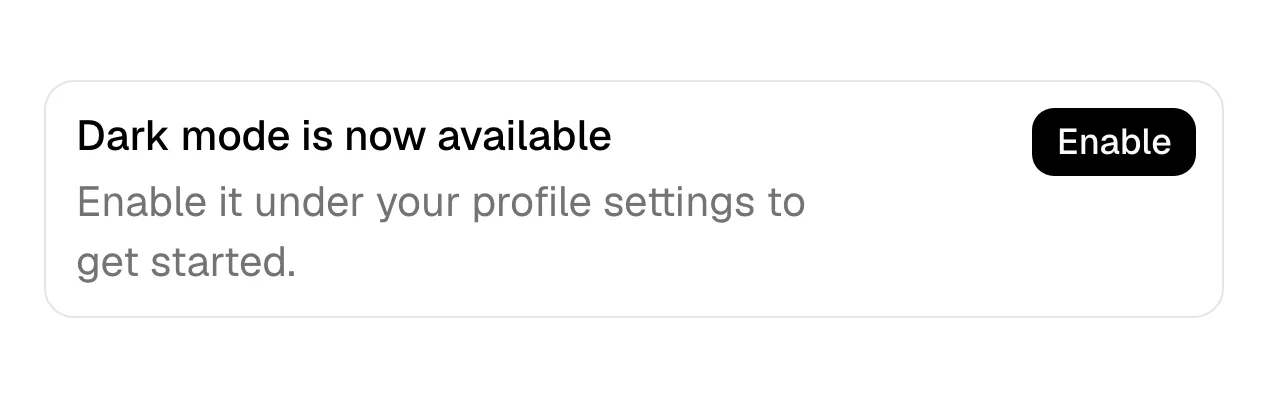
A banner is a full-width message strip placed inside the page content that flags information, a warning or a promotion without blocking anything else.
- Also called
- Inline banner, Notice banner, Alert banner, Callout
What is a banner?
A banner interrupts reading just enough to be noticed. It spans the width of its container, uses a tinted background and often an icon, and carries one message: "This product is being sunset", "Pricing changes on March 1", "Docs for version 2 are here". Visitors can read it and keep scrolling; nothing is blocked and nothing needs a click.
On SaaS marketing sites banners carry news that belongs to one page or one section rather than the whole site. An acquisition note on the homepage, a deprecation warning at the top of a docs page, a "migrating from a competitor? We'll move your data" strip on the pricing page. June, for example, places a full-width periwinkle banner reading "June is joining Amplitude" in the middle of its homepage.
Color carries the meaning, so keep it consistent: blue or neutral for information, amber for warnings, red only for real problems, the brand color for promotions. A banner that is red for marketing reasons trains visitors to ignore the color when it matters. Pair the color with an icon or label so the meaning survives for people who can't distinguish the hues.
When to use a banner, and when not to
Use it for
- Page-specific newsA message that matters on this page, such as a price change shown only on the pricing page.
- Non-blocking warningsSomething visitors should know before they act, but which doesn't need an answer.
- Context inside contentDocs and blog posts that need a callout for an outdated version or a related release.
Avoid it for
- Site-wide launchesNews that applies to every page belongs in an announcement bar above the navigation.
- Required decisionsConsent or confirmation that needs an answer belongs in a cookie banner or a dialog, not a passive strip.
- Permanent copyA banner that never changes is just a section; give it the layout of one, or remove it.
Anatomy of a banner
- 1ContainerA full-width strip with a tinted background, rounded corners or a colored left border.
- 2IconAn info, warning or sparkle icon that classifies the message before it is read.
- 3MessageOne or two sentences stating what changed and what it means for the visitor.
- 4Action linkAn optional "Learn more" or "Read the migration guide" link.
- 5Dismiss controlAn optional close button for messages that only need to be seen once.
Common banner variants
1. Info banner
Neutral or blue, for updates and context that are useful but not urgent.
2. Warning banner
Amber, for deprecations, limits or changes that affect what visitors are about to do.
3. Promo banner
Brand-colored, for an offer or launch tied to one page or section.
Often confused with
Banner vs. announcement bar
An announcement bar sits above the navigation and repeats on every page. A banner sits inside the content of one page, near the information it is about.
Banner vs. cookie banner
A cookie banner asks for consent and usually floats over the page until answered. A banner is passive: it informs and never waits for a response.
Banner vs. toast
A toast appears briefly after an action and disappears on its own. A banner is part of the page layout and stays until the page or the visitor removes it.
Frequently asked
What is the difference between a banner and an announcement bar?
Placement and scope. The announcement bar is a thin strip above the nav that follows visitors across the whole site. A banner sits within one page's content and is about that page.
Should banners be dismissible?
Informational ones, yes, and the choice should be remembered. Warnings that affect an action the visitor is about to take, such as a deprecated API version, should stay visible.
Are hero images still called banners?
Some people still say "banner" for a wide hero image, a holdover from banner ads. In UI design the word now usually means a message strip, and the large top area is called the hero section.