
Page sections
Announcement bar
An announcement bar is a thin, full-width strip above the main navigation that carries one short, time-sensitive message and usually a link.
- Also called
- Promo bar, Top banner, Notification bar, Hello bar
- Spotted on
- 72 of 422 homepages
- Browse examples
- Hero sections →
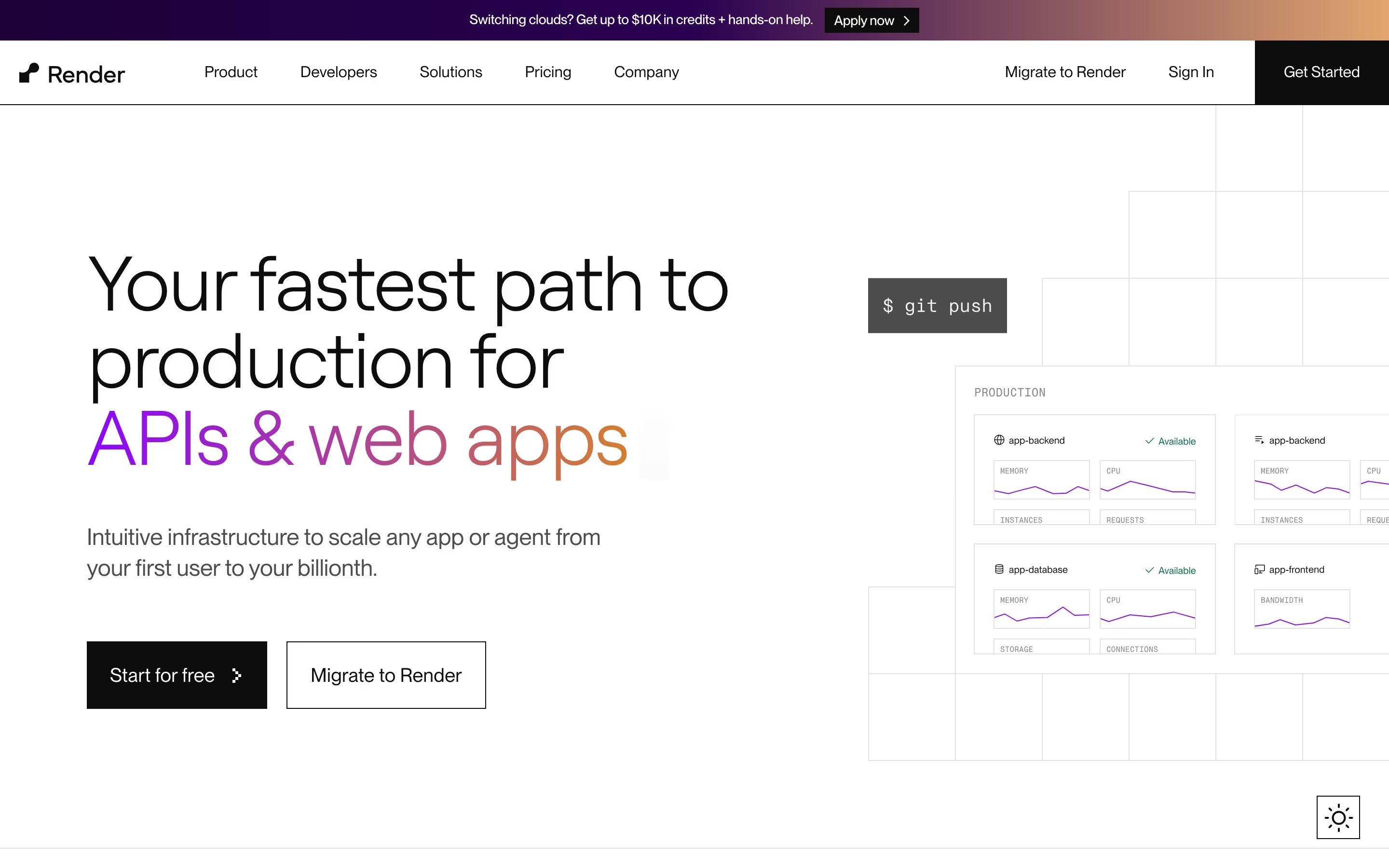
What is an announcement bar?
On SaaS sites the announcement bar is where news goes that is too important for the blog but too temporary for the hero: a funding round, a launch, a conference talk, a pricing change. It sits above the navigation, so it is the first line of text a visitor can read, yet it costs almost no vertical space.
The strongest bars say one specific thing and link straight to it ("Investigations is now live", "We raised a $50M Series B"). The weak ones are permanent: a bar that has advertised the same webinar for a year teaches visitors to ignore that strip, and the next real announcement goes unread.
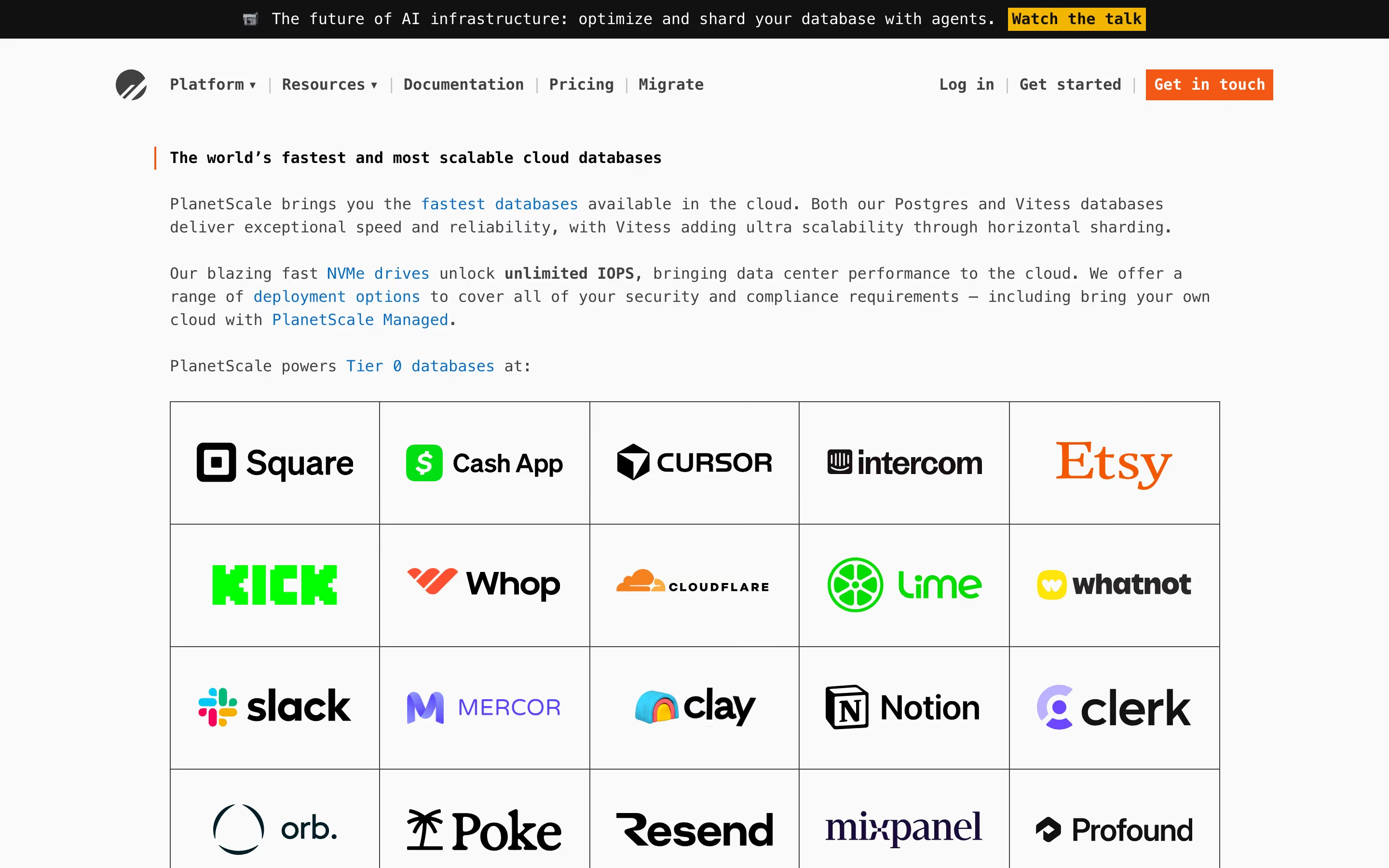
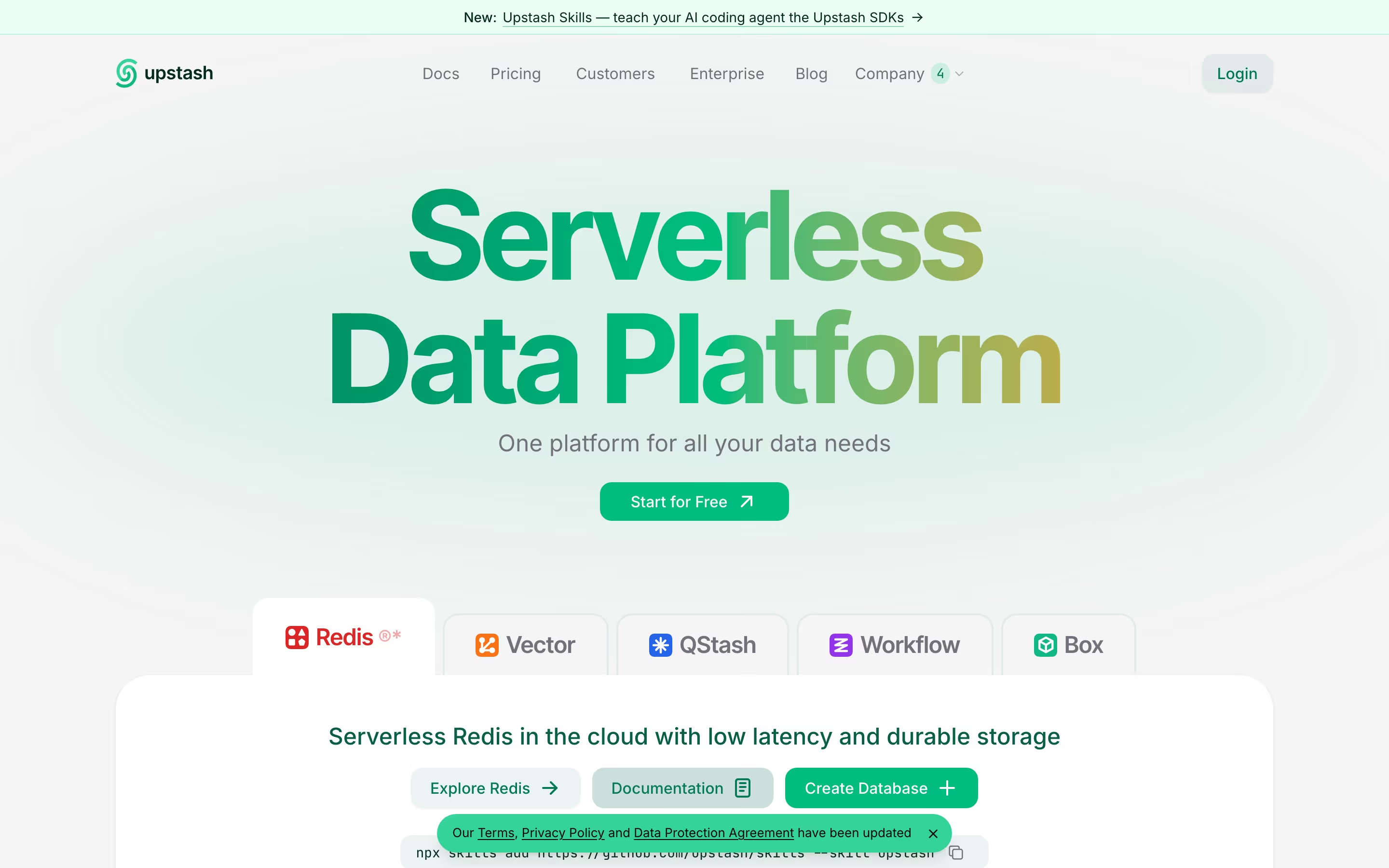
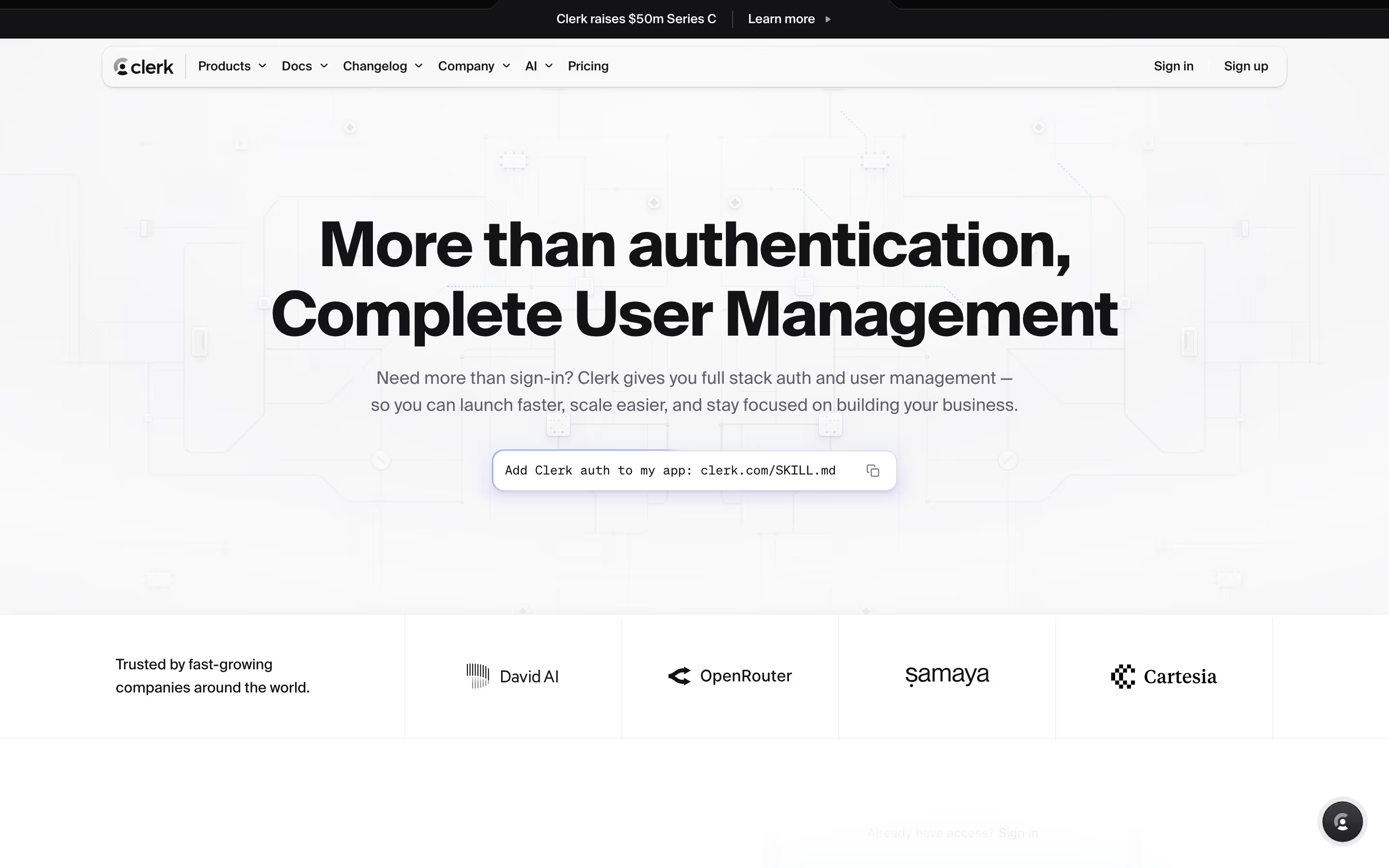
Color does a lot of the work. Most bars in our catalog use either solid black or the brand's accent color, so the strip reads as separate from the navigation without needing a border or an icon.
Announcement bar examples from real SaaS sites
Each one is a hero capture whose design review mentions the announcement bar.
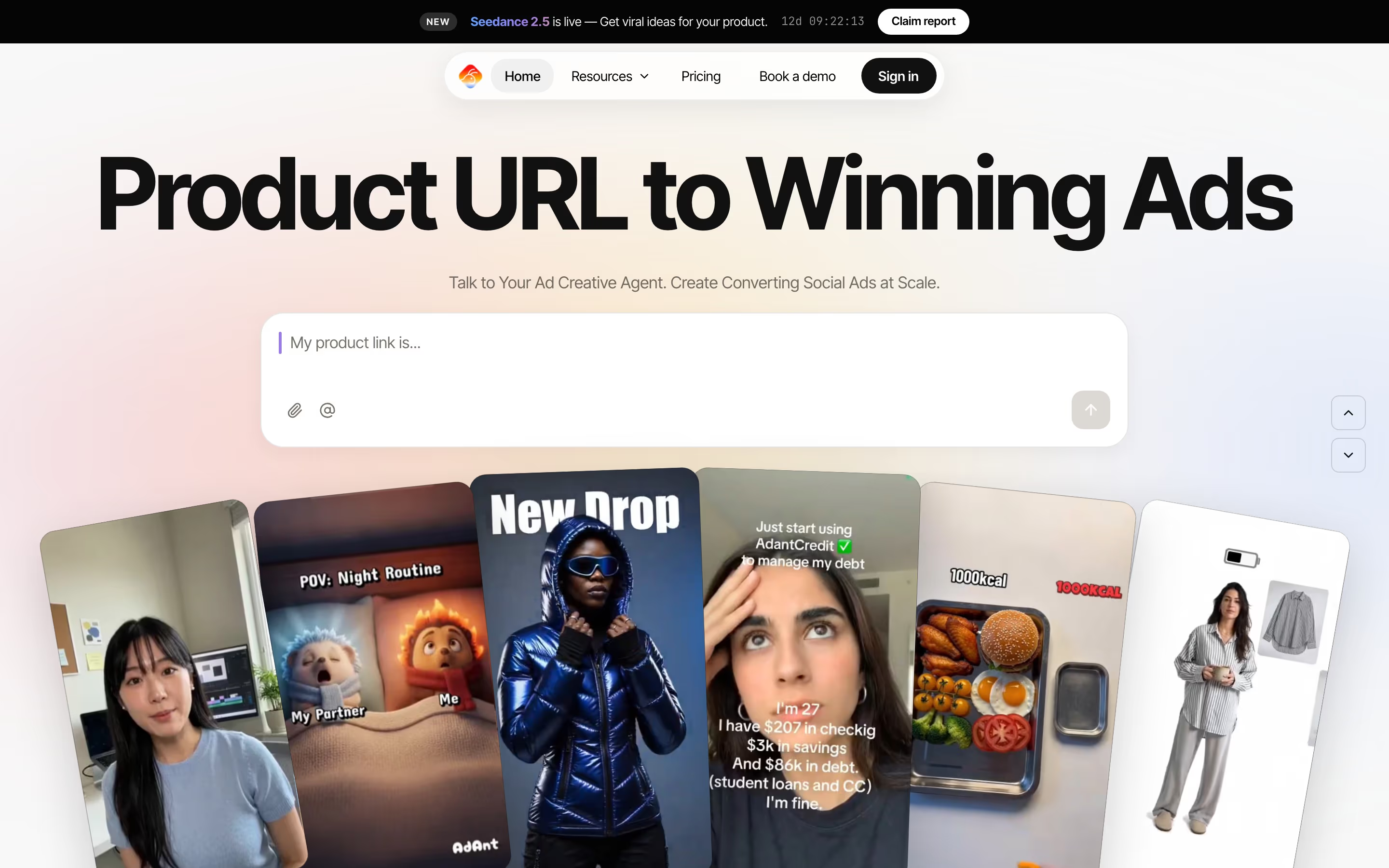
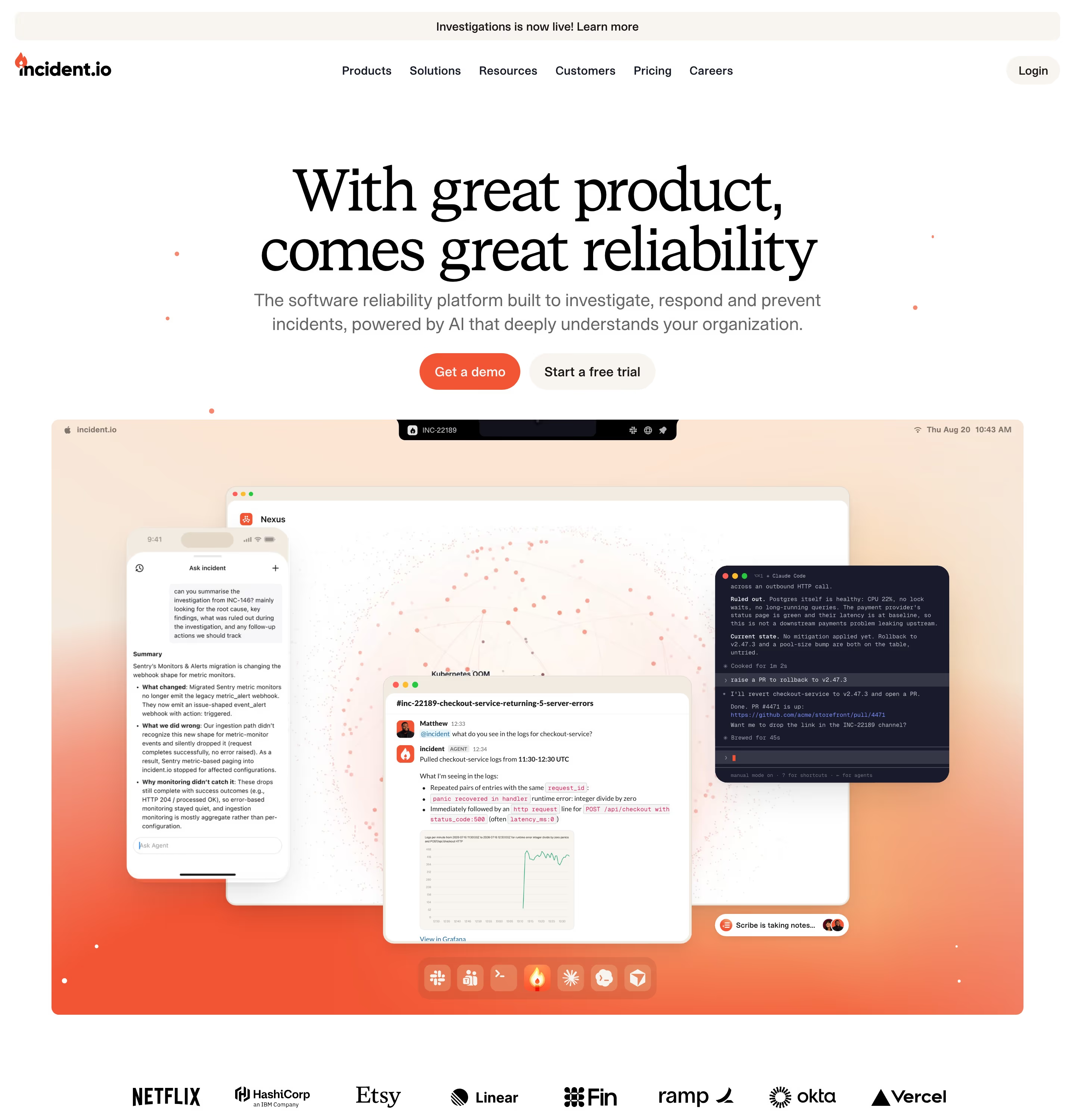
When to use an announcement bar, and when not to
Use it for
- Time-bound newsA launch, raise or event that matters for a few weeks and deserves a link from every page.
- Site-wide reachThe message applies to every visitor, whichever page they land on first.
- Keeping the hero focusedThe news is worth showing but shouldn't replace the hero's core value proposition.
Avoid it for
- Evergreen messagesA permanent tagline or generic "Book a demo" belongs in the navigation or hero, not in a strip people learn to skip.
- Several messagesRotating three announcements in one bar means none of them is read; pick the one that matters.
- Critical alertsOutages or security notices belong on a status page or in-product, where the affected users actually are.
Anatomy of an announcement bar
- 1ContainerA full-width strip, typically 32–44px tall, in a color that contrasts with the navigation below it.
- 2LabelAn optional tag such as "New" or "Announcing" that classifies the message at a glance.
- 3MessageOne sentence, ideally under ten words, naming the specific news.
- 4Link or arrow"Read more", "Learn more" or a bare arrow pointing to the post, changelog entry or event page.
- 5Dismiss controlAn optional close button, which should keep the bar closed on later visits.
Common announcement bar variants
1. Solid dark strip
Black or near-black with white text. The most common treatment in our catalog because it separates cleanly from a light navigation.
2. Brand-color strip
The accent color (lime, mint, purple or pink) used as a background, which ties the news to the brand but competes harder with the primary CTA.
3. Pill in the hero
The same message moved into a small pill above the headline instead of a strip above the nav. See eyebrow.
Spotted in our design reviews
Our reviews describe an announcement bar on 72 of the 422 SaaS homepages in the catalog. A few of them:
A lime announcement strip reads "Introducing the Integration Graph: the context layer behind the most accurate field mapping agents in production."
Refold · Above the fold
A black announcement bar reads "We raised a $50M Series B led by Benchmark".
Gumloop · Above the fold
A purple announcement strip sits above the Gong navigation, whose labels include “Product”, “Solutions”, “Innovation”, “Raving fans”, “Resources”, “Company”, and “Pricing”; a pink “Book a demo” button anchors the right.
Gong · Revenue AI hero
A lilac announcement strip sits above a nav of five labels, Product, Use Cases, Templates, Resources and Pricing, with a white "Log in" pill and a lime "Sign up" pill at the right.
Pitch · Above the fold
The pink announcement bar reads "GoodDay AI MCP > Inventory Management Now in Claude" above a white nav with "CUSTOMERS", "PARTNERS", "PRODUCT", "ABOUT US", "RESOURCES" and "CAREERS".
Gooddaysoftware · Above the fold
A thin announcement strip sits above the Instant mark, “Products”, “Learn”, and “Success Stories”, plus Book a demo, Log in, and “Get Started”.
Instant · Dark hero and first product row
The header drops to the announcement strip, the headline wraps to four lines and the demo button follows the subhead.
June AI · Mobile
The home page runs 10530px at 1440px wide: a blue announcement bar and nav, a centred hero, a pale demo panel, three product cards, navy stat tiles with "It's for you if..." argument blocks and a logo strip, a custom-agent panel, three steps, integrations, a closing CTA and a dark footer.
Tidio · Overview
Often confused with
Announcement bar vs. eyebrow
An eyebrow sits inside the hero, directly above the headline, and frames that headline. An announcement bar sits above the navigation and is independent of the page's content.
Announcement bar vs. cookie banner
A cookie banner is a consent prompt that needs an answer; an announcement bar is optional reading and never blocks the page.
Frequently asked
How long should an announcement bar stay up?
As long as the news is news, typically two to six weeks. After that it becomes wallpaper, and visitors stop reading the strip at all.
Should the announcement bar be dismissible?
Yes if it stays up for more than a few days and follows visitors across pages. If you add a close button, remember the choice; a bar that comes back on every page load is more annoying than one with no close button at all.
Does an announcement bar hurt conversions?
Not when it links to something relevant. It mainly costs attention: a bright bar competes with the hero's primary button, so keep its contrast below the main CTA's.