
Overlays & feedback
Cookie banner
A cookie banner is a consent prompt shown on a visitor's first page view, asking them to accept or decline tracking cookies before analytics or ads load.
- Also called
- Cookie consent banner, Cookie notice, Consent banner, Cookie bar
- Spotted on
- 5 of 422 homepages
- Browse examples
- Footers →

What is a cookie banner?
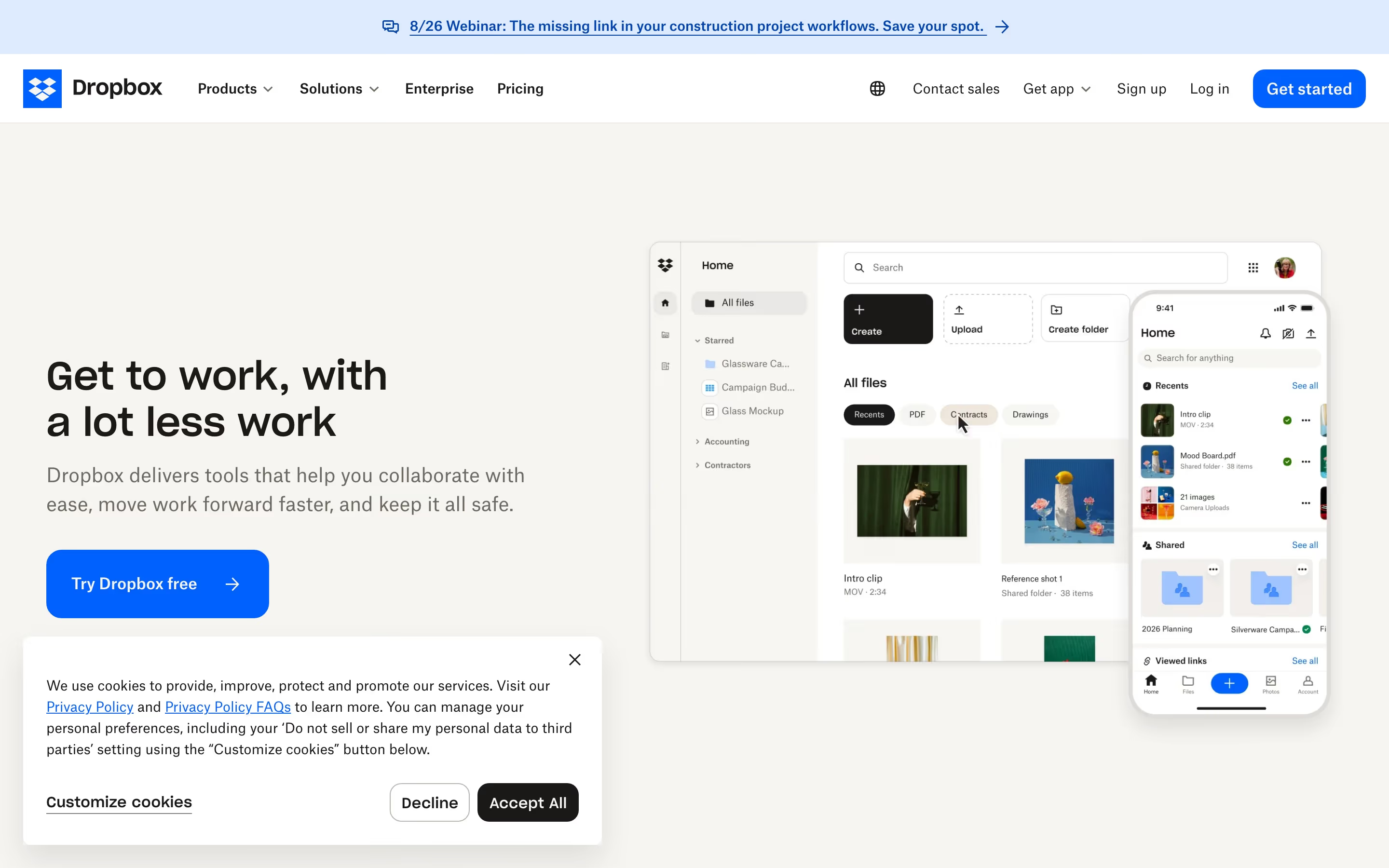
Cookie banners exist for legal reasons, not design ones, but they are part of the first impression whether the designer likes it or not. In our captures they turn up covering real content: a cookie bar with "Decline" and "Accept" over Pen's canvas, a banner with "Decline" and "Accept All" over the lower left of Dropbox's hero, and on Jasper's mobile page a banner that covers large portions of the screen.
The good ones are small and fair. A compact card in a bottom corner, two equally weighted buttons and a link to preferences let the visitor decide and move on without the hero being hidden. The bad ones are full-width sheets that block the headline, or prompts where "Accept" is a bright button and "Decline" is hidden behind a settings screen.
Most SaaS sites also keep a "Cookie settings" or "Manage cookies" link in the footer, so a visitor who dismissed the banner can change their choice later. That footer link is the permanent part of the pattern; the banner itself should appear once and then stay gone.
Cookie banner examples from real SaaS sites
Each one is a hero capture whose design review mentions the cookie banner.

When to use a cookie banner, and when not to
Use it for
- Non-essential cookiesAnalytics, advertising or session-replay tools that require consent in the visitor's region.
- First visit onlyShow it once, store the answer and don't ask again on every page.
- With a footer fallbackPair it with a "Cookie settings" footer link so the choice can be changed later.
Avoid it for
- No tracking at allA site that only sets strictly necessary cookies may not need a consent prompt; check with legal counsel.
- Covering the heroA full-width sheet over the headline hides the most important screen on the site.
- Lopsided choicesA bright "Accept" next to a hidden or greyed "Decline" undermines trust and may not count as valid consent.
Anatomy of a cookie banner
- 1ContainerA card in a bottom corner or a bar along the bottom edge, kept as small as the text allows.
- 2MessageOne or two plain sentences on what the cookies are for, with a link to the cookie policy.
- 3Accept buttonAccepts all optional cookies.
- 4Decline buttonRejects optional cookies, ideally with the same visual weight as Accept.
- 5Preferences linkOpens category-level controls for analytics, marketing and functional cookies.
Common cookie banner variants
1. Corner card
A small floating card in the lower left or right, the least intrusive option.
2. Bottom bar
A full-width strip along the bottom of the viewport, quick to scan but heavier.
3. Centered modal
A dialog that blocks the page until answered; the most disruptive form.
Spotted in our design reviews
Our reviews describe a cookie banner on 5 of the 422 SaaS homepages in the catalog. A few of them:
The cookie banner covers large portions of the capture, and the final slice shows only the banner over the wordmark.
Jasper · Mobile
A cookie banner crosses the screenshot, making the product view feel like a live browser session.
Onlook · Hero and working canvas
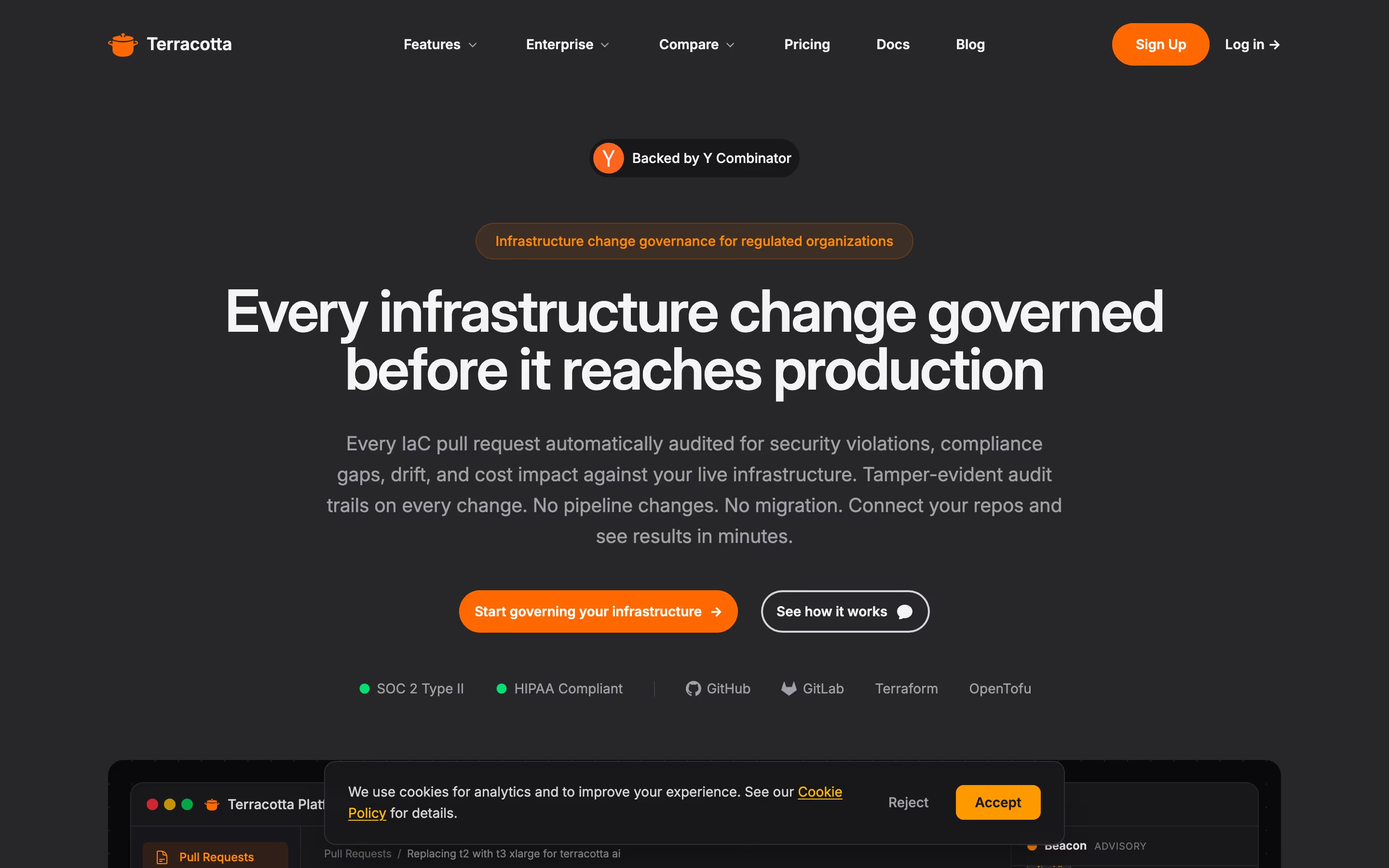
A row of "SOC 2 Type II", "HIPAA Compliant" and four tool names ends the fold, with a cookie banner overlapping the product window.
Tryterracotta · Above the fold
A cookie bar with "Decline" and "Accept" overlaps the canvas.
Pen · Above the fold
A cookie banner with "Decline" and "Accept All" covers the lower left.
Dropbox · Heroes
Often confused with
Cookie banner vs. announcement bar
An announcement bar is optional reading about news and never blocks the page. A cookie banner asks for a decision and often overlaps content until it gets one.
Cookie banner vs. chat widget
Both float over the page, often in a bottom corner. A chat widget is an invitation to talk; a cookie banner is a consent prompt that should disappear once answered.
Frequently asked
Where should a cookie banner go?
Bottom corner or bottom edge, away from the hero headline and the primary button. It should never be the first thing that hides your value proposition.
Do Accept and Decline need the same styling?
In many jurisdictions regulators expect rejecting to be as easy as accepting, so giving both buttons similar weight is the safe default. It also reads as more honest.
Should a site keep a cookie link in the footer?
Yes. A "Cookie settings" link in the footer's legal row lets visitors change their answer after the banner is gone, and most SaaS footers in our catalog carry one.