
Overlays & feedback
Context menu
A context menu is a list of actions for one specific item, opened by right-clicking it or tapping its three-dot icon, shown right beside it.
- Also called
- Right-click menu, Overflow menu, Kebab menu, More menu
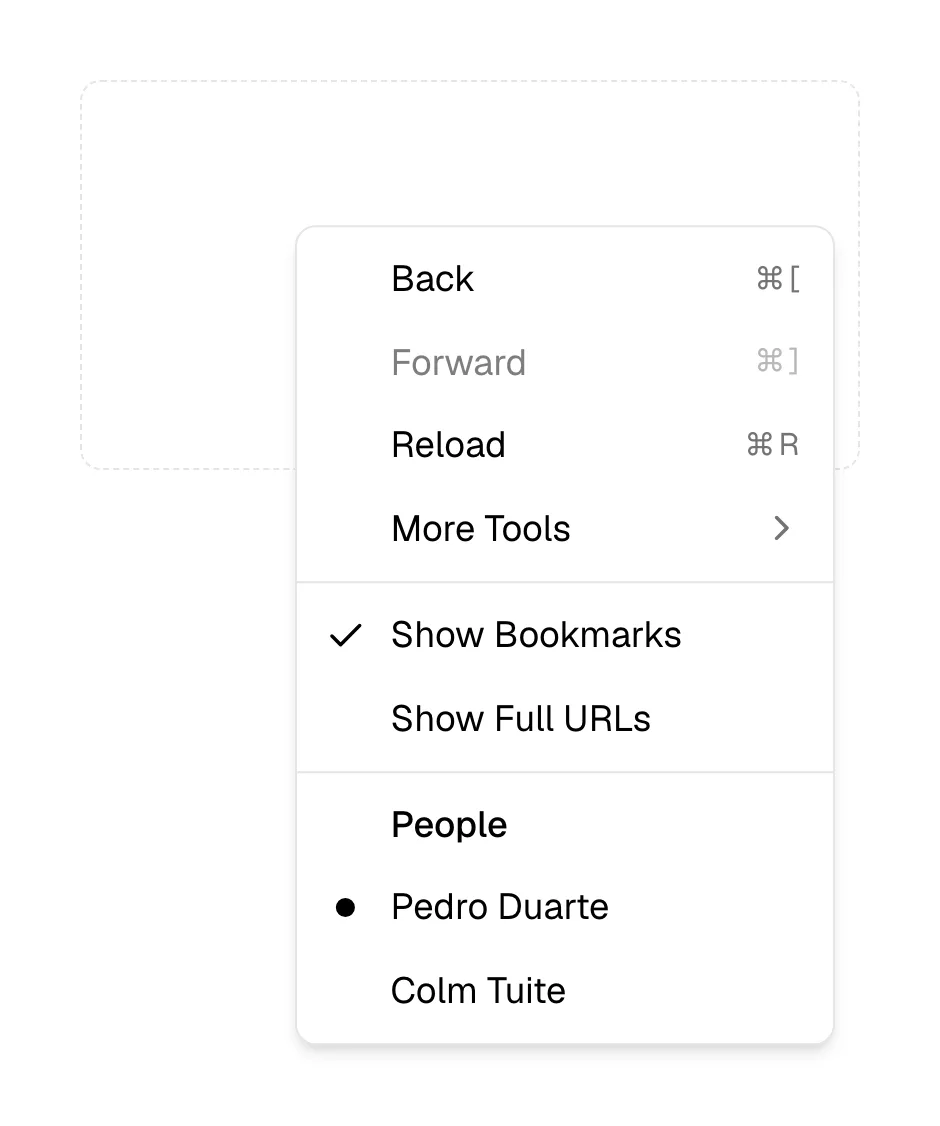
What is a context menu?
Context menus keep secondary actions out of sight until the visitor points at the thing they want to act on. Right-click a file, a row or a canvas object and a short list appears: rename, duplicate, share, delete. On touch screens and in simpler interfaces the same menu hides behind a three-dot icon, often called a kebab or overflow menu.
Marketing sites almost never need one for their own content, and overriding the browser's right-click menu on a marketing page is a bad idea: visitors use it to open links in new tabs and copy text. One accepted exception is the logo. Several product companies show a small menu when the header logo is right-clicked, offering to copy the logo as SVG or open the brand kit.
Context menus earn their place in product mockups. A design tool, file manager or database screenshot with a menu open ("Copy link", "Move to", "Delete") shows depth and polish, and tells technical buyers the product supports the shortcuts they expect.
When to use a context menu, and when not to
Use it for
- Many items, same actionsRows, files or cards that each support the same set of secondary actions.
- Power-user shortcutsActions that experienced users expect to find on right-click in a productivity tool.
- Brand assetsA right-click menu on the logo that offers SVG downloads and the brand page.
Avoid it for
- Replacing the browser menuHijacking right-click on ordinary marketing content blocks open-in-new-tab and copy.
- Primary actionsThe main action for an item should be a visible button, not hidden in a menu.
- Touch-only layoutsRight-click and long-press are hard to discover on phones; show a visible three-dot icon.
Anatomy of a context menu
- 1TriggerThe item itself (right-click or long-press) or a three-dot icon on it.
- 2Menu panelA compact list opening at the cursor or beside the icon.
- 3Menu itemsShort verb labels, optionally with icons and keyboard shortcuts aligned right.
- 4SeparatorsDividers grouping related actions, with destructive ones placed last.
- 5SubmenusOptional nested lists for choices like "Move to" or "Export as".
Common context menu variants
1. Right-click menu
Opens at the cursor position in desktop-style products.
2. Overflow (kebab) menu
Opens from a three-dot icon on a row, card or header.
3. Logo menu
A small menu on the site logo offering brand assets.
Often confused with
Context menu vs. dropdown menu
A dropdown menu opens from a visible labeled button and usually holds navigation or general options. A context menu holds actions for one item and often opens from right-click.
Context menu vs. action sheet
An action sheet shows item actions as a list rising from the bottom of a phone. A context menu opens next to the item or cursor.
Context menu vs. command palette
A command palette searches every action in the product from one keyboard shortcut. A context menu shows only actions for the item under the pointer.
Frequently asked
Should a marketing site override right-click?
Not on content. Visitors rely on the browser menu to open links in new tabs and copy text. A custom menu on the logo alone, offering brand assets, is the one widely accepted exception.
What is a kebab menu?
A context menu opened from a vertical three-dot icon. A horizontal three-dot icon is sometimes called a meatball menu; both do the same job.