
Visual style
Product screenshot
A product screenshot is an image of the software's real interface, often framed or simplified, shown on a marketing page as proof of what the product does.
- Also called
- Product mockup, UI screenshot, App screenshot, Interface mockup, Product shot
- Spotted on
- 239 of 422 homepages
- Browse examples
- Hero sections →
What is a product screenshot?
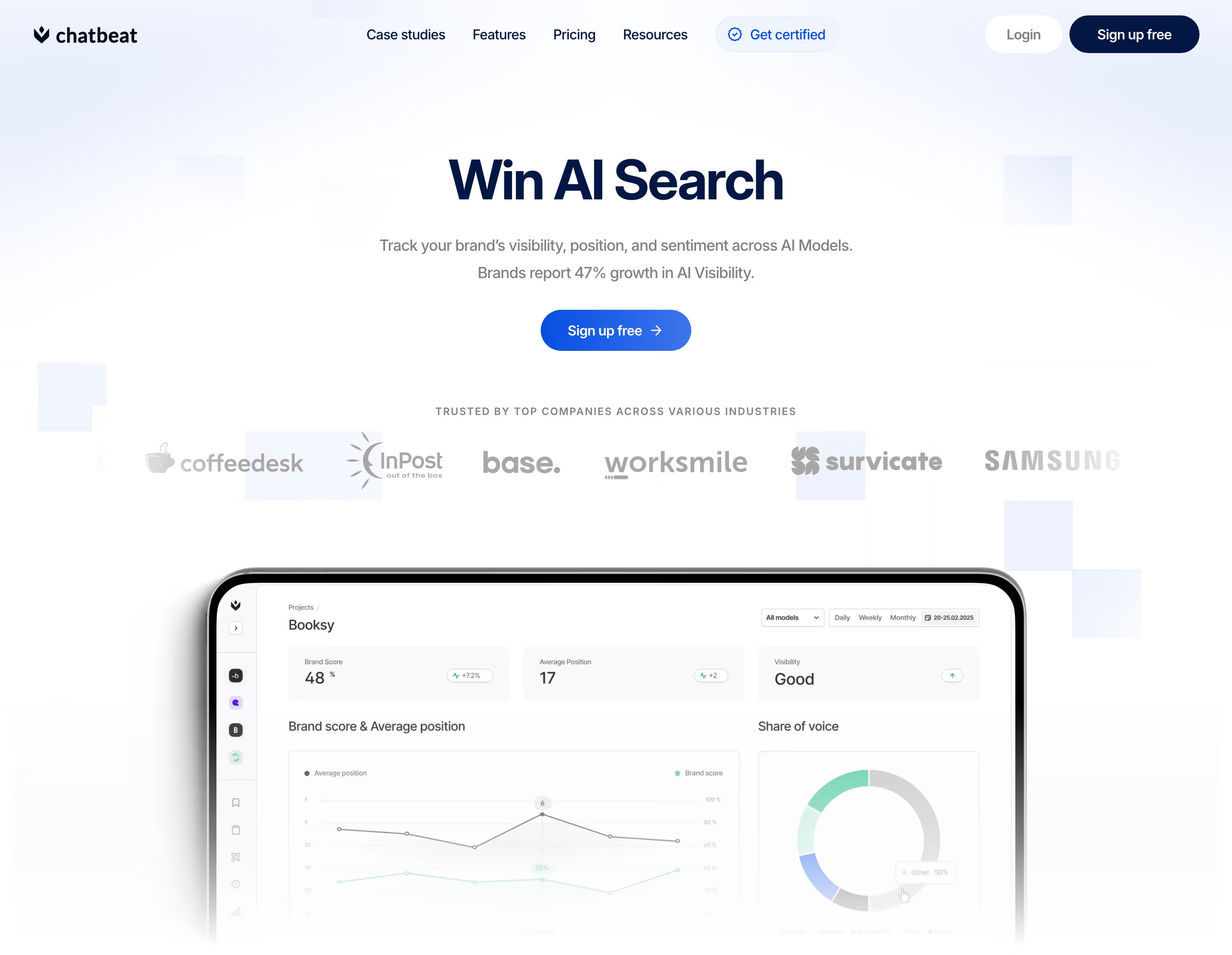
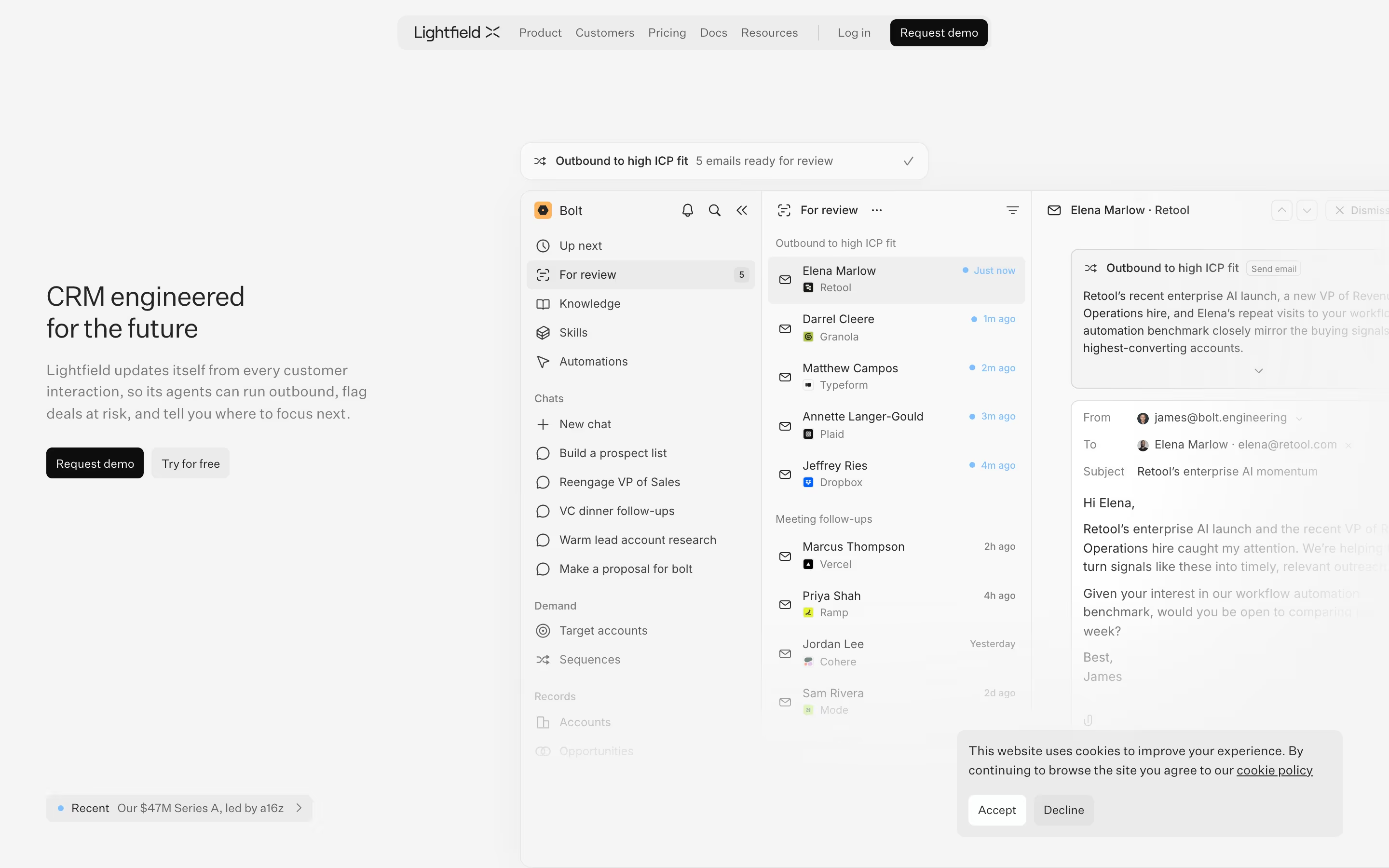
The product screenshot is the most common visual on SaaS homepages, and the most persuasive. It answers "what will I actually be using?" before a visitor reads a word. Our reviews describe Unsloth's large framed app screenshot directly under the hero buttons, Slack's product mockup of a channel beside a Slackbot panel, and Usepropane's hero as a working product screenshot with a sidebar rather than an illustration.
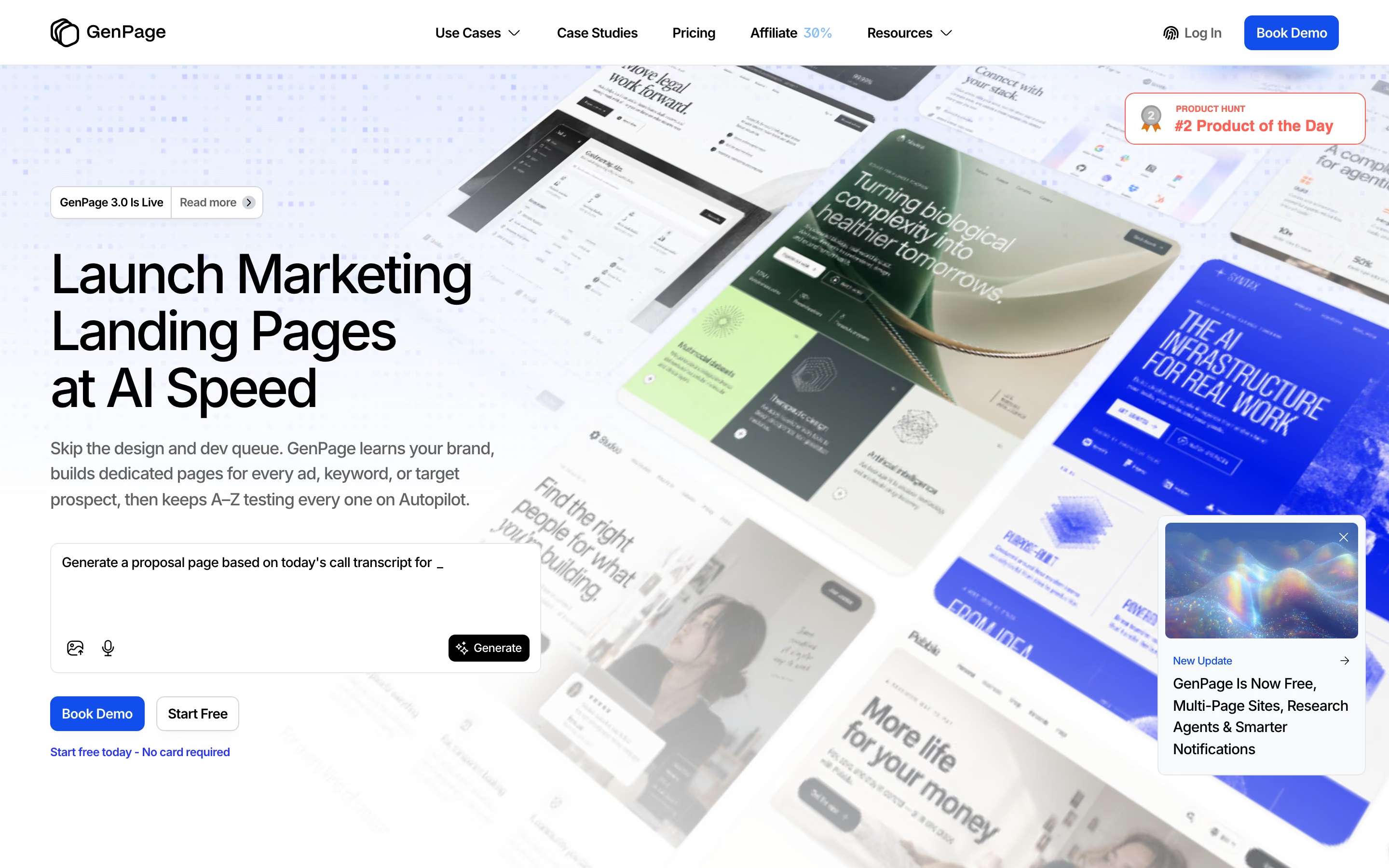
Most screenshots on marketing sites are curated rather than raw. Teams crop to the relevant panel, fill the UI with believable sample data, add floating cards or callouts, and set the window on a gradient or tinted panel. Keystroke tilts its interface screenshots; Readme shows its product through its own interface mockups throughout.
The weak version is a full, unedited app window shrunk to illegibility. A screenshot works when one feature is readable at a glance, the data looks real and the crop matches the claim in the headline next to it.
Product screenshot examples from real SaaS sites
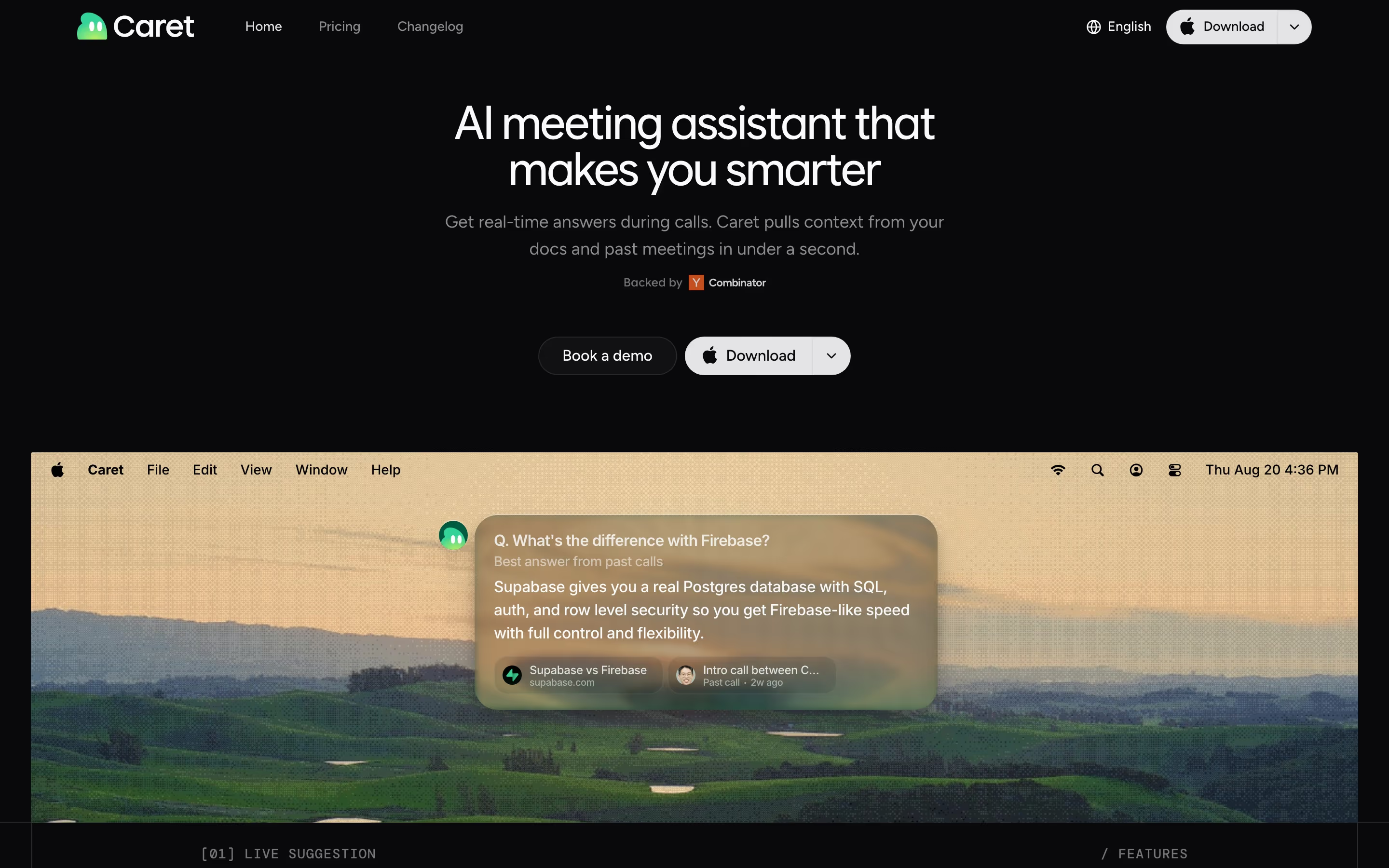
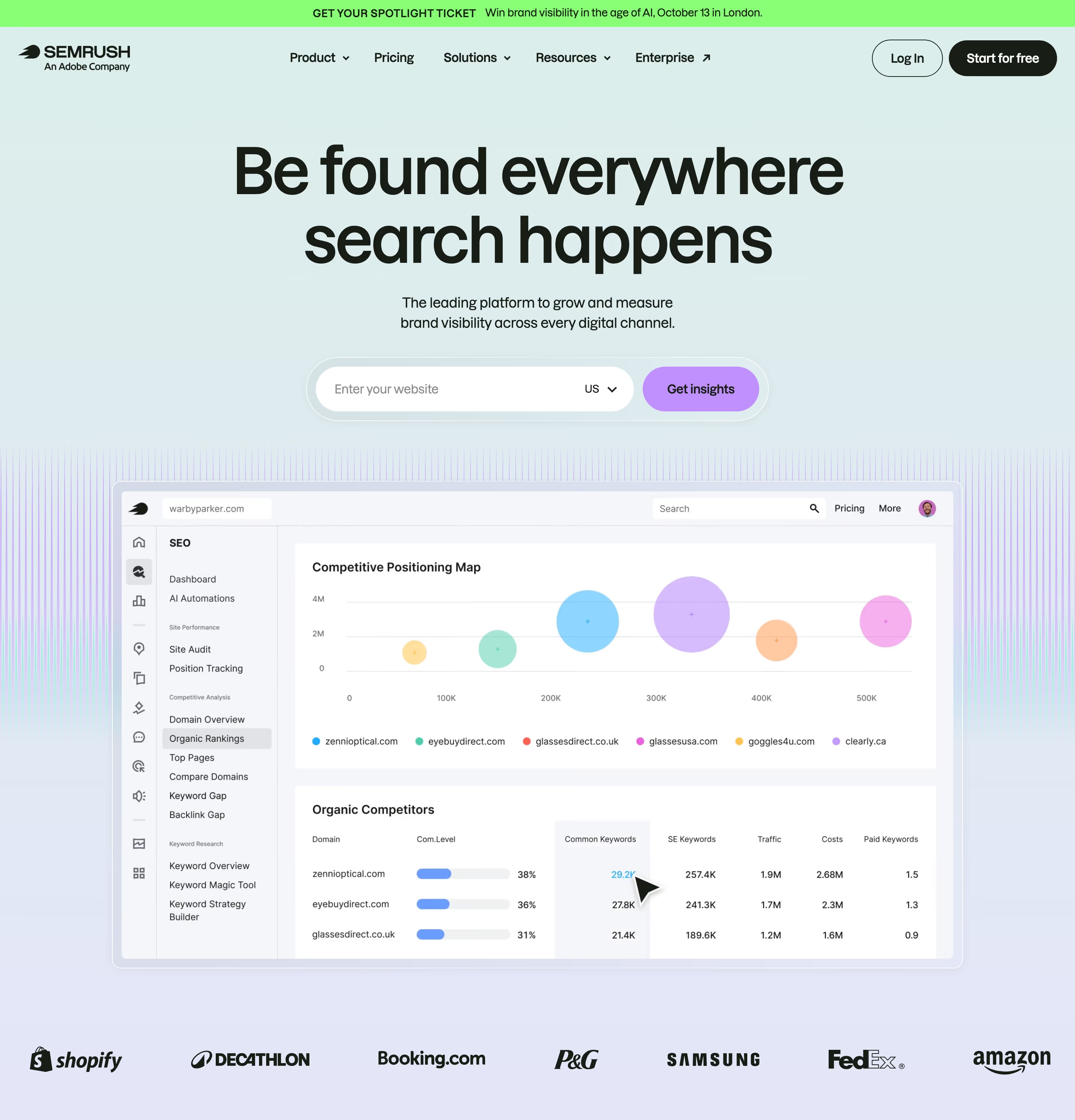
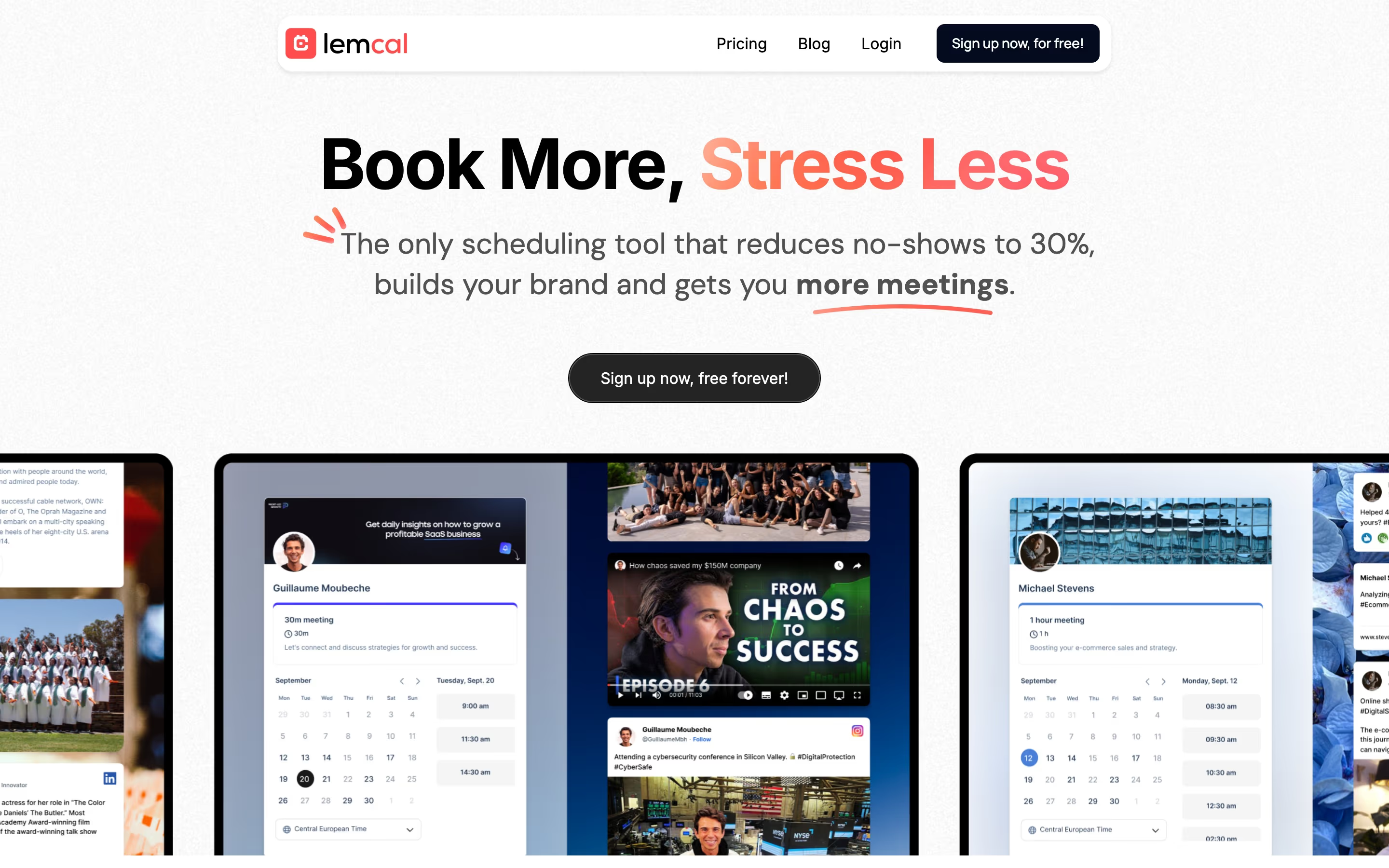
Each one is a hero capture whose design review mentions the product screenshot.
When to use a product screenshot, and when not to
Use it for
- Visual productDashboards, editors and inboxes whose interface is itself a selling point.
- Backing up a claimPair each feature headline with the exact panel that delivers it.
- Reducing uncertaintyShowing buyers what they'll use lowers the perceived risk of signing up or booking a demo.
Avoid it for
- Unreadable cropsA whole app window at thumbnail size is noise; crop to one feature instead.
- Fake-looking dataLorem ipsum or obviously placeholder rows undermine the proof the screenshot is meant to give.
- Abstract productsInfrastructure or APIs with little UI may be better shown with code, diagrams or illustration.
Anatomy of a product screenshot
- 1Interface cropThe real UI, cropped to the panel that matches the nearby claim.
- 2Sample dataRealistic names, numbers and content that make the product feel in use.
- 3FrameA browser or app window, a device mock-up, or a rounded card with a shadow.
- 4BackdropA gradient, tint or glow behind the window that separates it from the page.
- 5CalloutsOptional floating cards, cursors or labels pointing out a specific feature.
Common product screenshot variants
1. Hero app window
A large framed screenshot under or beside the headline, often the biggest element on the first screen.
2. Feature crop
A tight crop of one panel or card beside a feature heading.
3. Device mockup
The interface shown inside a laptop or phone frame.
4. Composite mockup
Several UI fragments layered as floating cards, more illustration than literal screenshot.
Spotted in our design reviews
Our reviews describe a product screenshot on 239 of the 422 SaaS homepages in the catalog. A few of them:
Below, a grey logo strip of six marks leads to a dashboard screenshot on a purple-to-blue wave, with a tab bar reading "Dashboard", "Profiles", "Funnels", "Performance" and "Realtime".
Visitors · Above the fold
Four dark site mockups fan out on the right, the largest one showing "Once UI Blog" with a large "1.8" feature image.
Aveiro · Above the fold
An app window with four coloured document cards overlaps the bottom edge of the frame.
Craft · Above the fold
On the right, a dark mockup titled "Partnership contract.pdf" shows a document beside a panel headed "Sign document".
Documenso · Above the fold
The right column shows a product screenshot in a mint-to-lavender card, with a play button, a presenter photo and a notification naming "Matt Rodriguez".
Vidyard · Above the fold
Below, a large app window shows an agent chat column and a museum site preview with a Renaissance painting, tagged with green cursors named "Hansi" and "siry".
Open-design · Hero with app screenshot
Beneath, a violet arc of light sits over a dimmed app window with a sidebar of Daily notes, All notes, Tasks and Map, a middle column dated "Sun, April 2nd, 2023" and an April 2023 calendar.
Reflect · Above the fold
The hero adds "Backed by Y Combinator", "Web data {API} for AI agents" and a search box with tabs from "Extract" to "Screenshot".
Context · Above the fold and logo wall
Often confused with
Product screenshot vs. interactive demo
An interactive demo lets visitors click through the product; a screenshot is static.
Product screenshot vs. product video
A video shows the product moving through a workflow; a screenshot freezes one state.
Product screenshot vs. illustration
An illustration interprets the product; a screenshot shows the real interface.
Frequently asked
Should SaaS screenshots be real or designed mockups?
Real UI, carefully curated. Use the actual interface with realistic data and crop it to the point, rather than a redrawn mockup that won't match what users see after signing up.
How big should the hero screenshot be?
Large enough that the key feature is readable at desktop width. If a visitor has to zoom to read the labels, crop tighter rather than shrinking the whole window.