
Forms & inputs
Stepper
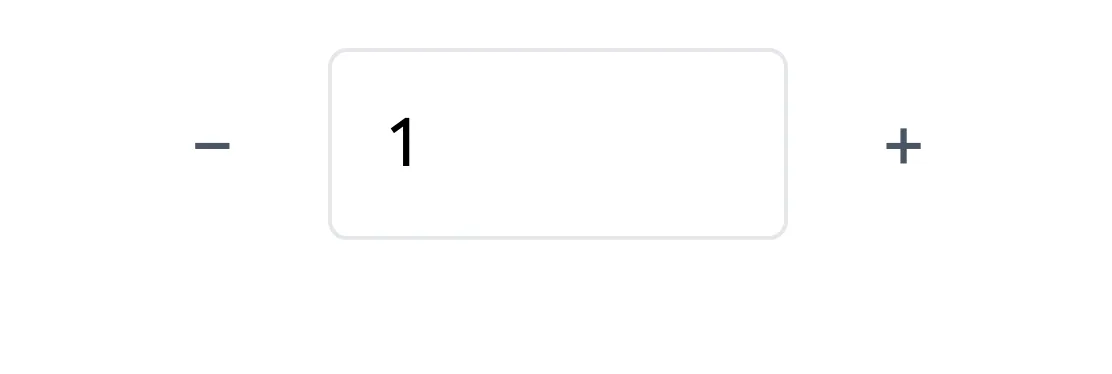
A stepper is a small number input flanked by minus and plus buttons, letting a visitor raise or lower a value one step at a time, such as a seat count.
- Also called
- Number stepper, Quantity selector, Spin button, Increment control
- Browse examples
- Pricing pages →
What is a stepper?
On SaaS sites the stepper's natural spot is the pricing page: a seat count beside a plan's price, a quantity of add-on licenses in a checkout, or a number of projects in a calculator. It suits small numbers that change in single units, where a slider would be overkill and a bare text field would invite typos.
The name causes confusion. In many design systems "stepper" also refers to a multi-step progress indicator (step 1 of 4 in a signup flow). This entry is about the minus/plus number control; the step-by-step bar is a progress indicator.
Make both buttons big enough to tap on mobile (44px), allow typing directly into the number, disable minus at the minimum, and show the price impact right away. Holding a button down to repeat is a nice touch for larger ranges.
When to use a stepper, and when not to
Use it for
- Small integersValues usually between 1 and about 20, changed one at a time.
- Precise countsSeats or licenses, where an exact number matters for the price.
- Tight spaceA compact control inside a pricing card or table row.
Avoid it for
- Large rangesClicking plus 200 times is tedious; use a slider with an input, or a plain number field.
- Non-numeric choicesPicking a plan or size is a select or segmented control.
- Showing progressMulti-step signup flows need a progress indicator, not a number stepper.
Anatomy of a stepper
- 1LabelWhat is being counted, such as "Seats" or "Additional users".
- 2Minus buttonDecreases the value; disabled at the minimum.
- 3Value fieldThe current number, ideally editable by typing.
- 4Plus buttonIncreases the value; disabled at any maximum.
- 5Price or resultThe total that updates as the count changes.
Common stepper variants
1. Inline stepper
Minus, number and plus in one bordered pill, common in pricing cards.
2. Stacked arrows
Up and down chevrons inside a number field, the native browser style.
3. Stepper with slider
A slider for rough values paired with a stepper for exact adjustment.
Often confused with
Stepper vs. progress indicator
Design systems also use "stepper" for a multi-step progress bar (step 2 of 4). That is a progress indicator; this stepper adjusts a number.
Stepper vs. slider
A slider covers a wide range quickly but imprecisely; a stepper is precise for small counts.
Stepper vs. text field
A number text field accepts any typed value; a stepper adds buttons that guide the value in fixed steps.
Frequently asked
Is a stepper the same as a step indicator?
No, though the names overlap. A stepper here means the minus/plus number control. The numbered "step 1, 2, 3" bar in a multi-page form is a progress indicator, sometimes also called a stepper in component libraries.
Should visitors be able to type into a stepper?
Yes. The buttons are handy for small changes, but someone who needs 35 seats should be able to type 35 rather than click 34 times.