
Page sections
Pricing table
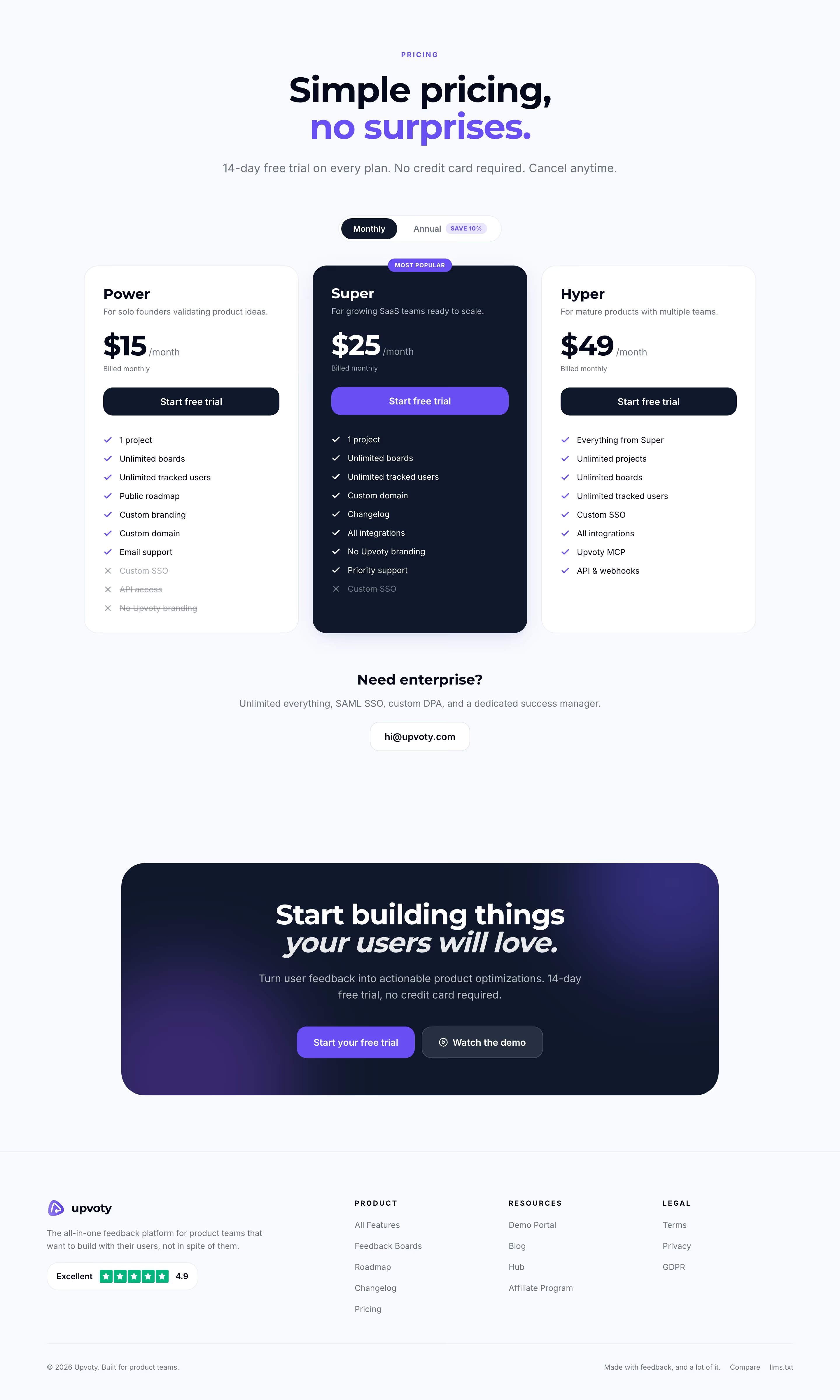
A pricing table is a row of side-by-side plan cards, each with a name, price, feature list and button, that lets visitors compare tiers at a glance.
- Also called
- Pricing cards, Pricing tiers, Plan cards, Pricing grid
- Spotted on
- 43 of 422 homepages
- Browse examples
- Pricing sections →
What is a pricing table?
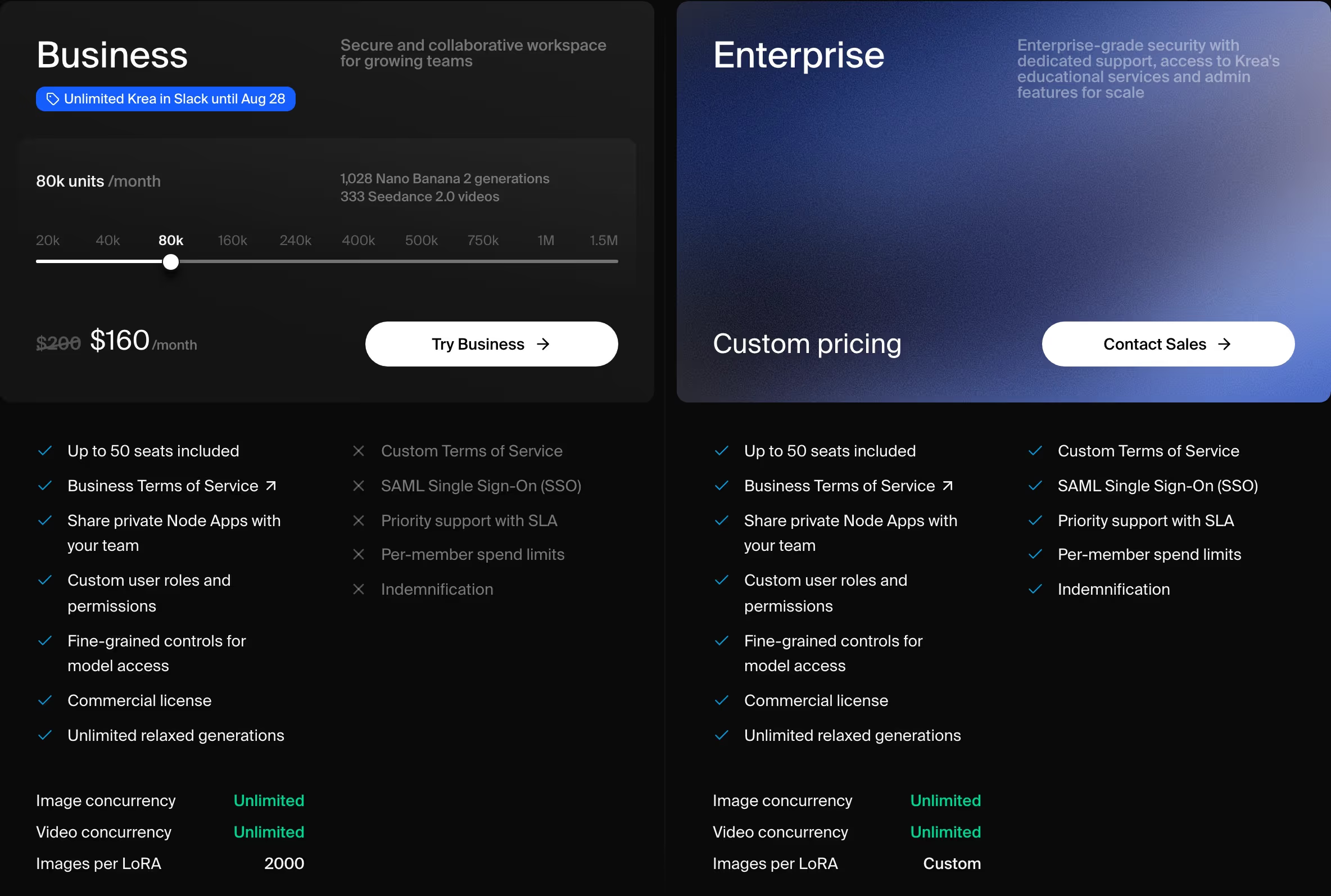
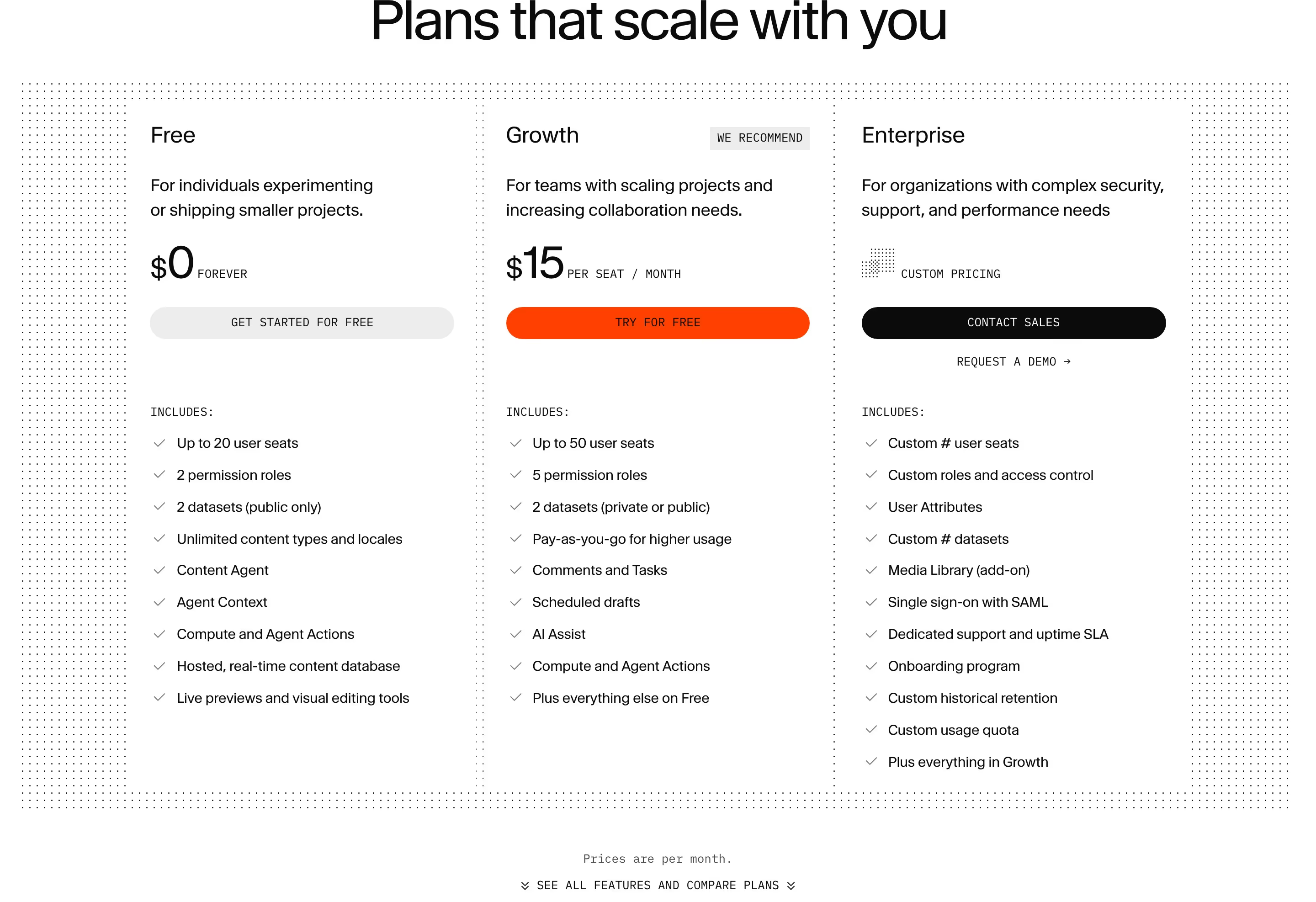
The pricing table is where a SaaS site stops describing value and puts a number on it. Most use three or four cards in one row: a free or entry tier, a recommended middle tier, and an enterprise tier that swaps the price for "Custom" and the signup button for "Contact sales". Getmagicform's Free, Basic and Pro cards, with Basic marked "Most Popular", is the pattern in its plainest form.
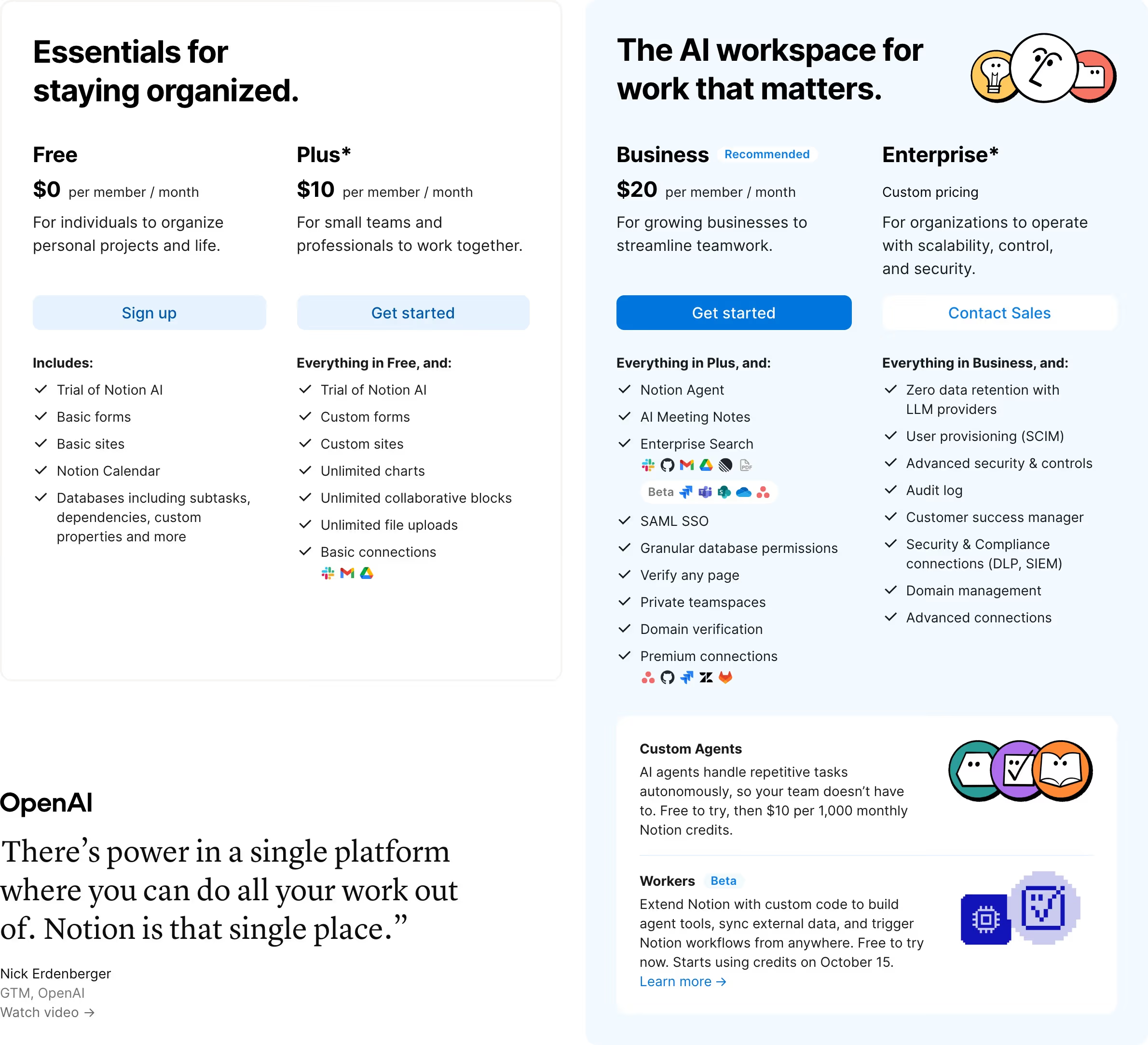
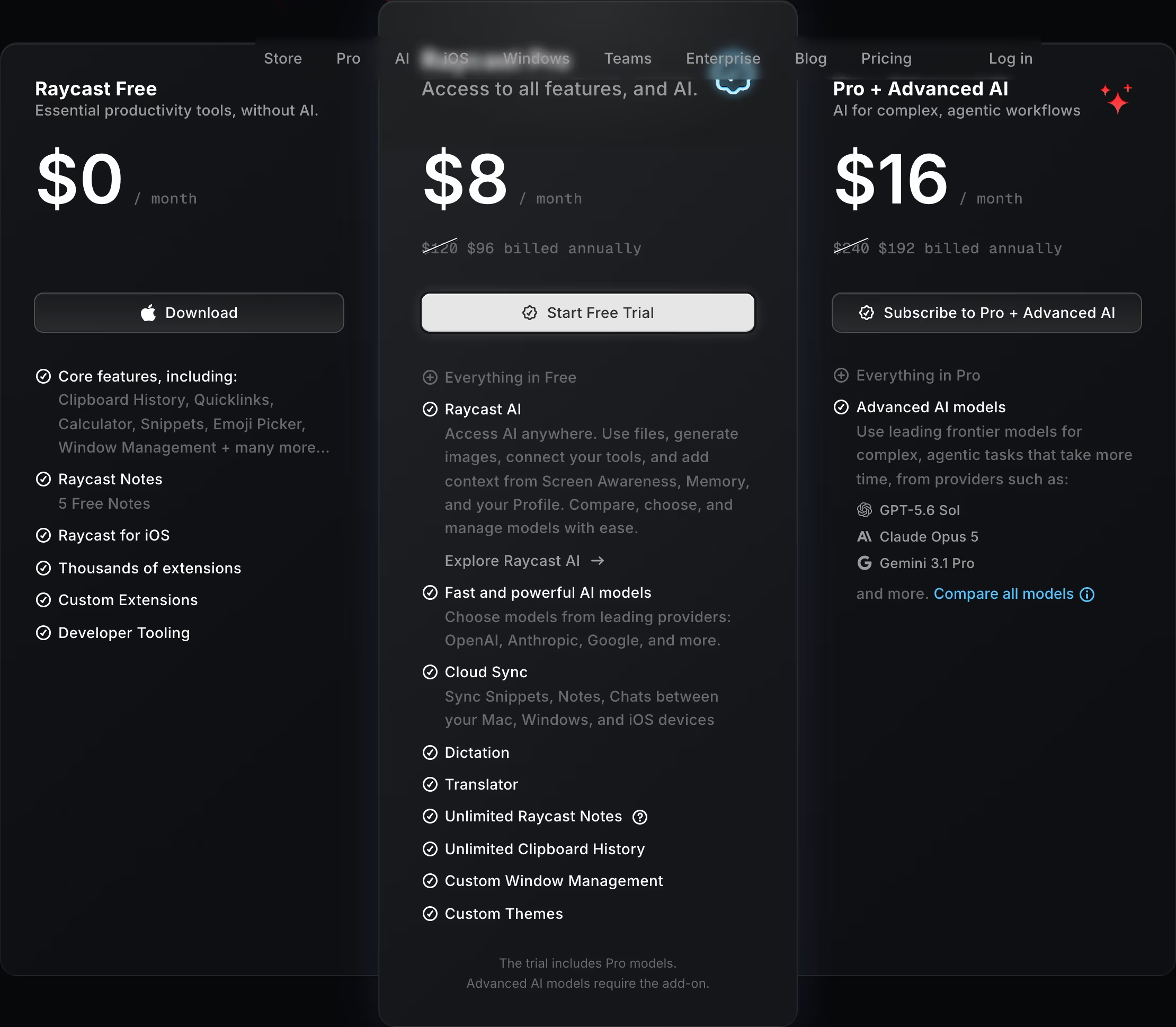
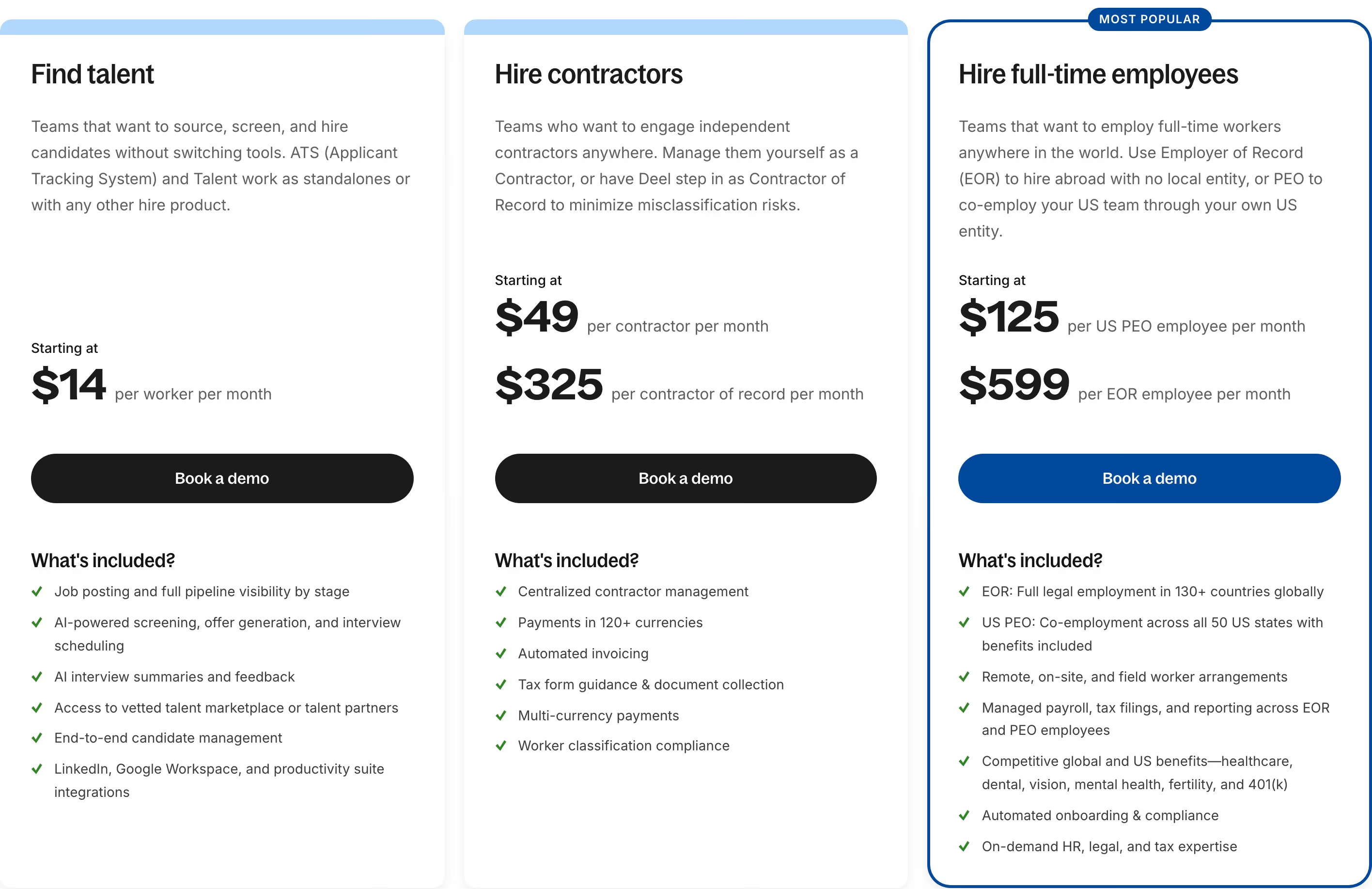
Good tables make the decision for the visitor. One card is visually lifted (a tint, an outline, a glow or a "Recommended" tag, as on Usecardboard's blue-tinted Creator card), feature lists only show what changes between tiers, and every card has a button with a clear next step. Weak tables give all cards equal weight, repeat the same twenty bullets in each column and hide the actual price behind "Starting at".
More homepages now carry a compact pricing table above the footer instead of only linking to a pricing page. It works when there are few plans; when the real pricing needs usage calculators or a long feature matrix, a homepage teaser plus a dedicated page is clearer.
Pricing table examples from real SaaS sites
Pricing from the catalog.
When to use a pricing table, and when not to
Use it for
- Published, fixed pricesYou sell two to five plans at list prices and want visitors to pick one without talking to anyone.
- Upgrade path mattersShowing the next tier up beside the free plan makes the upgrade visible from day one.
- Product-led signupThe button on each card can start a trial or checkout directly, so the table itself converts.
Avoid it for
- Fully custom dealsIf every contract is negotiated, a table of "Contact us" cards adds nothing; use one enterprise panel and a demo form.
- Pure usage pricingPer-request or per-GB pricing reads better as a rate list or calculator than as invented tiers.
- Too many plansPast four or five cards the row breaks on laptops and the comparison stops being glanceable.
Anatomy of a pricing table
- 1Section headingA short promise about the pricing itself ("Simple pricing, no surprises."), often with a billing toggle beneath.
- 2Plan name and audienceA tier name plus one line on who it is for, so visitors self-select before reading prices.
- 3PriceThe largest text on the card, with the billing unit (per month, per seat) right next to it.
- 4Primary buttonOne action per card; the recommended tier gets the filled button, the rest are outlined.
- 5Feature listCheckmarked bullets, ideally starting with "Everything in Basic, plus" so each card lists only the difference.
- 6HighlightA badge, tint or outline marking the recommended plan.
Common pricing table variants
1. Three or four cards
The default: equal-width cards in a row, the middle or second card highlighted.
2. Single plan
One price, one card. Reflect's homepage runs "One plan one price." with a single trial button, which removes the comparison step entirely.
3. Cards plus enterprise strip
Self-serve tiers in cards and the enterprise offer as a full-width row below, as on Runner, so the sales path doesn't take a whole column.
4. Pricing teaser
Two or three cards on the homepage linking to a full pricing page with the comparison table and FAQ.
Spotted in our design reviews
Our reviews describe a pricing table on 43 of the 422 SaaS homepages in the catalog. A few of them:
Below, a canvas screenshot shows a file named "Acme Store", a frame labeled "Pricing" with three tiers at $0, $24 and $48, and an inspector for Frame.
Modeinspect · Above the fold
"Pricing" opens with a sentence naming four plans.
Onuniverse · Pricing cards
The pricing section has a Monthly and Yearly toggle over "Free" at $0, "Digest" at $5/mo and "Pro" at $15/mo.
Ancher · Feature grid, download tabs and pricing
Scale Fast." has a "Monthly" and "Yearly" toggle and four tiers priced "$0", "$18", "$90" and "Custom", with only the free tier carrying a filled button.
Replit · Platform cards, quotes and pricing
A two-by-two grid under "Why choose fal?" holds four grey cards: "Fastest inference engine for diffusion models", "On-demand GPUs, serverless deployments", "Built for developers" with a code sample, and a pricing card headed "H100s, H200s, B200s starting at $1.89".
Fal · Why choose fal grid and enterprise block
The pricing block, "Simple pricing", shows "Pro" at "$32.50" beside "Max" at "$82.50".
Adant · Templates, comparison and pricing
Two pricing cards follow: PRO at $99/month and CUSTOM with "Talk with us".
Gojiberry · Outreach stack, statistics, integrations and pricing
Three plans sit side by side: Free at €0, Basic at €12 per month marked "Most Popular", and Pro at €28.
Getmagicform · Integrations, pricing and comparison table
Often confused with
Pricing table vs. comparison table
A pricing table compares plans by price and headline features in cards; a comparison table lists every feature as a row with checkmarks per plan, usually below the cards.
Pricing table vs. pricing toggle
The pricing toggle is a control that sits above a pricing table and switches the prices in it between monthly and annual billing.
Frequently asked
How many plans should a SaaS pricing table show?
Three is the most readable: an entry plan, a recommended plan and an enterprise or top tier. Four works if one is free. Beyond that, visitors stop comparing and start scrolling.
Should the most expensive plan go first or last?
Most SaaS sites in our catalog order cards from cheapest to most expensive, left to right. Whichever order you pick, the recommended plan should stand out more than the most expensive one.
Is it worth putting pricing on the homepage?
If your prices are simple and competitive, yes; it answers the question most visitors scroll for. If pricing depends on usage or seats in complicated ways, link to a dedicated page instead.