
Overlays & feedback
Progress indicator
A progress indicator is a bar, ring or step counter showing how much of a task or process is complete and how much remains.
- Also called
- Progress bar, Progress ring, Step indicator, Completion meter
- Spotted on
- 6 of 422 homepages
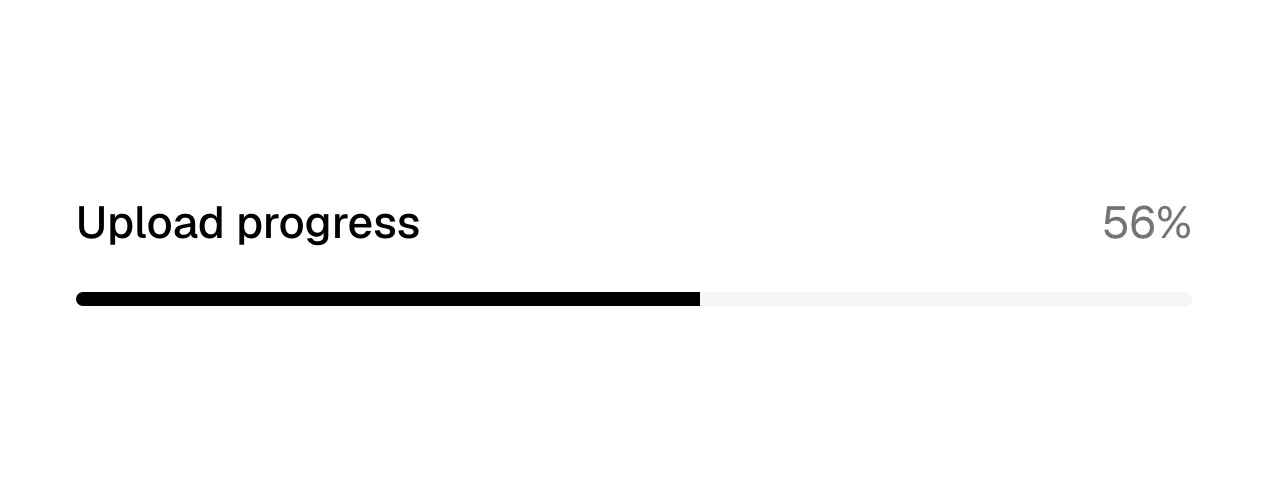
What is a progress indicator?
Where a spinner only says "working", a progress indicator says how far along. It can measure a real process (an upload at 60%), a position in a sequence (step 2 of 4 in signup) or a usage level (8 of 10 seats used). On marketing sites the sequence version is the most practical: multi-step demo forms and onboarding wizards keep more people going when they can see the end.
Progress bars are even more common as illustration. A usage meter or a 95% completion bar inside a product mockup communicates goals, limits and momentum instantly; Getenergy pairs its level ladder with an example panel showing a 95% progress bar, and Temporal's interactive demo uses a progress bar that runs from "Workflow runs" to "Something breaks" to "It recovers". Some sites also use a thin reading-progress bar along the top of blog posts.
Honesty is the rule. A bar that jumps to 90% and stalls is worse than a spinner, and a five-step form labeled as three steps loses trust at step four. Label what is being measured, keep the fill color distinct from the track, show a number alongside the bar where the exact value matters, and expose the value to screen readers.
When to use a progress indicator, and when not to
Use it for
- Known lengthAny process with a measurable amount done and remaining.
- Multi-step formsSignup or onboarding with three or more steps, where seeing the end keeps people going.
- Showing usage or goalsA product visual that needs to communicate limits, quotas or completion.
Avoid it for
- Unknown durationIf progress can't be measured, use a loading indicator rather than a fake bar.
- Very short waitsA bar that fills in under a second is just a flicker.
- Single-step forms"Step 1 of 1" adds noise; drop the indicator when there is only one step.
Anatomy of a progress indicator
- 1TrackThe full length or circle, representing 100% of the task.
- 2FillThe completed portion, in the brand or status color.
- 3Value labelA percentage, count or "Step 2 of 4" that states the progress in words.
- 4Step markersOptional segments or dots that divide the track into named steps.
Common progress indicator variants
1. Linear bar
A horizontal track and fill, the most common form for uploads and usage.
2. Ring or circle
A circular track used in dashboards and mockups for scores and goals.
3. Segmented steps
A bar split into steps for multi-page forms; see stepper.
4. Reading progress
A thin bar along the top of a long article that fills as the reader scrolls.
Spotted in our design reviews
Our reviews describe a progress indicator on 6 of the 422 SaaS homepages in the catalog. A few of them:
A testimonial with a portrait and a four-segment progress bar follows.
Openroll · Logo strip, product cards and testimonial
"Watch a Workflow recover from failure" opens a full-width demo with a scenario dropdown, a progress bar ("Workflow runs", "Something breaks", "It recovers") and "Play" and "Start Over" controls.
Temporal · Interactive demo and SDK rows
The middle opens with a "Tailored demo" form and a level ladder headed "Most AI stops halfway." running from "Ask questions" to "Runs on its own", beside an example panel with a 95% progress bar.
Getenergy · Demo form, level ladder and automations
Beside them, a "Credit Balances" panel marked "Tracking" shows three progress bars and an auto-refill form.
Useautumn · Solution diagram and pricing models
A title, newsletter field and featured post with four progress bars open the page.
Conduit · Blog pages
The three hero cards become a horizontal strip showing "Intelligent Forms" with a progress bar and a cut-off next card.
Typeform · Mobile
Often confused with
Progress indicator vs. loading indicator
A loading indicator says work is happening with no sense of how much is left. A progress indicator shows exactly how far along it is.
Progress indicator vs. stepper
A stepper names each step and often lets visitors move between them. A progress indicator only shows how far through they are.
Progress indicator vs. slider
A slider looks similar but is an input the visitor drags to set a value. A progress indicator is read-only.
Frequently asked
Do progress bars help multi-step forms convert?
They help by setting expectations: visitors who can see they are on step two of three are more likely to finish than those facing an unknown number of screens. They hurt when the step count turns out to be wrong.
Should progress be shown as a bar or a percentage?
Both, when the number matters. The bar gives a quick read, and the number gives precision and works for screen readers and visitors who can't tell the colors apart.