
Layout & concepts
Above the fold
Above the fold is the part of a web page visible before any scrolling, which on a SaaS homepage usually holds the navigation, the hero and its main CTA.
- Also called
- First screen, First viewport, Initial viewport
- Spotted on
- 48 of 422 homepages
- Browse examples
- Hero sections →
What is above the fold?
The term comes from newspapers, where the top half of the front page was what showed on the newsstand. On the web it means the first viewport, and its exact height varies with every screen, so it is a zone rather than a line.
For a SaaS homepage, what lands above the fold decides whether a visitor scrolls. In our reviews the first screen typically holds a navigation bar, an eyebrow or pill, the headline, a subhead and one or two buttons. Zeplin puts a launch pill above its headline; Critter drops the navigation entirely, so the first screen opens straight on the headline.
The common mistake is treating the fold as a container to cram. The first screen needs the claim, the action and a hint of what is below (the top edge of a screenshot or a logo row) so visitors know the page continues.
Above the fold examples from real SaaS sites
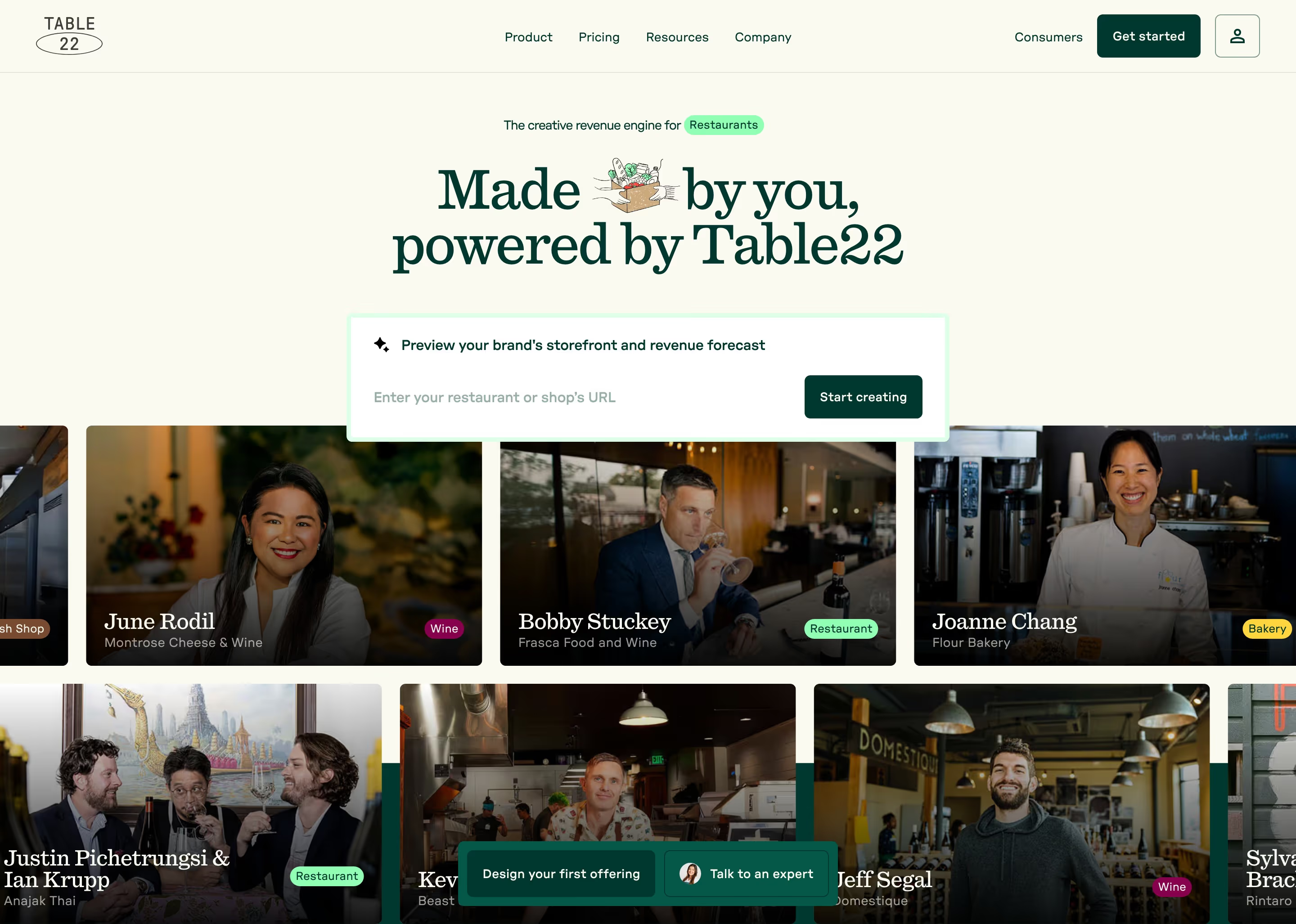
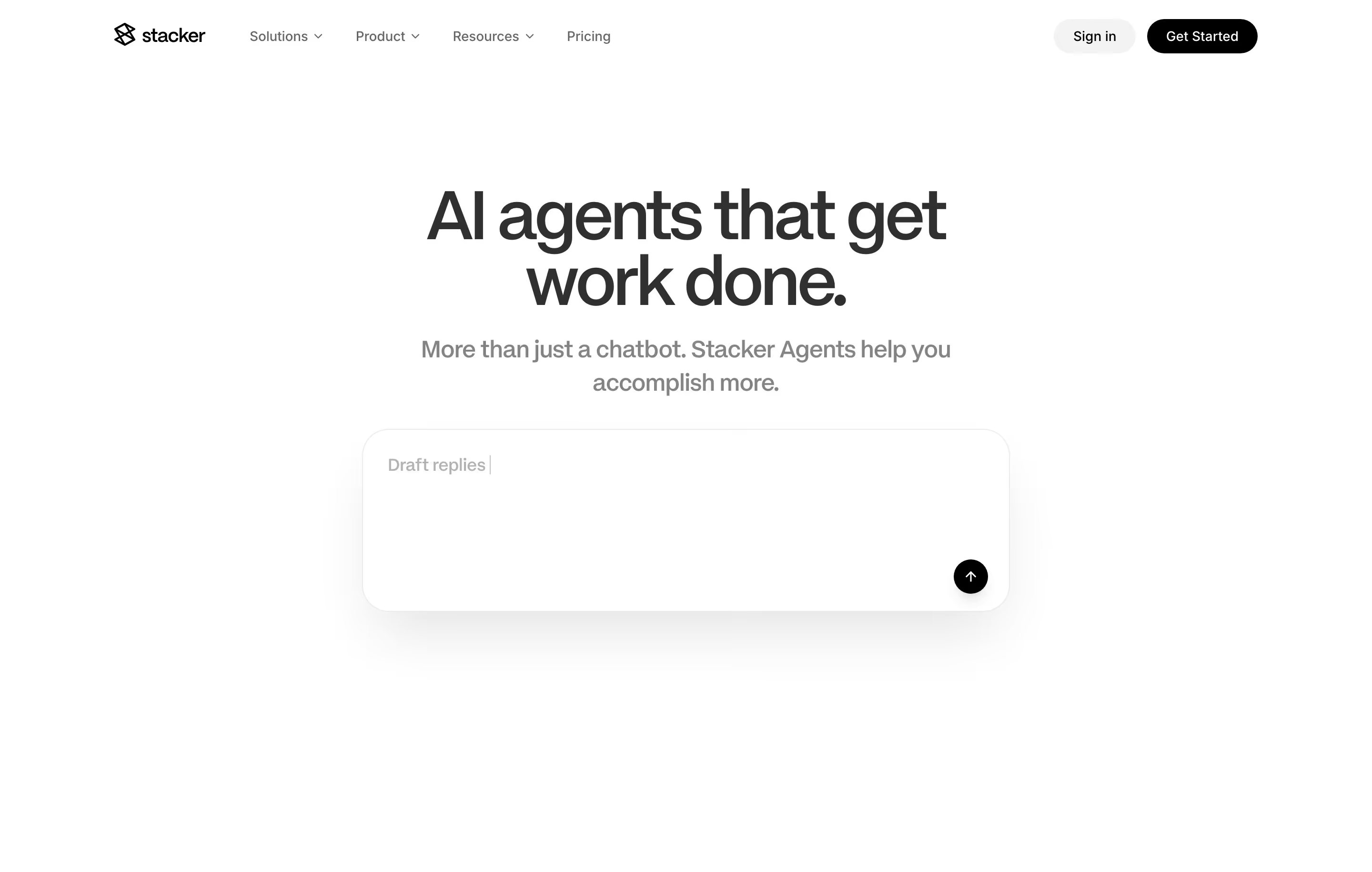
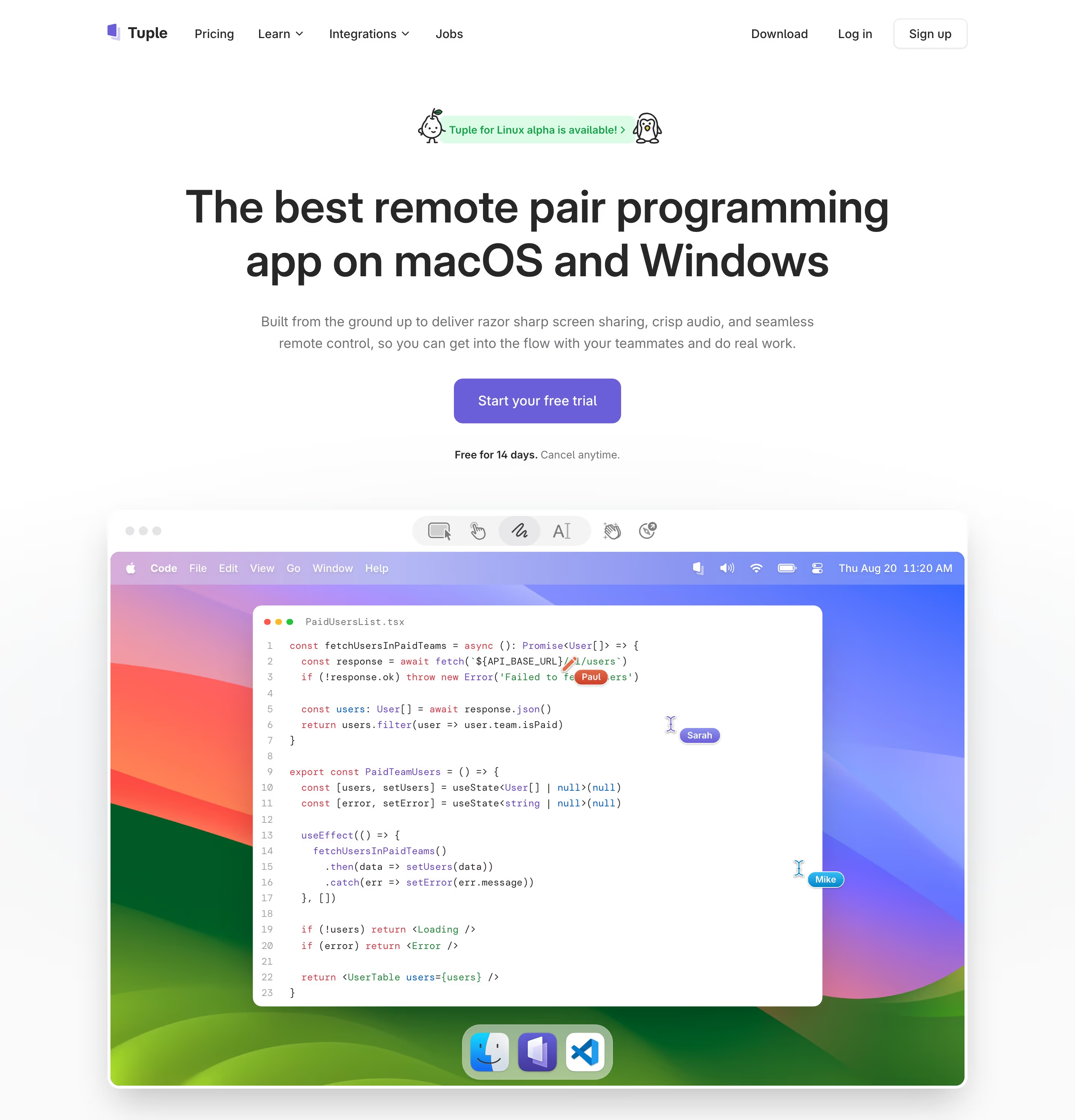
Heroes from the catalog.


When to use above the fold, and when not to
Use it for
- Placing the main actionThe primary sign-up or demo button should be reachable without scrolling on desktop and mobile.
- Stating what the product isA visitor who reads only the first screen should still know what you sell.
- Signaling there is moreLet a screenshot or logo row break the bottom edge so the page invites a scroll.
Avoid it for
- Cramming every messageFeatures, pricing and testimonials all squeezed into the first screen make none of them readable.
- Designing for one screen sizeA fold tuned to a 1440px monitor lands somewhere else on a laptop or phone; test the common sizes.
- Excusing a weak page belowVisitors who scroll are interested; the sections below the fold still have to earn the click.
Anatomy of above the fold
- 1Navigation barLogo, main links and the login and sign-up buttons.
- 2Announcement or eyebrowAn optional short line of news above or inside the hero.
- 3Headline and subheadThe core claim and its one-sentence explanation.
- 4Primary CTAThe main button, ideally with a secondary option beside it.
- 5Visual edgeThe top of a product image, video or logo row, cut by the bottom of the viewport.
Common above the fold variants
1. Copy-only first screen
Headline, subhead and buttons fill the viewport, with the product visual starting below the fold.
2. Product-forward first screen
A short headline over a large screenshot that starts inside the first screen.
3. Proof-forward first screen
A logo row, rating or user count sits within the first screen directly under the buttons.
Spotted in our design reviews
Our reviews describe above the fold on 48 of the 422 SaaS homepages in the catalog. A few of them:
Above the fold sits a nav row with "Features", "Playbooks", "Case Studies" and "Pricing", plus "Login" and "Start for free".
Gojiberry · Above the fold
The hero fills the first screen with a grainy teal-to-black gradient.
Autostep · Above the fold
Above the fold, a left column sets the headline "The missing design vocabulary for agents." in light condensed type, with a filled "Get started" button and a text link "How it works" beneath the subhead.
Impeccable · Above the fold
Above the fold, a centred column stacks a pill badge reading "Between-visit care, now reimbursable", the headline "Change begins with Nudge", a two-line subhead and a dark pill button labelled "Get in touch".
Getnudge · Above the fold
The first screen is a centred hero.
Visitors · Above the fold
Above the fold, a lime banner reads "We're honored to be named one of Inc.'s 2026 Best Workplaces" over a header with a "Get a demo" button.
Reflexai · Above the fold
Above the fold, a nav row holds "Products", "Resources" and "Pricing", with "Sign In" and "Sign Up" at the right.
Usenotra · Above the fold
Above the fold, a centred headline reads "Make proposals that make impressions" over a two-line subhead and two buttons, a solid green "Get Started" and an outlined "Talk to sales".
Pandadoc · Above the fold
Often confused with
Above the fold vs. hero section
The hero is a section of the page design. Above the fold is whatever a given screen shows before scrolling, which may be part of the hero or more than it.
Frequently asked
How tall is the fold?
There is no single height. It depends on the device and browser window, roughly 650-900px on desktops and less on phones, so design the first screen to work across that range.
Does everything important need to be above the fold?
No. The claim and the main action do; supporting proof can follow. Visitors do scroll when the first screen gives them a reason to.