
Components
Carousel
A carousel is a horizontal set of slides or cards shown a few at a time, advanced by arrows, dots, swipes or a timer, so one strip can hold many items.
- Also called
- Slider, Content slider, Testimonial slider, Slideshow
- Spotted on
- 113 of 422 homepages
- Browse examples
- Testimonial sections →
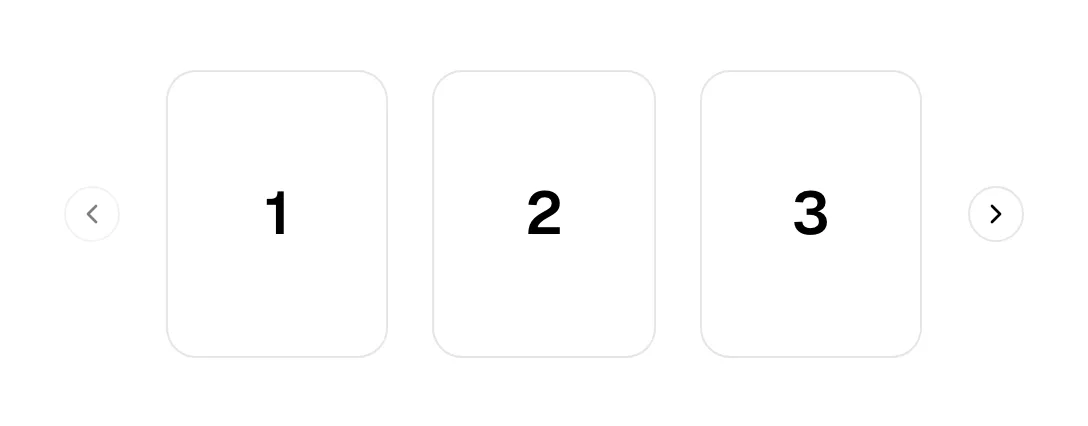
What is a carousel?
SaaS homepages mostly use carousels for proof and examples: testimonial cards, case-study stories, template galleries, team portraits. Kajabi's "Why experts choose Kajabi" slider shows one creator and their earnings at a time; Fathom's carousel has yellow arrow buttons and four dots; Delos opens with a portrait carousel.
On phones the carousel is often the mobile fallback for a desktop grid. Mate's testimonials become a single-card carousel at 390px, and Usesuperflow's audience tiles become a sideways strip. That keeps the page short, at the cost of hiding everything after the first card.
The honest rule: assume only the first slide is seen. Put the strongest quote or example first, show that more exists (a cropped next card works better than tiny dots), and never auto-advance something people are trying to read.
When to use a carousel, and when not to
Use it for
- Browsable collectionsMany similar items (templates, customer stories) where visitors enjoy flicking through a few.
- Phone layoutsA desktop row of four cards would otherwise become a very long stack.
- Visual examplesImages do the talking and each slide is understood at a glance.
Avoid it for
- Key messagesA hero that rotates three value propositions guarantees most visitors see only one.
- Few itemsThree testimonials fit in a row; putting them in a carousel only hides two.
- Text-heavy slidesLong quotes that advance on a timer are gone before anyone finishes them.
Anatomy of a carousel
- 1TrackThe horizontal strip of slides or cards, partly hidden outside the visible window.
- 2SlideOne card, quote, image or story; ideally understandable on its own.
- 3ControlsPrevious and next arrows, swipe on touch, and sometimes keyboard support.
- 4Position indicatorDots, a counter ("3 / 35") or a progress bar showing how many slides exist.
- 5PeekA cropped edge of the next card, the clearest signal that the strip scrolls.
Common carousel variants
1. Testimonial carousel
One or a few quotes at a time with arrows; the most common carousel in our reviews.
2. Card strip
A row of cards with the last one cut off at the edge, scrolled sideways.
3. Banner carousel
Full-width slides cycling promotions, as in Looka's carousel of peach, blue and purple backdrops.
Spotted in our design reviews
Our reviews describe a carousel on 113 of the 422 SaaS homepages in the catalog. A few of them:
Below, a rounded panel has tabs "ElevenCreative", "ElevenAgents" and "ElevenAPI" over a carousel of gradient orbs labelled "Characters", "Narration" and "Conversational", with pills such as "Text to Speech" underneath.
Elevenlabs · Above the fold
A carousel below shows two whole dark cards and a cropped third: "Sketch to Render", "Prompt" and "Flatlay", each with a product photo, one-line caption and green "TRY IT NOW" link.
Flora · Fashion Studio carousel and canvas demo
"AI tools that change what's possible" is a second carousel whose card, "Text-based editing", has a red "Edit video now" button.
Descript · Proof and workflow carousels
Below, a carousel of full-bleed photo cards shows "Take bookings" with a calendar mockup, neighbours cropped at both edges and eight pagination dots underneath.
Whacka · Statement block and capability carousel
A "Top Rated on G2" paragraph follows, then two video carousels headed "Explore the power of Airmeet" and "See why teams love Airmeet".
Airmeet · AirGenie, G2 proof and video testimonials
A testimonial carousel attributed to "Edward Chung" follows.
Summation · Video block, testimonial and product cards
Yellow arrow buttons and four dots control the carousel, and a rocket leads an oversized marquee line across the page.
Fathom · Ratings, customer logos and product carousel
Under "Built for tech–enabled professional service firms" a black "Meet our customers" button leads into a carousel of photo cards labelled "Accounting", "Consulting", "Marketing", "Law" and "Real Estate".
Assembly · Client logos, industry carousel and black tab band
Often confused with
Frequently asked
Are carousels bad for conversion?
Rotating hero carousels have a poor reputation because later slides are rarely seen. Carousels for browsable content, such as testimonials or templates, are fine as long as the first slide stands on its own.
Arrows or dots?
Arrows for desktop, swipe for touch, and a visible peek of the next card for both. Dots tell you how many slides exist but are small, hard-to-hit targets.