
Forms & inputs
Combobox
A combobox is a text input joined to a dropdown list of suggestions, so a visitor can either type to filter the options or pick one straight from the list.
- Also called
- Autocomplete, Typeahead, Searchable select, Autosuggest input
- Browse examples
- Contact pages →
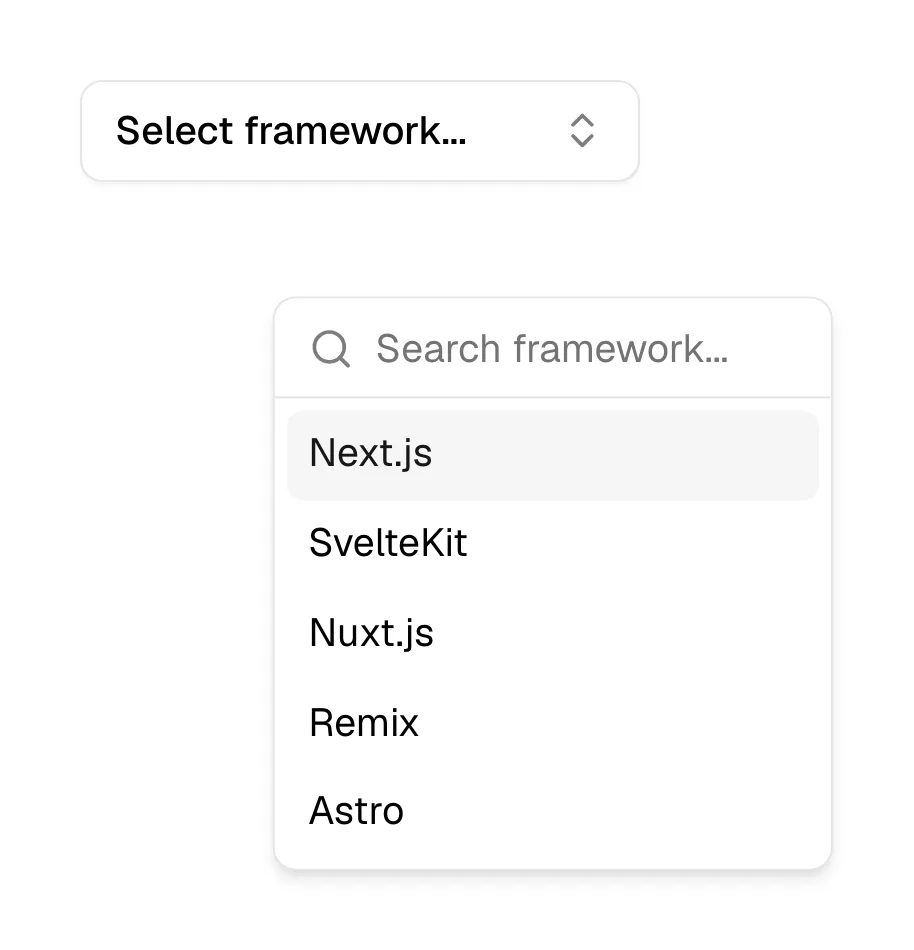
What is a combobox?
A combobox solves the long-list problem. A plain select with 200 countries, 3,000 integrations or every timezone is miserable to scroll; a combobox lets the visitor type "ger" and pick Germany. On SaaS marketing sites it turns up in demo and contact forms (country, company, job title), in docs search that suggests pages as you type, in integration directories, and in hero inputs that autocomplete a domain or app name.
There are two flavors. A strict combobox only accepts values from the list, like a searchable select. A free-form one accepts any text but offers suggestions, like a search bar with autosuggest. Decide which you need before designing: a country field must be strict, a "What do you want to build?" field should not be.
The craft is in keyboard and screen-reader behavior: arrow keys move through suggestions, Enter selects, Escape closes, and the highlighted option is announced. Native HTML only gets you partway (a datalist), so most teams use a tested component rather than building one from scratch.
When to use a combobox, and when not to
Use it for
- Long option listsMore than roughly fifteen options, where scrolling a select would be slow.
- Known vocabularyThe answer is one of a defined set (countries, tools, plans) but visitors know what to type.
- Search with guidanceDocs or directory search where suggesting matches as the visitor types saves a results page.
Avoid it for
- A handful of optionsFive choices are faster as radio buttons, a segmented control or a plain select.
- Unknown optionsIf visitors don't know what the choices are, they can't type them; show the list.
- Untested custom buildsA homemade combobox that breaks the keyboard or screen readers is worse than a native select.
Anatomy of a combobox
- 1LabelA visible label above the input, such as "Country" or "Search docs".
- 2InputA text field where the visitor types; it may show a chevron to signal a list is available.
- 3Suggestion listA listbox under the input showing matching options, with the typed text often highlighted.
- 4Active optionThe highlighted row that Enter will select, moved with the arrow keys.
- 5Empty stateA short "No matches" line, or an option to use the typed text anyway in a free-form combobox.
Common combobox variants
1. Searchable select
Strict: the value must come from the list, as in country or currency fields.
2. Autosuggest search
Free-form: suggestions appear as the visitor types, but any query can be submitted.
3. Multi-select combobox
Chosen options become chips inside the input, used for tags or integrations.
Often confused with
Combobox vs. select
A select only lets the visitor pick from a list; a combobox also lets them type to filter or enter text.
Combobox vs. search bar
A search bar submits a query to a results page; a combobox resolves the input to a chosen option in place.
Combobox vs. command palette
A command palette is a keyboard-summoned overlay for actions and navigation, built on combobox behavior but app-wide.
Frequently asked
Is a combobox the same as autocomplete?
Autocomplete is the behavior; combobox is the control. A combobox is the input-plus-list component, and autocomplete describes it suggesting or completing what you type.
Should a demo form's country field be a combobox?
Usually yes. A long country list is much faster to filter by typing, as long as the component works with the keyboard and on mobile.