
Overlays & feedback
Chat widget
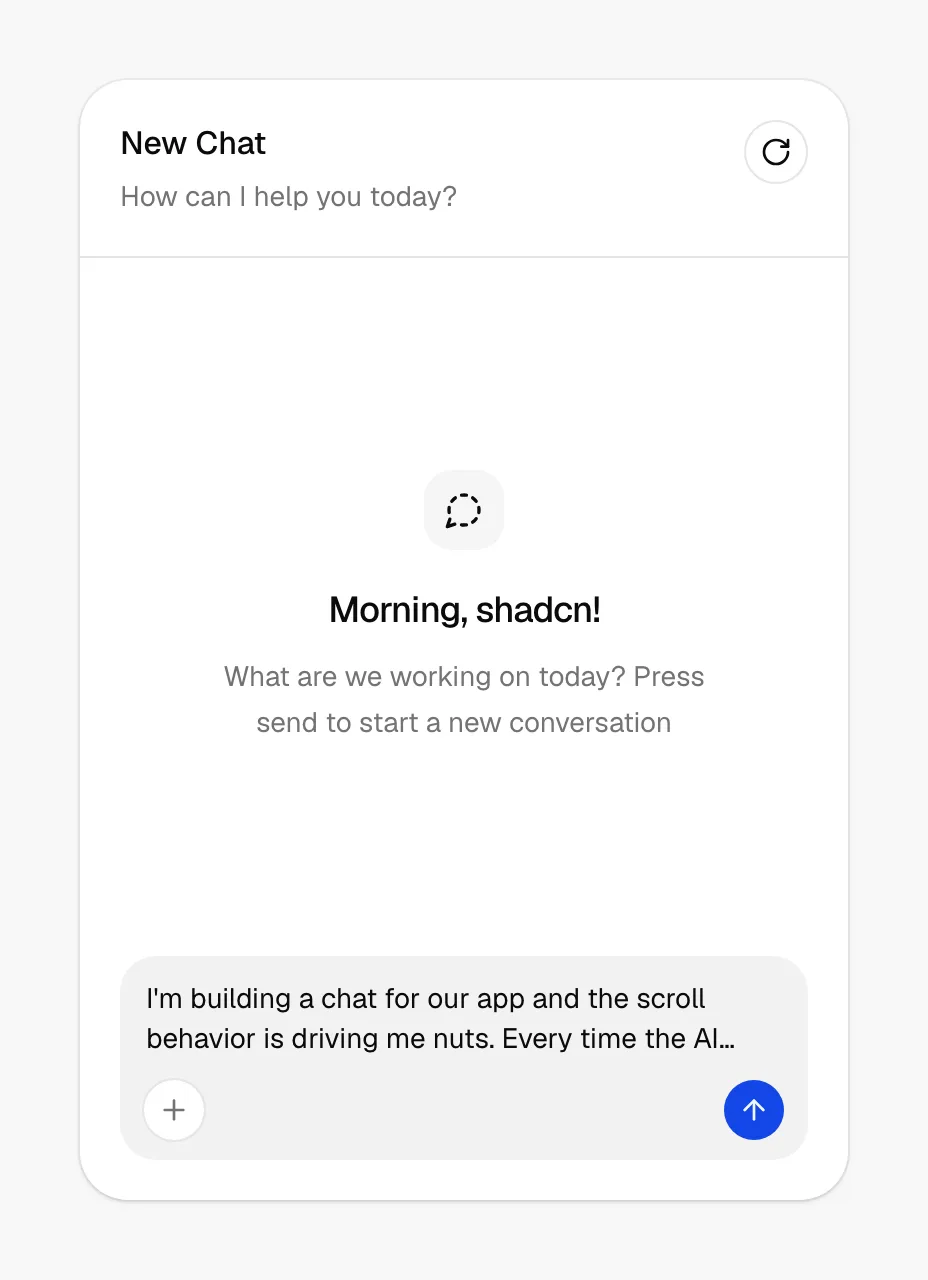
A chat widget is a floating button, usually in the bottom-right corner, that opens a live or AI-assisted chat window without leaving the current page.
- Also called
- Live chat, Chat bubble, Chat launcher, Support chat, Messenger widget
- Spotted on
- 9 of 422 homepages
- Browse examples
- Contact pages →
What is a chat widget?
On SaaS marketing sites the chat widget is a sales tool more than a support tool. It catches visitors at the moment a question would otherwise send them away: "Do you have SSO?", "Is there a free tier?", "Can I talk to someone?". Sanity's version offers pricing help from a bubble in the lower right, and Chargebee labels its button "Ask Me Anything". More and more of these are AI assistants answering from the docs first and handing off to a person second.
The cost is screen space. In our mobile reviews the widget regularly overlaps the content: on Mixpanel it covers the first feature headline, on Remote a purple chat button floats over most screens, and on Culture Amp an "Ask Alix" button overlaps the copy. On a 390px screen a launcher plus an auto-opened greeting can hide a third of the view.
Good widgets stay collapsed until asked, sit clear of the primary CTA, and say what they are for. A launcher labeled with a specific promise (pricing help, a human reply time) gets used; a generic bubble that pops open with a generic "Hi there" on every page mostly gets closed.
Chat widget examples from real SaaS sites
Each one is a mobile capture whose design review mentions the chat widget.




When to use a chat widget, and when not to
Use it for
- Sales-assisted productsPricing, security or fit questions that a human or well-trained assistant can answer in a minute.
- Pricing and contact pagesPages where visitors are close to a decision and a quick answer prevents a bounce.
- Staffed or trainedSomeone, or an assistant grounded in your docs, actually responds quickly.
Avoid it for
- Unstaffed inboxesA chat that replies "we'll get back to you in 2 days" is a contact form pretending to be live.
- Covering mobile contentIf the launcher or greeting hides headlines or buttons at phone width, shrink it or delay it.
- Auto-opening on every pagePopping the chat window open on load interrupts reading and trains visitors to close it on sight.
Anatomy of a chat widget
- 1LauncherA round or pill-shaped button fixed to a bottom corner, often in the brand color.
- 2GreetingAn optional preview message beside the launcher that states what the chat can help with.
- 3Chat windowA panel with the conversation, an input field and the agent's or assistant's name and avatar.
- 4Routing optionsQuick replies such as "Pricing", "Book a demo" or "Support" that send the visitor to the right team.
Common chat widget variants
1. Icon launcher
A round button with a chat icon and nothing else, the most compact form.
2. Labeled pill
A launcher with text, such as "Ask Me Anything" or an assistant's name, which says what it is for.
3. AI assistant
A chat answered by a model trained on the product's docs, with optional handoff to a person.
Spotted in our design reviews
Our reviews describe a chat widget on 9 of the 422 SaaS homepages in the catalog. A few of them:
Below, a pale blue panel holds a six-step tracker, "PRICING" through "GROWTH", above tilted interface cards, a "STREAMS" tab and an "Ask Me Anything" chat button.
Chargebee · Above the fold
A chat bubble floats at right.
Brainfish · Above the fold
The section "Keep all your customer conversations in one place" lists channel icons beside cards titled "Create a live chat widget that fits your brand" and "Engage with your customers on WhatsApp".
Chatwoot · Captain AI and omnichannel desk
A chat bubble offering pricing help overlaps the lower right.
Sanity · Contact Us
A chat widget partly covers them.
Jasper · Contact Us
To the right, a headset-wearing man sits beside a "Meetings Booked" card and a chat widget overlay.
Orum · Above the fold
The footer turns into collapsible rows with plus icons, and a purple chat button floats over most screens.
Remote · Mobile
The chat widget covers the first feature headline.
Mixpanel · Mobile
Often confused with
Chat widget vs. cookie banner
Both float over the page in a corner. A cookie banner needs an answer once and disappears; a chat widget stays available for the whole visit.
Chat widget vs. interactive demo
Chat bubbles inside a product mockup illustrate a chat product. A chat widget is a working support channel on the site itself.
Frequently asked
Does every SaaS site need a chat widget?
No. It earns its place on products with real pre-sales questions and someone to answer them. A self-serve tool with clear pricing and good docs often does better without the extra layer on top of the page.
Where should the chat launcher go?
Bottom right is the convention, and visitors look for it there. Just check that it doesn't sit on top of a sticky CTA or the cookie banner, especially on mobile.
Should the chat window open automatically?
Rarely. A short greeting next to the closed launcher, shown after the visitor has read for a while, gets attention without hijacking the page.