
Forms & inputs
Segmented control
A segmented control is a row of two to five joined buttons where exactly one is selected, used to switch a view or setting between a few related options.
- Also called
- Segmented button, Button group, Pill toggle, Segmented toggle
- Spotted on
- 3 of 422 homepages
- Browse examples
- Pricing pages →
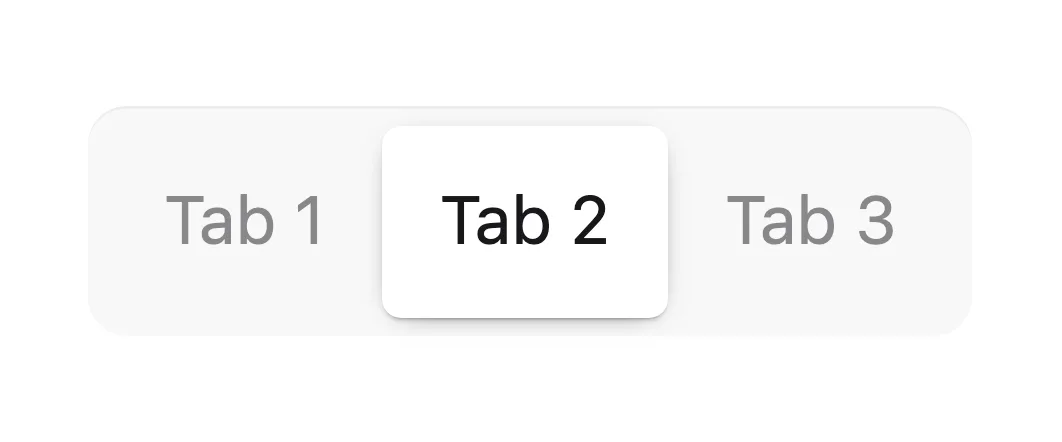
What is a segmented control?
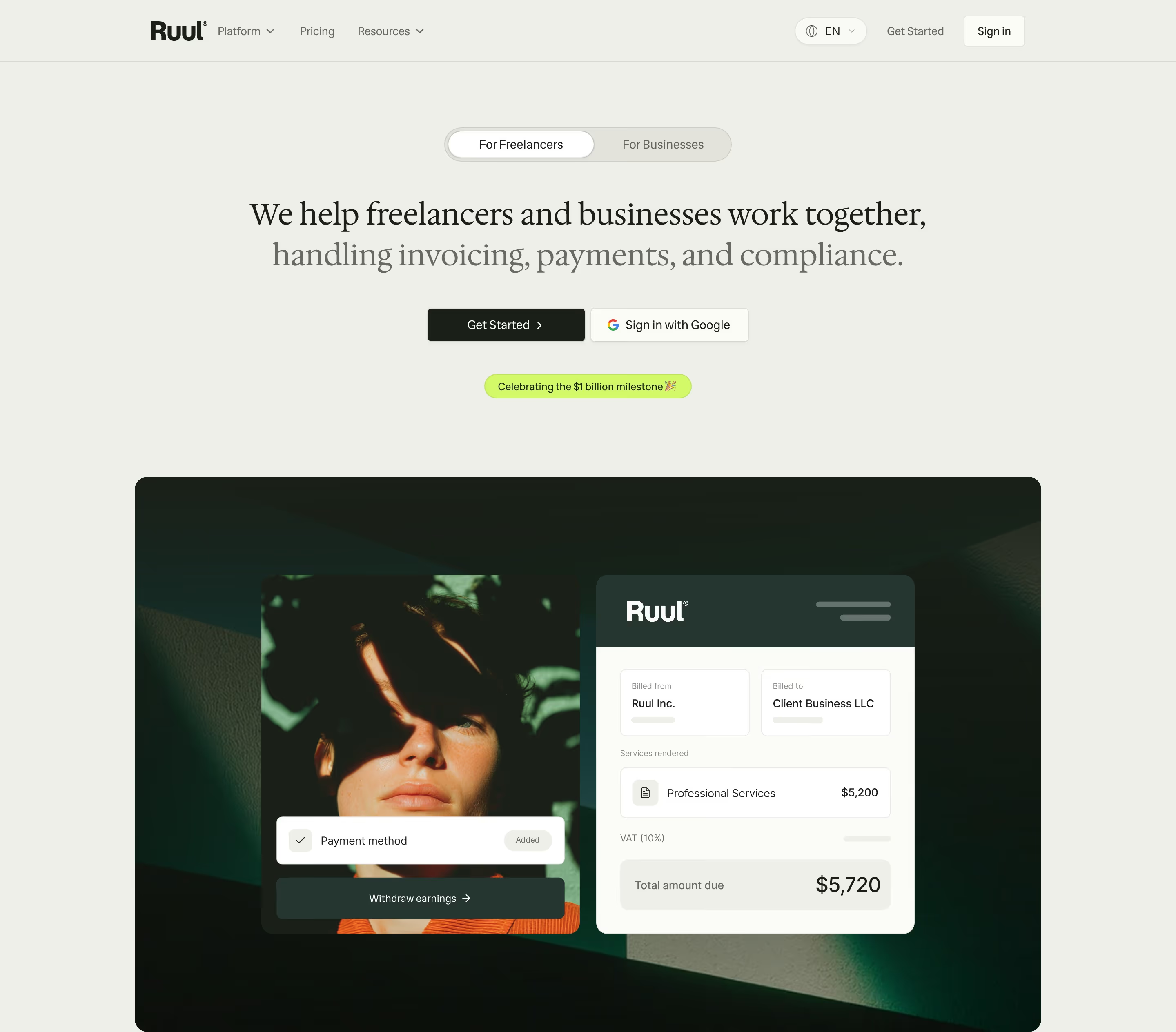
On SaaS marketing sites the segmented control is everywhere once you notice it. The Monthly/Yearly switch on pricing pages is the most familiar case; others swap a hero between audiences ("For Freelancers" and "For Businesses" on Ruul, "Marketing Teams" and "Agents" on Gooseworks), switch code samples between languages, or change a pricing calculator between seats and usage.
It works because all options stay visible and the selected one is filled, so the visitor always knows where they are and what else exists. The usual design is a pill-shaped track with a sliding highlight behind the active label, which makes the switch feel instant.
Keep it to short labels (one or two words), limit it to five segments at most, and change the content right away when a segment is clicked. On mobile, check that each segment is at least 44px tall and that labels don't wrap. If the options are long or numerous, tabs or a select will hold up better.
Segmented control examples from real SaaS sites
Each one is a hero capture whose design review mentions the segmented control.

When to use a segmented control, and when not to
Use it for
- Two to five viewsThe same area shows different content depending on a short choice, like billing period or audience.
- Immediate changeClicking a segment should update the page at once, with no submit button.
- Short labelsEach option fits in one or two words.
Avoid it for
- Form answersA choice saved on submit, like company size, belongs in radio buttons or a select.
- Many or long optionsSix segments or multi-word labels won't fit on mobile; use tabs or a select.
- On/off settingsA single setting that is either on or off is a toggle switch, not a two-segment control.
Anatomy of a segmented control
- 1TrackThe container, usually a rounded pill with a subtle background.
- 2SegmentsEqual-width buttons, each with a short text label or icon.
- 3Selected indicatorA filled or raised pill behind the active segment, often animated between positions.
- 4BadgeAn optional tag on one segment, such as "Save 20%" beside Yearly.
Common segmented control variants
1. Billing switch
Monthly and Yearly segments above a pricing table, often with a savings badge.
2. Audience switch
Two personas in the hero, each swapping the headline, copy or product visual.
3. Icon segments
Icons instead of words, such as grid and list views, or light and dark mode.
Spotted in our design reviews
Our reviews describe a segmented control on 3 of the 422 SaaS homepages in the catalog. A few of them:
The specimen grid collapses to one column, and the command tabs become a "PALETTE" and "PERIODIC" pill toggle, with chips such as "craft" scrolling sideways.
Impeccable · Mobile
A pill toggles "For Freelancers" and "For Businesses".
Ruul · Above the fold
A pill toggle switches "Marketing Teams" and "Agents".
Gooseworks · Above the fold
Often confused with
Segmented control vs. pricing toggle
A pricing toggle is one specific use of a segmented control (or a switch) that changes prices between billing periods.
Segmented control vs. tabs
Tabs switch between larger panels and usually sit flush with the content; a segmented control is a compact, self-contained button group.
Segmented control vs. toggle switch
A toggle switch turns one setting on or off; a segmented control picks one of several named options.
Segmented control vs. radio button
Both enforce one choice, but radio buttons belong in forms submitted later, while a segmented control acts immediately.
Frequently asked
Is a Monthly/Yearly switch a segmented control or a toggle?
Most modern pricing pages draw it as a two-segment control with both labels visible, which is clearer than a switch with labels on either side. Either way, show which period is active in text, not only by position.
How many segments is too many?
Past five, labels get cramped and wrap on phones. If you need more options, use tabs that can scroll or a select.