
Page sections
Pricing toggle
A pricing toggle is a two-option switch above a pricing table that flips every price between monthly and annual billing, usually showing the annual saving.
- Also called
- Billing toggle, Monthly/annual switch, Billing period switch
- Spotted on
- 19 of 422 homepages
- Browse examples
- Pricing & plans pages →
What is a pricing toggle?
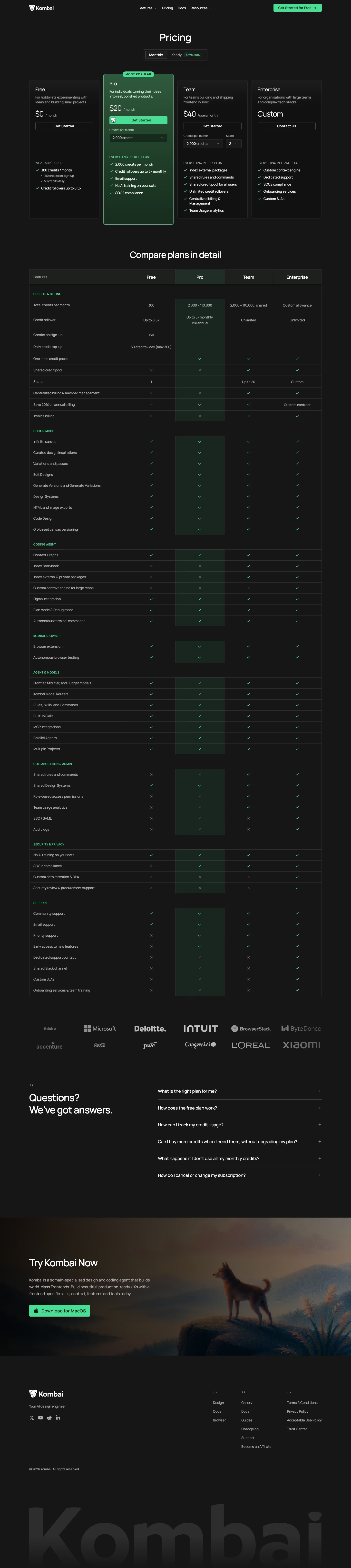
The toggle exists to sell the annual plan without hiding the monthly one. Nearly every example in our reviews pairs it with a discount tag: Kombai's "Save 20%", Dropbox's "Save 15%", Tryterracotta's "Save 32%". The tag is the point; the switch is just the mechanism that makes the saving visible.
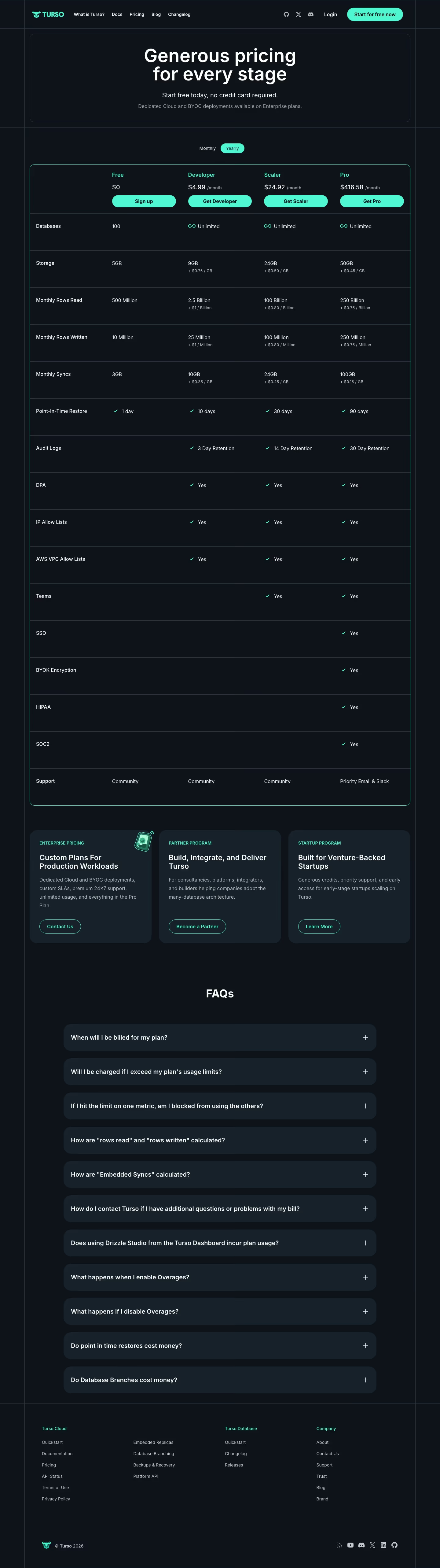
Which side is selected by default is a real decision. Defaulting to yearly (as Lemcal does) shows the lowest per-month number first, which flatters the price; defaulting to monthly shows the honest entry cost. Either is fine as long as the card states which one is shown ("billed yearly") so nobody reaches checkout surprised.
Weak toggles change only some prices, leave the enterprise card unexplained, or put the saving in tiny grey text next to the switch instead of on the cards themselves.
Pricing toggle examples from real SaaS sites
Each one is a pricing & plan capture whose design review mentions the pricing toggle.


When to use a pricing toggle, and when not to
Use it for
- Two billing periodsYou actually offer monthly and annual billing at different effective prices.
- Meaningful discountThe annual saving is large enough to be worth a tag, typically 15% or more.
- Self-serve checkoutVisitors pick the period themselves rather than negotiating it with sales.
Avoid it for
- One billing periodA toggle with only one sensible option is noise; state the billing period on the card instead.
- Usage-based pricingIf the bill depends on consumption, a period switch implies a precision the price doesn't have.
- Tiny savingA toggle that saves a dollar a month draws attention to how small the incentive is.
Anatomy of a pricing toggle
- 1Two labels"Monthly" and "Yearly" (or "Annual"), on either side of the control or as two segments.
- 2Switch or segmented controlA pill-shaped toggle or two-segment button showing which period is active.
- 3Saving tagA small pill such as "Save 20%" attached to the annual option.
- 4Price updateEvery card's price changes in place, ideally with a "billed yearly" note under the number.
Common pricing toggle variants
1. Segmented control
Two labeled segments in one pill, the active one filled. The most common form in our catalog.
2. Switch with labels
A small toggle switch between the words "Monthly" and "Yearly", borrowed from settings UIs.
3. Other periods
Some tools toggle different units; Kodlo's pricing switches between monthly and quarterly.
Spotted in our design reviews
Our reviews describe a pricing toggle on 19 of the 422 SaaS homepages in the catalog. A few of them:
Under "Simple pricing that scales with what you ship.", a Monthly and Yearly toggle leads three columns: Basic at $200 yearly, a highlighted purple Pro at $500 yearly with "Get Started", and Enterprise with "Contact Us".
Usenotra · Testimonials, pricing and questions
The heading "Trusted by over 30,000,000 users From 191 countries." opens a pricing area with a "Monthly"/"Yearly" toggle and cards for Free, Basic, Pro and Max, each with a dark button.
Krea · Use cases, pricing and interface demo
Scale Fast." has a "Monthly" and "Yearly" toggle and four tiers priced "$0", "$18", "$90" and "Custom", with only the free tier carrying a filled button.
Replit · Platform cards, quotes and pricing
The pricing section has a Monthly and Yearly toggle over "Free" at $0, "Digest" at $5/mo and "Pro" at $15/mo.
Ancher · Feature grid, download tabs and pricing
"Connect your tools in two clicks" sits above a field of logo tiles, followed by "Pricing that scales with your business" with a Monthly and Annually switch.
Getmagicform · Integrations, pricing and comparison table
Back on light, "Pay for signal, not seats." heads a table with a Monthly and Quarterly toggle.
Kodlo · Four-column pricing table
"Transparent, flexible pricing" introduces a monthly or yearly toggle and four columns: "STARTER" at $0, "SCALE" at $38, "GROWTH" at $350 and "ENTERPRISE" as "Custom".
Supademo · Pricing
Scale lists 1,000,000 credits, a rupee price, a "Billed yearly" toggle and "Subscribe".
Firecrawl · Pricing
Often confused with
Pricing toggle vs. toggle switch
A toggle switch is the generic on/off control; a pricing toggle is one specific use of it (or of a segmented control) that changes the billing period of a pricing table.
Pricing toggle vs. tabs
Tabs swap whole panels of content; a pricing toggle keeps the same cards and only changes the numbers inside them.
Frequently asked
Should the pricing toggle default to monthly or annual?
Annual shows a lower per-month figure and nudges toward the longer plan; monthly is the more transparent first impression. Pick one deliberately and label the price with its billing period either way.
Where should the annual discount appear?
On the toggle as a tag ("Save 20%") and, ideally, on each card as the struck-through monthly price. A saving only mentioned in the FAQ does nothing.