
Forms & inputs
Toggle switch
A toggle switch is a two-state control, a knob sliding along a rounded track, that turns one setting on or off with one click, taking effect at once.
- Also called
- Switch, On/off toggle, Toggle control
- Spotted on
- 10 of 422 homepages
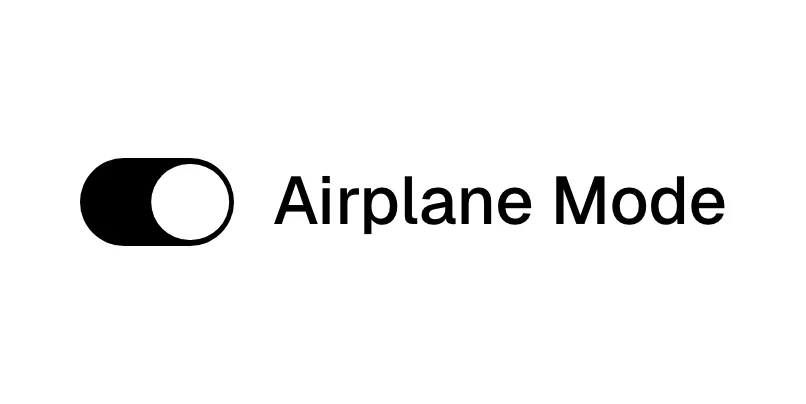
What is a toggle switch?
On a SaaS marketing site the toggle switch rarely does any real work. It shows up inside product visuals: a preference panel with notification toggles, a list of feature flags, a stack of cards each with its own switch. Knock pairs "User-first controls." with a preference panel full of toggles, and Reflag shows a toggle list captioned "Toggle features with our toolbar". The switch is a shorthand for "you stay in control", and visitors read it in a fraction of a second.
That is why it works best as illustration for products about settings, permissions, flags or automation. A row of switches with plain labels ("Bot Blocking", "Audit Logs") explains the product faster than a paragraph about configurability. It works badly when every switch on the page is identical and already on: then it is decoration, not information.
Keep it separate from the pricing toggle. A Monthly/Yearly control is usually a two-option segmented pill that swaps content, not a binary on/off switch, and it has its own conventions. A real toggle switch should always have a visible label and a state the visitor can read without color alone.
When to use a toggle switch, and when not to
Use it for
- Showing configurabilityThe product's value is control: flags, permissions, notification preferences, automation rules.
- Optional add-onsA pricing card where one extra, such as an AI add-on, can be switched on without changing plans.
- Instant, reversible choicesInteractive demos where flipping the switch immediately changes the visual beside it.
Avoid it for
- Choosing between viewsMonthly vs. yearly or "For teams" vs. "For agents" is a choice of two options, which a segmented control or tabs handle better.
- Form submissionsA signup or consent choice that is saved on submit should be a checkbox, not a switch that implies an instant effect.
- Unlabeled decorationA row of identical switches with no labels tells the visitor nothing about the product.
Anatomy of a toggle switch
- 1TrackThe rounded pill-shaped background whose fill color shows the state: brand color for on, grey for off.
- 2ThumbThe circular knob that slides from one end of the track to the other.
- 3LabelThe setting's name, placed to the left of the switch, so the visitor knows what is being turned on.
- 4State textAn optional "On"/"Off" or helper line, so the state is readable without relying on color.
Common toggle switch variants
1. Settings list
Several labeled switches stacked in a card, the most common way SaaS sites show preference or permission controls.
2. Toggle cards
Each feature gets its own card with a switch in the corner, as in WorkOS's "Connectors", "Bot Blocking" and "Audit Logs" cards.
3. Inline add-on
A single switch inside a pricing card that adds an optional paid extra.
Spotted in our design reviews
Our reviews describe a toggle switch on 10 of the 422 SaaS homepages in the catalog. A few of them:
On the right, toggle cards labelled "Connectors", "Bot Blocking", "Agent Auth" and "Audit Logs" fade toward their edges.
Workos · Above the fold
A pill toggle switches "Marketing Teams" and "Agents".
Gooseworks · Above the fold
The section headed "Interview your company without talking to anyone." places three toggles above a bordered dashboard of ranked tasks, each with a dollar tag such as "$27,310/yr".
Autostep · Pill row, feature cards and the first product section
The first block is headed "Flags you’ll enjoy using" Two cards sit side by side: a code editor with autocomplete, "Type-safety with the CLI", and a toggle list, "Toggle features with our toolbar".
Reflag · Developer tooling demo cards
Then "Increase 2X your productivity" introduces two cards, "IMPORT EXISTING SETTINGS" and "WORK WITH YOUR TEAM", the latter with toggles and star ratings.
Lemcal · Logo row, testimonials and feature cards
"Never build an email again." sits beside a welcome email with "Personalized greeting" and "Onboarding checklist" bullets, and "User-first controls." beside a preference panel with toggles.
Knock · Email, in-app and data sections
Six cards under "Workflows for every team." each carry a mini visual, including a "Payments received" table, toggles for "Kraft mailer box" and a line chart labelled "Signups dropped".
Getenergy · Workflows, enterprise and settings
The footer places a nine-dot logo at left and four columns with monospaced labels: "COMPANY" with four links, "HELP & SUPPORT" with six, "LEGAL" with six including a "Your privacy choices" toggle icon, and "SOCIAL" with seven.
Tailscale · Footers
Often confused with
Toggle switch vs. pricing toggle
A pricing toggle swaps the prices shown between two billing periods and is usually a segmented pill. A toggle switch turns one setting on or off.
Toggle switch vs. tabs
Tabs switch between several panels of content. A toggle switch has exactly two states and controls a setting, not which content is visible.
Frequently asked
Is a Monthly/Yearly control a toggle switch?
Sometimes it is drawn as one, but it behaves like a two-option selector. Most SaaS pricing pages now use a segmented pill with both labels visible, which reads more clearly than a switch with labels on either side.
Should a toggle switch or a checkbox be used in a signup form?
A checkbox. A switch suggests the change happens immediately; in a form nothing happens until the visitor submits, which is exactly what a checkbox communicates.
Why do so many product mockups include toggle switches?
Because a labeled switch is the fastest visual shorthand for control. If your product is about settings, flags or permissions, a few real labels on real switches explain it better than an abstract illustration.