
Forms & inputs
Radio button
A radio button is a small circular input in a group of options where choosing one automatically clears the others, so exactly one answer is selected.
- Also called
- Radio, Option button, Radio group
- Browse examples
- Pricing pages →
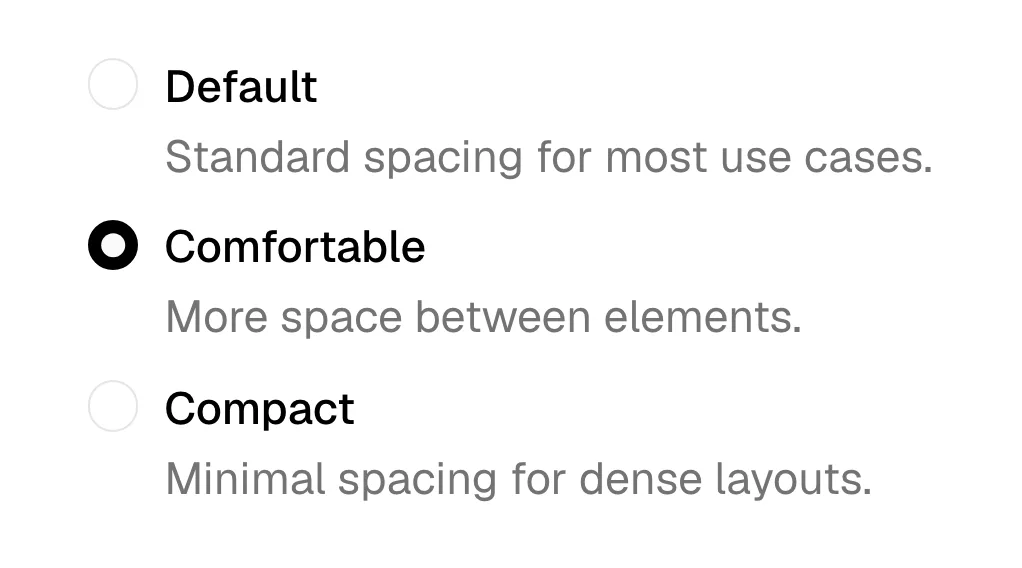
What is a radio button?
Radio buttons fit any question with one answer and a short list of options: company size on a demo form, plan choice in a checkout, "How should we contact you?" on a contact page. Their strength is that every option is visible at once, so the visitor can compare before choosing, which a select menu hides.
On SaaS marketing sites they often appear restyled as selectable cards. Basecamp's pricing page pairs a radio list of five packages with a detail pane, so picking a package updates what's shown beside it. Plan pickers, billing-period choices and onboarding questions use the same idea: a whole card is the click target, with a radio circle or check in one corner.
Keep the group's question visible as a legend, keep options short and parallel, and decide whether one should be pre-selected. Pre-select only when there is a sensible default (the most popular plan); for questions like company size, starting empty avoids skewing the answers.
When to use a radio button, and when not to
Use it for
- One answer, few optionsTwo to six mutually exclusive choices that the visitor should see side by side.
- Comparison mattersThe options are easier to choose between when all are visible, such as plans or team sizes.
- Form contextThe choice is saved on submit rather than changing the page instantly.
Avoid it for
- Many optionsBeyond about seven, a select or combobox keeps the form short.
- Multiple answersIf visitors can pick several, use checkboxes.
- Switching viewsChanging what content is shown instantly is a job for a segmented control or tabs.
Anatomy of a radio button
- 1Group legendThe question the group answers, such as "Company size".
- 2Radio circleA small circle per option that fills with a dot when selected.
- 3Option labelClickable text for each option, short and parallel in wording.
- 4Helper textOptional detail under an option, like the price or what a tier includes.
Common radio button variants
1. Vertical list
The default form layout, easiest to scan and to tap on mobile.
2. Radio cards
Each option is a bordered card with a title and description, common in plan pickers.
3. Inline radios
Two or three short options in one row, such as Yes/No.
Spotted in our design reviews
Where our reviews mention a radio button:
One card pairs a radio list of five packages, from "Free" to "Unlimited Edition", with a detail pane; "Studio, $59/mo" is selected, with a "Start a 30-day free trial" button and ticked and crossed lines.
Basecamp · Pricing & Plans
The site treats its page as an editable product surface, using bounding boxes, measurement annotations, radio controls, an OTP field, and draggable headline blocks to embody the dual-canvas claim.
Noon · Overview
Often confused with
Radio button vs. checkbox
Checkboxes allow any number of choices; radio buttons enforce exactly one.
Radio button vs. segmented control
A segmented control is a compact, button-like single choice that usually changes the view immediately; radio buttons belong in forms.
Radio button vs. select
A select hides the options in a menu; radio buttons show them all, which is better for short lists.
Frequently asked
Should one radio button be selected by default?
Only when there is a sensible default, such as the recommended plan. For questions where any default would bias the answer, like company size, leave the group empty and make it required.
Can I style radio buttons as cards?
Yes, and it's common on pricing and onboarding pages. Keep the underlying input a real radio group so keyboard arrows and screen readers still work.