
Overlays & feedback
Tooltip
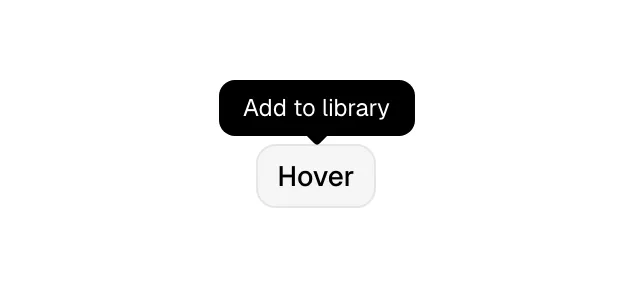
A tooltip is a short text label that appears next to an element when it is hovered or focused, naming or explaining it, then disappears.
- Also called
- Hint, Info tip, Hover label
- Spotted on
- 3 of 422 homepages
- Browse examples
- Pricing pages →
What is a tooltip?
Tooltips answer "what is this?" for a single element. They name icon-only buttons, explain a term, or show an exact value. On SaaS pricing pages they are everywhere: a small info icon beside "Monthly active users" or "API calls" reveals a one-sentence definition, so the table stays compact without leaving buyers guessing.
They are also a staple of product visuals. A chart in a hero mockup looks alive with a dark tooltip over one data point; Peec's dashboard mockup shows a line chart with an "April 2025" tooltip, and Perplexity raises a dark "Use Computer" tooltip when pointing at a pill in its input box. These small touches suggest an interactive product inside a static image.
The limits are firm. A tooltip should hold a few words, never links or buttons, and never information a visitor must have to make a decision. Hover doesn't exist on phones, so anything in a tooltip needs another route on mobile, such as a tap-to-open popover or inline text. Show tooltips on keyboard focus too, with a short delay before appearing so they don't flicker as the pointer passes.
When to use a tooltip, and when not to
Use it for
- Icon-only controlsToolbars and icon buttons whose meaning isn't obvious from the icon alone.
- Jargon in tablesPricing and comparison rows with terms like "seats", "credits" or "SSO" that need a one-line definition.
- Exact valuesCharts where the visitor wants the precise number behind a bar or point.
Avoid it for
- Critical informationLimits, fees or requirements that affect a purchase must be visible without hovering.
- Interactive contentLinks or buttons inside a tooltip are unreachable for many users; use a popover.
- Mobile-first pagesTouch screens can't hover, so anything important needs an alternative there.
Anatomy of a tooltip
- 1TriggerThe element being described, often an icon, a dotted-underlined term or a chart point.
- 2BubbleA small, usually dark container with high-contrast text.
- 3ArrowAn optional caret pointing at the trigger.
- 4LabelA few words or one short sentence; no headings, links or buttons.
Common tooltip variants
1. Label tooltip
Names an icon-only button, such as "Copy" or "Share".
2. Info tooltip
A sentence of explanation opened from a small info or question-mark icon.
3. Data tooltip
Shows the value and date of a point on a chart, often in product mockups.
Spotted in our design reviews
Our reviews describe a tooltip on 3 of the 422 SaaS homepages in the catalog. A few of them:
A dashboard labelled "Attio's Dashboard" shows a line chart with an "April 2025" tooltip.
Peec · Above the fold
"Not a static file, a real prototype" frames a browser window showing "122,872,886", bar charts and a 45% gauge, with two green tooltip labels.
Magicpath · Plugin install, code sync and live prototype
Pointing at the Computer pill raises a dark tooltip, "Use Computer", over "For work and more complex tasks".
Perplexity · Two mode cards
Often confused with
Tooltip vs. popover
A popover can hold rich, interactive content and usually opens on click. A tooltip is a short, read-only label shown on hover or focus.
Tooltip vs. toast
A toast reports the result of an action and is tied to no element. A tooltip describes one specific element and appears only while it is hovered or focused.
Frequently asked
Should pricing tables use tooltips?
For definitions, yes: they keep rows short. For anything that changes the price or limits what a plan can do, write it in the table itself.
How do tooltips work on mobile?
They mostly don't. Make the info icon tappable and open a small popover, or put the explanation in text below the row on narrow screens.
How long should tooltip text be?
One short sentence at most. If it needs more, the content belongs in a popover, a help page or on the page itself.