
Forms & inputs
Date picker
A date picker is an input for choosing a calendar date, usually a field that opens a month grid where the visitor clicks a day instead of typing it.
- Also called
- Calendar picker, Date input, Date selector, Booking calendar
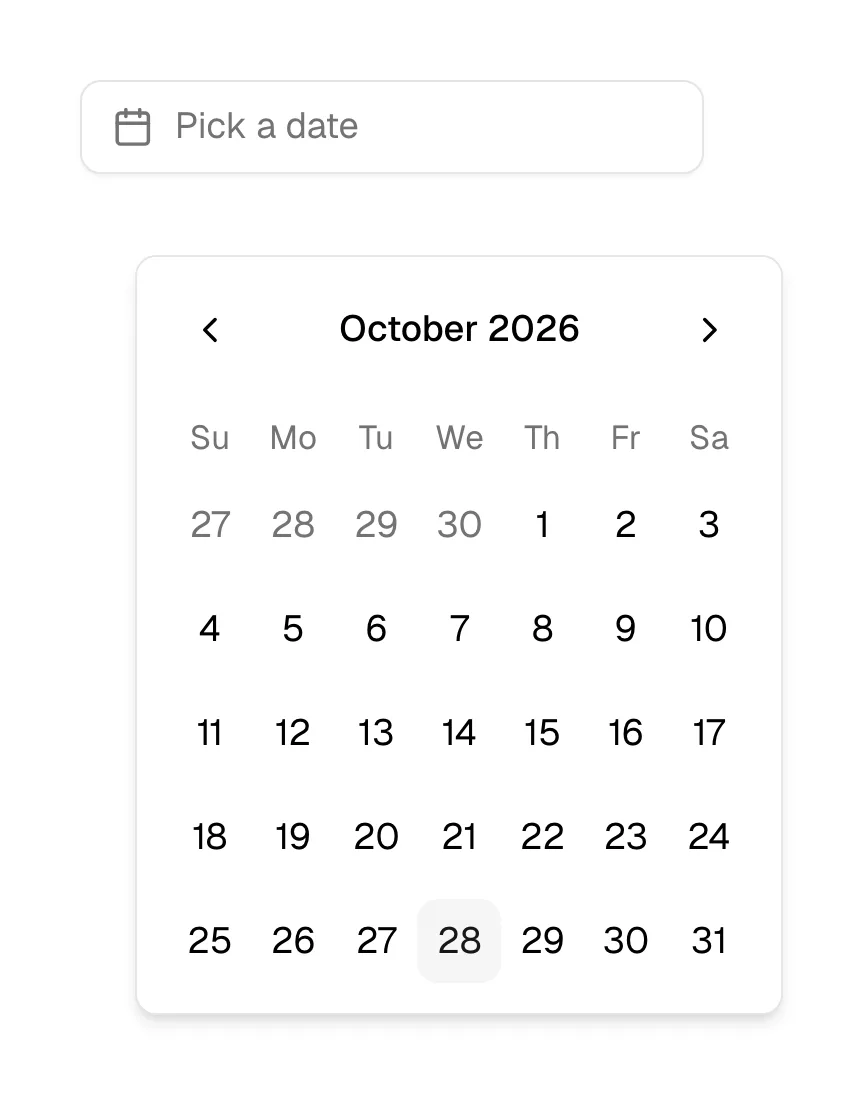
What is a date picker?
On SaaS marketing sites the date picker appears in two places. The first is functional: demo-booking flows that let a visitor pick a day for a call right after filling in a form, event registrations and webinar signups. The second is illustrative: scheduling, booking, HR and analytics products show a month grid in the hero because a calendar explains the product instantly. Cal shows a working-looking booking calendar in its hero instead of an illustration, and Lemcal angles booking calendars on device mockups.
A good date picker shows the format it expects, lets the visitor type a date as well as click one, disables days that can't be picked (weekends, past dates, fully booked days) and makes clear which day is today and which is selected. On phones, the native date input is often the better choice: it opens the operating system's own wheel or calendar, which people already know.
For booking demos, pair the date with available time slots right away. A picker that lets a visitor choose a Saturday and only then says "no availability" wastes the most motivated lead on the page.
When to use a date picker, and when not to
Use it for
- Near-future datesBooking a call or event in the next few weeks, where seeing the calendar helps people plan.
- Constrained availabilitySome days are unavailable and the grid can show that before the visitor picks.
- RangesStart and end dates for a report or trial period, where two clicks on a grid beat two typed fields.
Avoid it for
- Birth datesClicking back decades month by month is painful; three plain fields or a typed date are faster.
- Known, exact datesIf people know the date by heart, let them type it; the calendar is a fallback.
- Lead formsAsking for a date before you've earned the visitor's interest adds friction; ask once they want a call.
Anatomy of a date picker
- 1Input fieldShows the chosen date in a clear format, with a calendar icon that opens the picker.
- 2Month headerThe month and year with previous and next arrows.
- 3Day gridSeven columns of days with weekday initials; today is marked and unavailable days are dimmed.
- 4Selected stateThe chosen day, or the start and end of a range, filled in the brand color.
- 5ActionsOptional "Today", "Clear" or "Apply" buttons, mostly in range pickers.
Common date picker variants
1. Inline calendar
The month grid always visible on the page, as in booking widgets and scheduling heroes.
2. Popover picker
A field that opens the calendar in a small popover, the standard in forms.
3. Range picker
Two months side by side for choosing a start and end date, with preset ranges like "Last 30 days".
4. Native date input
The browser's own control, best on mobile where it opens the familiar system picker.
Spotted in our design reviews
Where our reviews mention a date picker:
Often confused with
Date picker vs. time picker
A date picker chooses the day; a time picker chooses the hour and minute. Booking flows often pair the two.
Date picker vs. popover
A popover is the floating panel; a date picker often opens inside one, but the picker is the control.
Frequently asked
Should I use the native date input or a custom calendar?
On mobile, native usually wins because people know it and it handles accessibility. A custom calendar earns its place when you need to show availability, ranges or your product's look on desktop.
Why do scheduling products put a calendar in the hero?
Because a month grid with a few open slots explains a scheduling product faster than any headline. It works as both product screenshot and promise.