
Page sections
Stats section
A stats section is a band of three or four large numbers with short captions, such as customers, uptime or time saved, used as quick quantitative proof.
- Also called
- Statistics band, Metrics section, Numbers section, Stats bar
- Spotted on
- 95 of 422 homepages
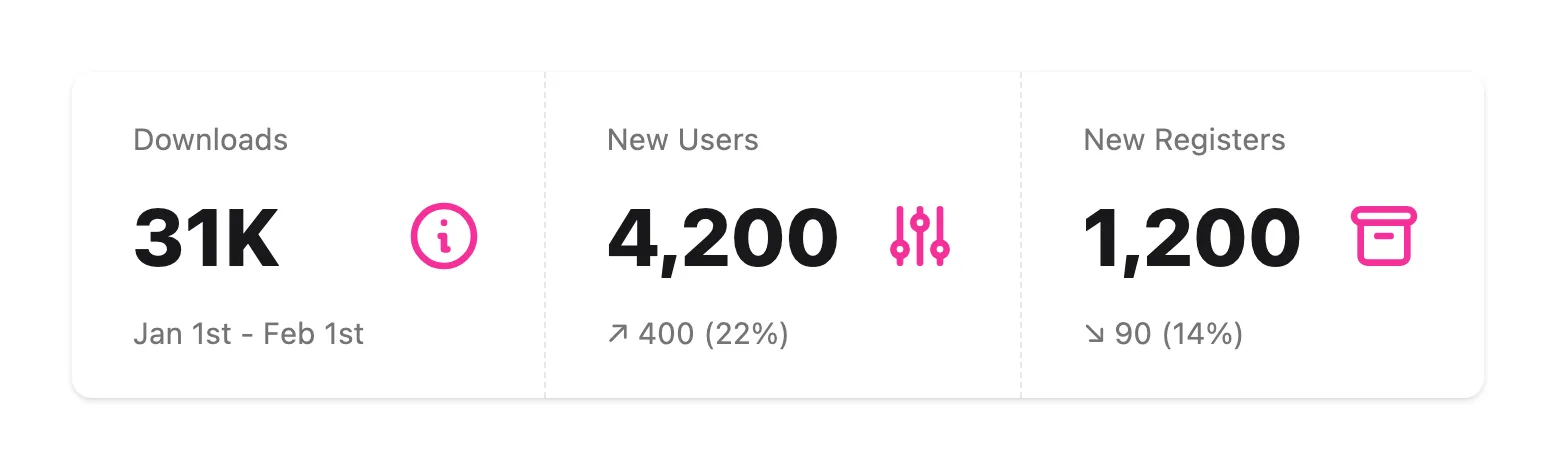
What is a stats section?
Big numbers are easy to scan, which is why SaaS homepages use them as a breather between denser sections. A typical band in our reviews holds three or four figures: Gorgias sets "$500M+", "17,000+" and "4.2x" in a row; Slack's statistics band puts three customer-reported percentages under "We're in the business of growing businesses."
Stats come in two kinds. Scale numbers (customers, messages sent, uptime) say the product is established; outcome numbers (hours saved, revenue lift) say it works. Outcome numbers are more persuasive but need a source, so the best bands attribute them to a survey, a named customer or a time period.
Weak stats sections round everything to "10K+" and "99%" without saying of what. Pair each figure with a caption specific enough to be checked.
When to use a stats section, and when not to
Use it for
- Impressive real numbersCustomer counts, volume or uptime that a competitor would envy.
- Measured outcomesCustomer-reported results with a source behind them.
- Pacing a long pageA sparse row of numbers between two heavy feature sections gives the eye a rest.
Avoid it for
- Small or vague numbers"100+ customers" or "lots of data" undersells the product; leave the band out.
- Unsourced outcome claims"3x productivity" with no source reads as marketing invention.
- Too many figuresEight numbers in a grid stop being memorable; keep three or four.
Anatomy of a stats section
- 1Optional headingA line framing the numbers, or none at all.
- 2FiguresThree or four large numerals, often in the display font.
- 3CaptionsA short label under each number saying what it counts.
- 4SourceAn optional footnote or link explaining where the numbers come from.
Common stats section variants
1. Plain row
Numbers and captions on the page background, separated by space or thin dividers.
2. Colored band
A full-width strip in a brand color that stands out from neighbouring sections.
3. Stat cards
Each figure in its own bordered card, sometimes mixed into a bento grid.
4. Stats beside badges
Numbers set next to a rating or award badge, as Adant pairs three figures with a Product Hunt badge.
Spotted in our design reviews
Our reviews describe a stats section on 95 of the 422 SaaS homepages in the catalog. A few of them:
A blurred band frames a sample workspace, "Summit Outdoors", showing a deck slide headed "Single Deal Leads WoW Growth" and stat cards reading "$12.37M", "+6.3%" and "1 of 4".
Summation · Above the fold
Below a row of five stars and a Product Hunt badge, a panel headed "Scanning demo-store.com" shows a visibility score of 89 and four stat tiles.
Seorce · Above the fold
The bordered screenshot below shows a report whose text ends "Awareness is 27% below competitor average." above four stat tiles.
Timelaps · Above the fold
"Steel runs millions of browser sessions every week." follows, then three stats between thin rules: "1,500,000+" with "Browser Hours Served", "35,000,000+" with "Sessions Served" and "4 Trillion+" with "Tokens Scraped".
Steel · Logo wall, stats and use-case band
Next, "Agents your customers actually trust." heads a four-cell stat row: "92%", "2×", "+37" and "60%", each credited to a customer.
Brainfish · Launch block, statistics and feature rows
Five stat cards follow: "113,000+" for "apps powered by CometChat", "7M+" for messages sent every day, "163+" for countries connected, "7ms" for "API response time" and "99.999%" for "uptime".
Cometchat · Stats, logos and platform overview
"Fast Anywhere" heads a dotted globe, with four stats: 160B "Redis Commands", 210M "QStash Messages", 15M "Workflow Runs" and >99.99% "Uptime".
Upstash · Redis panel, feature cards and code sample
Under a sentence naming Viessmann, Base, Worksmile and Coffeedesk, a large "+62%" stands alone, followed by four stats: "+47%", "+50%", "Top 5" and "1500+".
Chatbeat · Proof statistics and case study cards
Often confused with
Stats section vs. social proof
Social proof covers any evidence others use the product; a stats section is the numeric slice of it.
Stats section vs. case study
A case study tells one customer's story with its own numbers; a stats section aggregates across all customers.
Frequently asked
Should stats animate or count up?
A count-up is fine if it is quick and only runs once. The number has to be readable immediately, including in screenshots and for visitors who reduce motion.
Where should a stats section go?
Commonly right after the logo cloud or between feature sections. It works best next to the claim it supports.