
Components
Stacked list
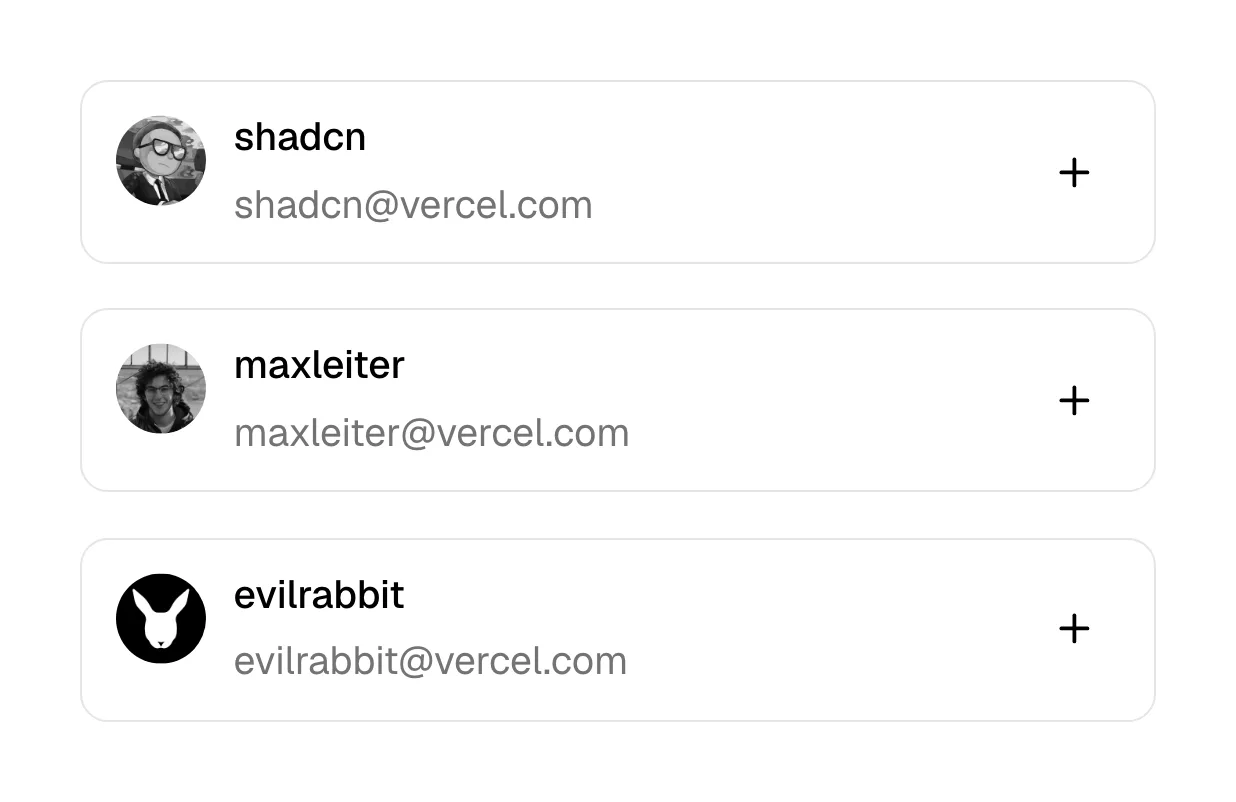
A stacked list is a vertical column of full-width rows, each holding one item's title and a few details, usually separated by thin dividers.
- Also called
- List view, Row list, Vertical list, Job list
- Spotted on
- 19 of 422 homepages
- Browse examples
- Careers pages →
What is a stacked list?
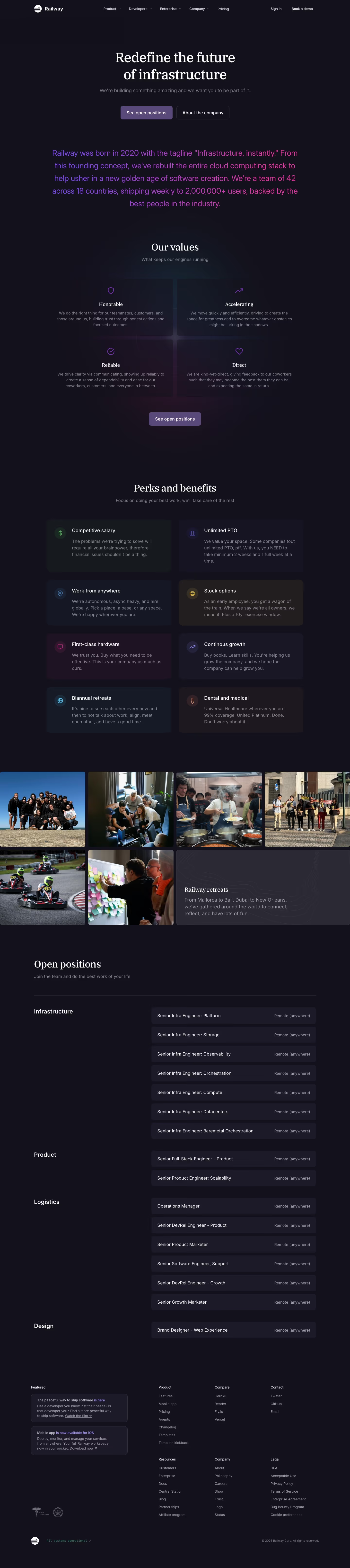
Stacked lists are the format for anything people scan top to bottom: job openings, changelog entries, blog archives, integration directories. Careers pages are the clearest example. Railway groups open positions under Infrastructure, Product, Logistics and Design with a location on every row; Tailscale groups its long list by department pills with counts.
They are also what grids become on mobile. Columns of links, stats or product cards collapse into one stacked list on a phone, which is why a good stacked list is designed rather than left to happen. Documenso's footer columns, for example, become one long stacked list at mobile width.
A strong row puts the scannable part first (job title, release name) and right-aligns the details (location, date, arrow). Weak lists cram everything into one line in the same weight, or hide the whole list behind a third-party embed that loads slowly or not at all.
Stacked list examples from real SaaS sites
Each one is a careers page capture whose design review mentions the stacked list.





When to use a stacked list, and when not to
Use it for
- Scannable itemsVisitors look for one item among many, by title, team or date.
- Uniform dataEvery row has the same fields, like title, department and location.
- Narrow screensContent that sits in columns on desktop needs a single-column form.
Avoid it for
- Visual contentTemplates, photos or designs need a gallery, not text rows.
- Many columnsIf people compare several attributes across items, a table is clearer.
- A few highlightsThree key features read better as cards than as a plain list.
Anatomy of a stacked list
- 1Group headingOptional department, month or category label above a run of rows.
- 2RowA full-width, clickable band for one item.
- 3Primary textThe title, set heavier so it can be scanned.
- 4MetadataLocation, date, type or tags, often right-aligned or in a muted color.
- 5Divider and chevronA line between rows and an arrow showing the row opens something.
Common stacked list variants
1. Job list
Roles grouped by team, with location and work type per row.
2. Changelog list
Dated entries with a title and a tag such as "New" or "Fix".
3. Mobile stack
A desktop grid of cards or links collapsed into rows on a phone.
Spotted in our design reviews
Our reviews describe a stacked list on 19 of the 422 SaaS homepages in the catalog. A few of them:
A split panel puts a dotted-background code card beside a stacked list: "List Models", "Text to SVG", "Image to SVG" and others, inactive rows dimmed.
Quiver · API reference, industries and blog
Six open roles are rows marked San Francisco, CA, On-site, each with a circular arrow.
Conduit · Careers pages
"How we work" lists five numbered principles, brand artwork, "Join us" with five open roles grouped by team, and a four-column "Backers" name list.
Polar · About Us
A "LEVEL UP" row offers "Food", "Music" and "Movies", then "14 open positions" run as ruled rows of title, department and city.
Blacksmith · Careers pages
The black process panel becomes a stacked list of four captioned screenshots.
Pexo · Mobile
The product map collapses into a stacked list, capability rows keep their template with tags set one per line, and the partnership cards scroll sideways.
Mistral · Mobile
The footer link columns become one stacked list, and the page runs about 11,258 pixels tall.
Chatwoot · Mobile
The security columns turn into a stacked list with dividers, and footer link groups stack vertically.
Openroll · Mobile
Often confused with
Stacked list vs. table
A table has aligned columns with headers for comparing values. A stacked list has rows with loosely arranged details and no column headers.
Stacked list vs. accordion
An accordion hides each row's content until opened. A stacked list shows every row's key details up front and links out for more.
Frequently asked
Should job listings be a list or cards?
A list, in most cases. People scan job titles and locations; rows make that fast. Cards suit a handful of roles where each needs a short description.
How do I make a long list usable?
Group it (by team, month or category), add filter chips or a search field above it, and keep each row to one line on desktop.