
Navigation
Hyperlink
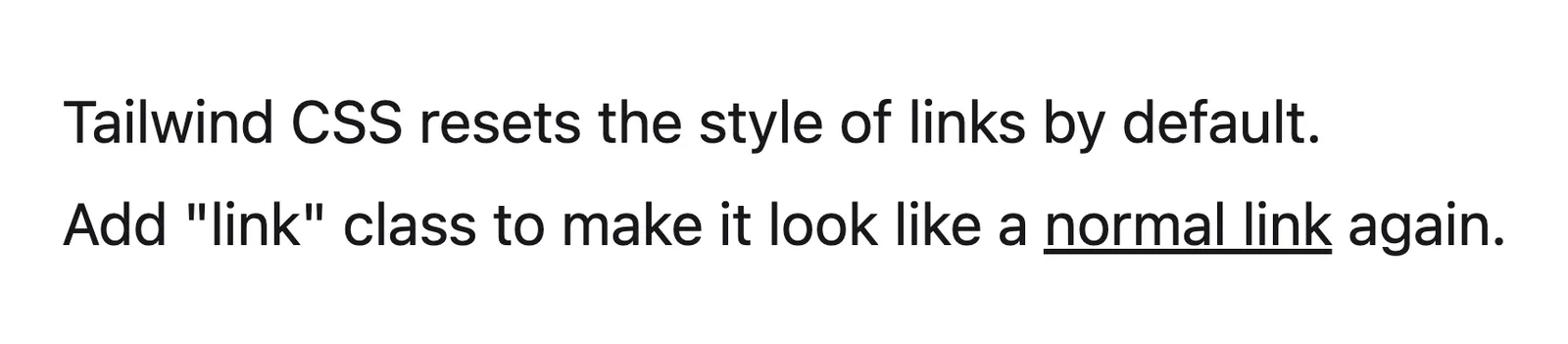
A hyperlink is clickable text or an element that takes the reader to another page or place, marked out from body copy by color, underline or an arrow.
- Also called
- Link, Text link, Inline link, Anchor
- Spotted on
- 21 of 422 homepages
What is a hyperlink?
Most of a SaaS site's links aren't buttons. They are the secondary action beside the main button, the "Learn more" under each feature card, the links in a blog post and the long columns in the footer. Para pairs a green "Get started free" button with a text link "See how it works"; Temporal does the same with "Run Locally"; Warp sets "DOWNLOAD WARP TERMINAL" as an underlined link beside a filled button.
The design choice is how a link announces itself. An underline is the most reliable signal, and it is the one that matters most inside running text, where color alone can be missed by color-blind readers. In navigation, footers and card captions the context already says "these are links", so plain text with a hover state is fine. The "Learn more →" arrow link sits in between: a short, explicit label with an arrow that says "this goes somewhere" without the weight of a button.
Link text should say where it goes. "Explore Workflows" or "Read the case study" beats a row of identical "Learn more" links, which tell neither readers nor screen-reader users which feature each one belongs to.
When to use a hyperlink, and when not to
Use it for
- Secondary actions"See how it works" or "Talk to sales" next to the main button, where a second button would compete.
- Inside running textReferences and cross-links in articles and docs, underlined so they stand out from the copy.
- Card follow-upsA short arrow link at the end of a feature or story card leading to the detail page.
Avoid it for
- The primary actionThe one thing the page wants visitors to do deserves a button, not a link.
- Color-only signals in copyA link inside a paragraph marked only by a slightly different color is easy to miss; add an underline.
- Actions that change dataSubmitting, deleting or saving are button jobs; links should navigate.
Anatomy of a hyperlink
- 1Link textA short, specific label that describes the destination.
- 2Visual cueAn underline, accent color or both, so the link reads as clickable.
- 3Arrow or iconAn optional → or external-link icon that signals movement or a new site.
- 4Hover and focus statesA change in underline, color or arrow position on hover, and a visible focus ring for keyboards.
Common hyperlink variants
1. Underlined inline link
The default inside paragraphs, where the underline separates it from surrounding text.
2. Arrow link
"Learn more →" style, with no underline and an arrow that often nudges right on hover.
3. Navigation link
Plain text in headers and footers, distinguished only by placement and hover.
4. Button-adjacent text link
The quieter secondary action beside a filled button in a hero or CTA.
Spotted in our design reviews
Our reviews describe a hyperlink on 21 of the 422 SaaS homepages in the catalog. A few of them:
Buttons read "Download TraeWork" in green, "Download TraeCode" as an outline, and a text link, "TraeWork Web".
Trae · Above the fold
Two buttons follow: a black "Talk to sales" and a text link, "Watch video".
Chronicle · Above the fold
The subhead wraps to two centred lines, then a purple "Get started free" pill and a text link, "Watch it in action".
Kirki · Above the fold
The header has a "rig" logo at left and only two items at right: the text link "Blog" and a black beveled button, "Get Early Access".
Rig · Above the fold
Two buttons follow: a green "Get started free" and a text link "See how it works".
Para · Above the fold
Five grey text links follow with wide gaps: "Products", "Partners", "Developers", "Resources" and "Company", with no dropdown arrows or icons.
Pipe · Navigation row
The hero sits centered on a violet perspective grid: "The world's best AI runs on Temporal", a two-line subhead naming five customers, a gradient "Get Started for Free" button and a text link, "Run Locally".
Temporal · Above the fold
Above the fold, a left column sets the headline "The missing design vocabulary for agents." in light condensed type, with a filled "Get started" button and a text link "How it works" beneath the subhead.
Impeccable · Above the fold
Often confused with
Hyperlink vs. button
A button triggers an action or is the page's main call to action and looks like a control. A hyperlink navigates and is styled as text.
Hyperlink vs. ghost button
A ghost button has an outline and padding like a button; a text link has neither and carries even less visual weight.
Frequently asked
Should links on a marketing site be underlined?
Inside paragraphs, yes: an underline is the clearest signal and doesn't rely on color. In navigation, footers and card links, where the context already implies a link, plain text with a hover state is fine.
Is "Learn more" a bad link label?
Alone, repeated on every card, it is vague. Make it specific ("Explore Workflows", "See pricing") or keep "Learn more" only where the card's heading sits right beside it.